NeoGate TG Series User Manual
53/62
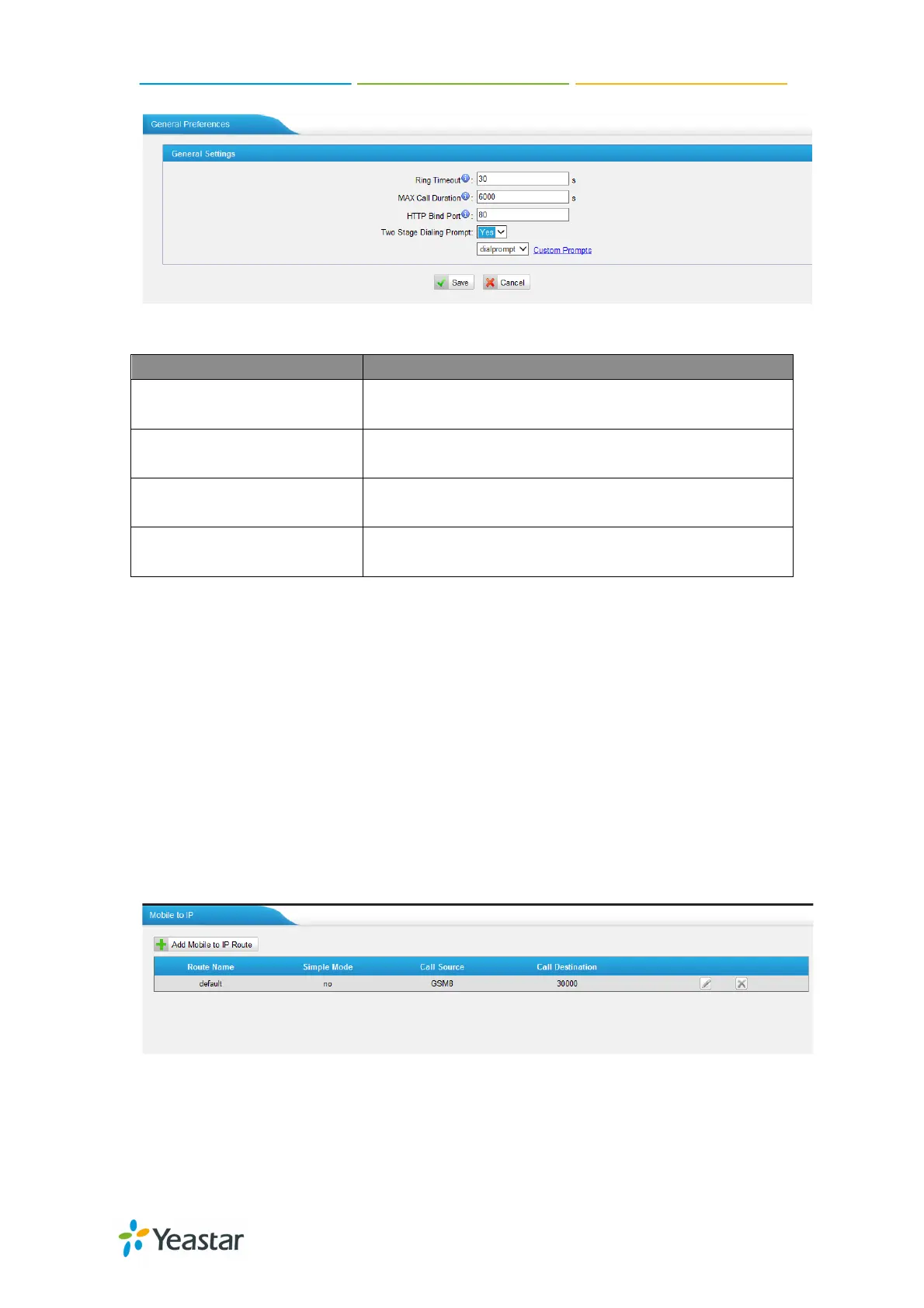
Figure 7-27
Ring Timeout
The global time out value for extensions, it’s 30 by
MAX Call Duration
T
he global max call duration setting for all
extensions, it’s 6000 by default.
HTTP Bind Port
Port used for HTTP sessions; Default: 80.
If you change this, please reboot to take effect.
Two Stage Dialing Prompt
Choose the customized two stage dialing prompt;
it’s disabled by default.
7.3 Routes Settings
To route the call to the correction destination, we should configure this page well,
including the mobile to IP and IP to mobile settings.
7.3.1 Mobile to IP
This is the route page specifying how to route the calls from GSM/UTMTS/CDMA
channel to IPPBX. There is a default route here, and we can create a new one or
edit the old one. There are two modes for you to configure that.
Figure 7-28
1) Simple Mode
http://arttel.ru
https://arttel.ru/shop/3g-shlyuzy/yeastar-neogate-tg800w


 To Next Page
 Loading...