FXS Gateway TA400/800 User Manual
that it is disabled for security reason.
Enable pedantic parameter. Default: no.
Alwaysauthreject
If enabled, when TA FXS Gateway
rejects “Register” or “Invite” packets,
Gateway
always respond the packets
using “SIP404 NOT FOUND”. It’
s recommended
that it is enabled for security reason.
Session-timers
Enable session-timer mode, default: yes. If you find
the call is cut off every 15 minutes every time,
please disable this.
Session-minse
The min refresh interval, which mustn't be shorter
than 90s.
Choose the session-refresher, the default is Uas.
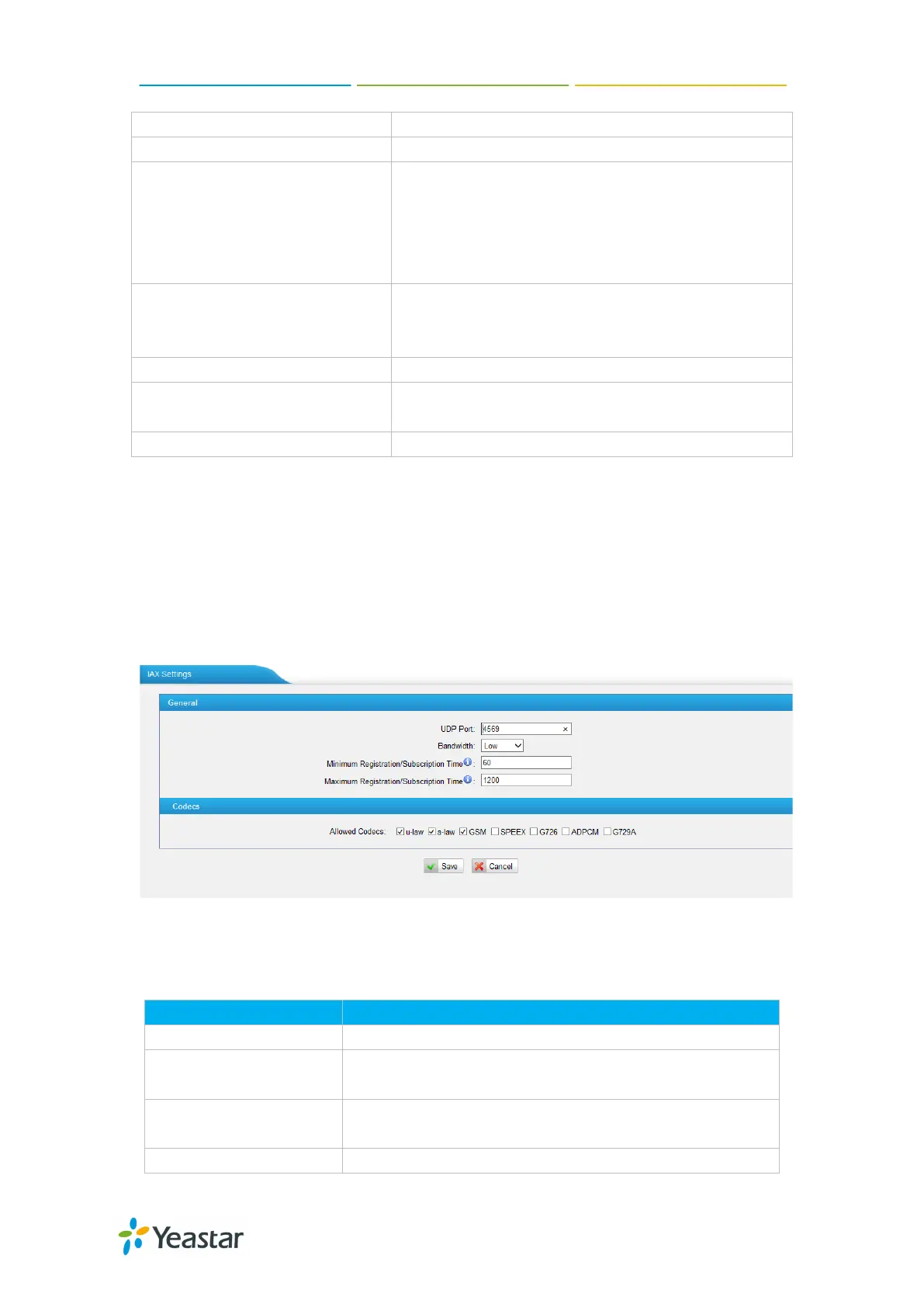
4.2.4 IAX Settings
IAX is the Internal Asterisk Exchange protocol, you can connect to TA FXS Gateway
or register IAX trunk to another IAX server. It’s supported by the asterisk-based
IPPBX.
Figure 4-19 IAX Settings
Table 4-10 Description of IAX Settings
Port used for IAX2 registrations. Default is 4569.
Bandwidth
Low/medium/high with this option you can control which
codec to be used.
Min Registration Time
Minimum duration (in seconds) of an IAX2 registration.
Default is 60 seconds
Maximum duration (in seconds) of an IAX2 registration.
46/59














 To Next Page