Page – 128/139 AFFZP0BB – ACE3 – User Manual
12.1.4 Lift & Lower acquisition
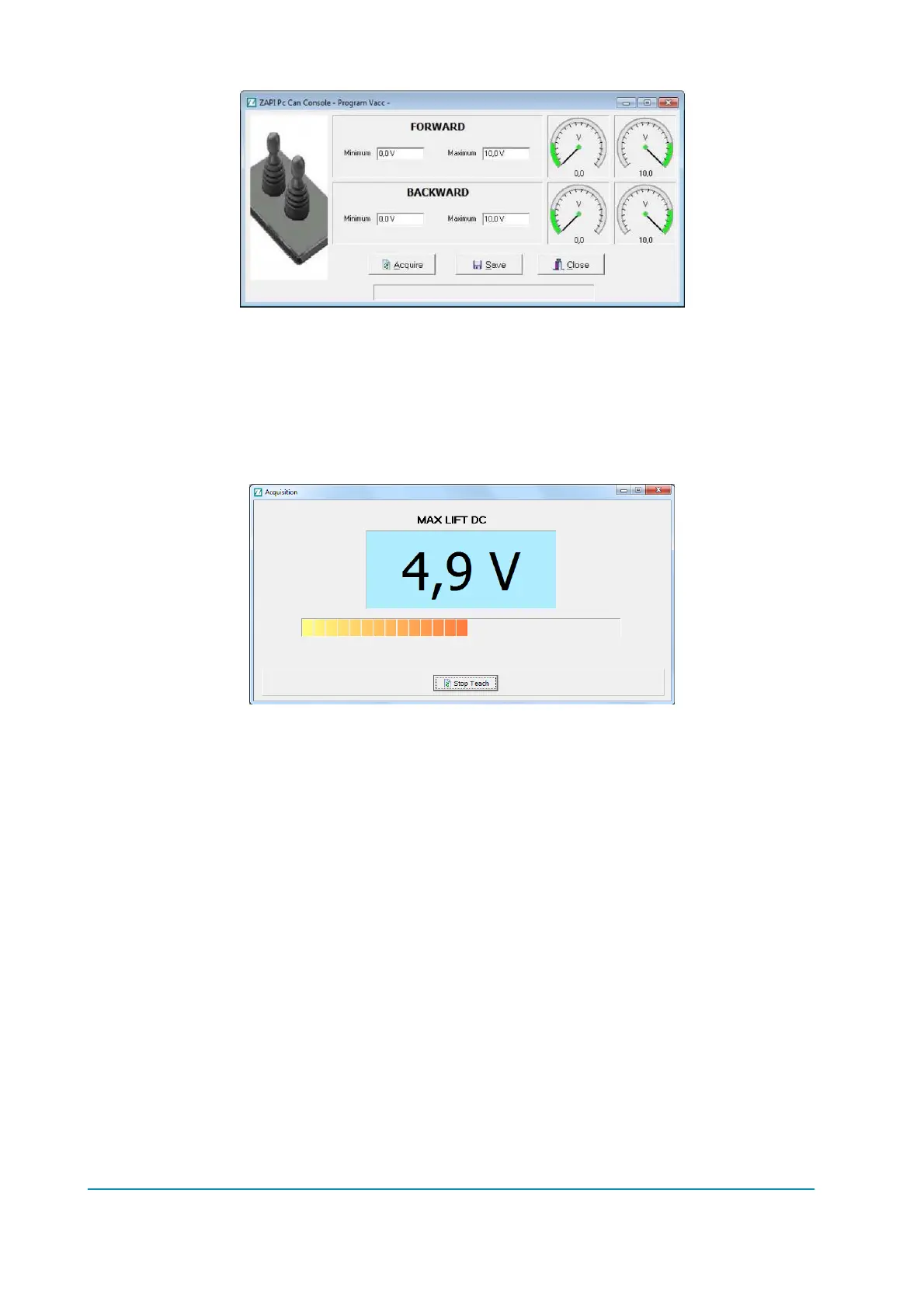
Once you have connected to the inverter, you need to download the parameters;
choose “Function” “Parameter” menu (or press the “Parameter” icon).
Choose “Adjustment” menu.
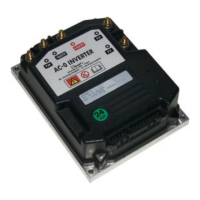
Select the value you want to acquire by pressing the “acquiring” button, the
acquisition will start:
- Select the Enable switch, if any.
- Select the control switch (either lift or lower).
- Move the control sensor (lift/lower potentiometer) to the correct position
according to what you are acquiring.
- Press “Stop Teach” button.
The procedure is the same for both lift and lower potentiometers.
12.1.5 Steering acquisition
Once you have connected you need to receive the inverter parameter; choose
“Function” “Parameter” menu (or press the “Parameter” icon).
Choose “Adjustment” menu.
Select the value to acquire by pressing “acquiring” button, the acquisition will start:
the procedure is the same described for Lift & Lower acquisition in the previous
paragraph.



 To Next Page