AFFZP0BB – ACE3 – User Manual Page – 129/139
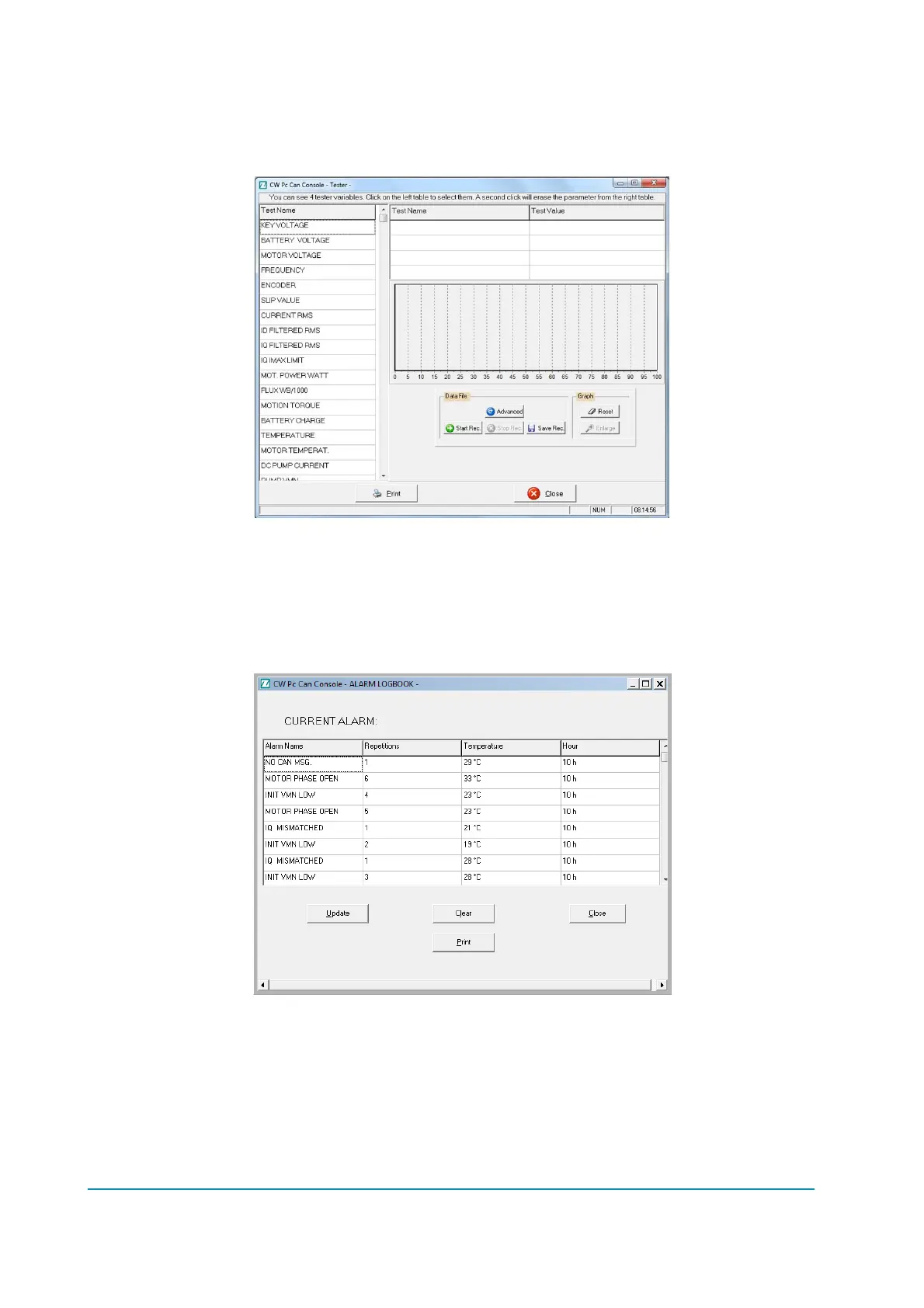
12.1.6 TESTER functionality
From the main page you can also access to the TESTER function from the Function
menu (Alt-u)Tester (Ctrl-T) menu where you can check some inverter information.
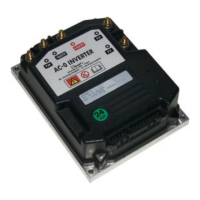
12.1.7 Alarm Logbook
This window will display the alarms stored in the controller.
For every alarm will be shown the working hour at which it’s occurred, the motor
temperature and the number of repetitions.
Four buttons are present:
Update user can update alarm logbook;
Clear user can clear alarm logbook on inverter EEPROM;
Close closes the window;
Print prints alarm logbook data on the selected printer.



 To Next Page