OPERATION
Axio Observer TFT display touchscreen on the Axio Observer 7, 7 materials ZEISS
12/2016 431004-7244-001 135
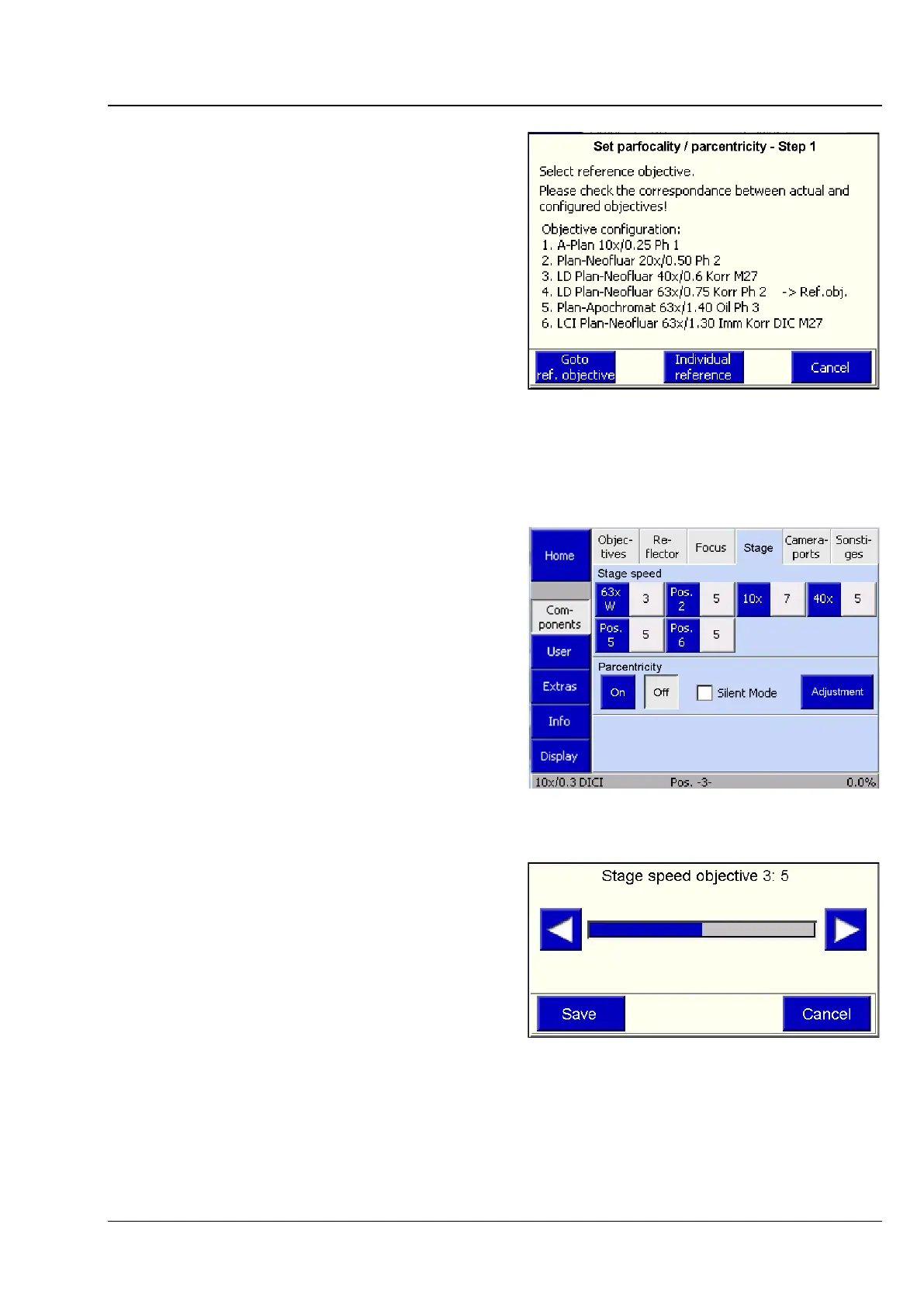
b) Setting the parfocality/parcentricity
The parfocality function is activated or deactivated
by using the On and Off buttons.
To configure the parfocality function press the
Adjustment button. This will activate a wizard
which will guide you through the configuration
procedure.
All the objectives must be focused in sequence.
Start with all dry objectives from the highest to the
lowest magnification. Then, proceed with all
immersion objectives from the highest to the
lowest magnification. Press the Next Objective
button to rotate the nosepiece to the next
objective. After all objectives have been focused,
press the End button.
(4) Stage
This tab will be displayed if a scanning stage
mot. P; CAN is used.
Here, the user adapts the XY stage movement to
the objective magnification.
This influences the functions provided by the Load
position button on the Microscope -> Control
page.
Fig. 126 Settings -> Components -> Focus ->
Set parfocality / parcentricity page
Fig. 127 Settings -> Components -> Stage
page
Fig. 128 Settings -> Components -> Stage ->
Stage speed objective page








 To Next Page