INSTALLATION INSTRUCTIONS AND FIRST-TIME SET-UP
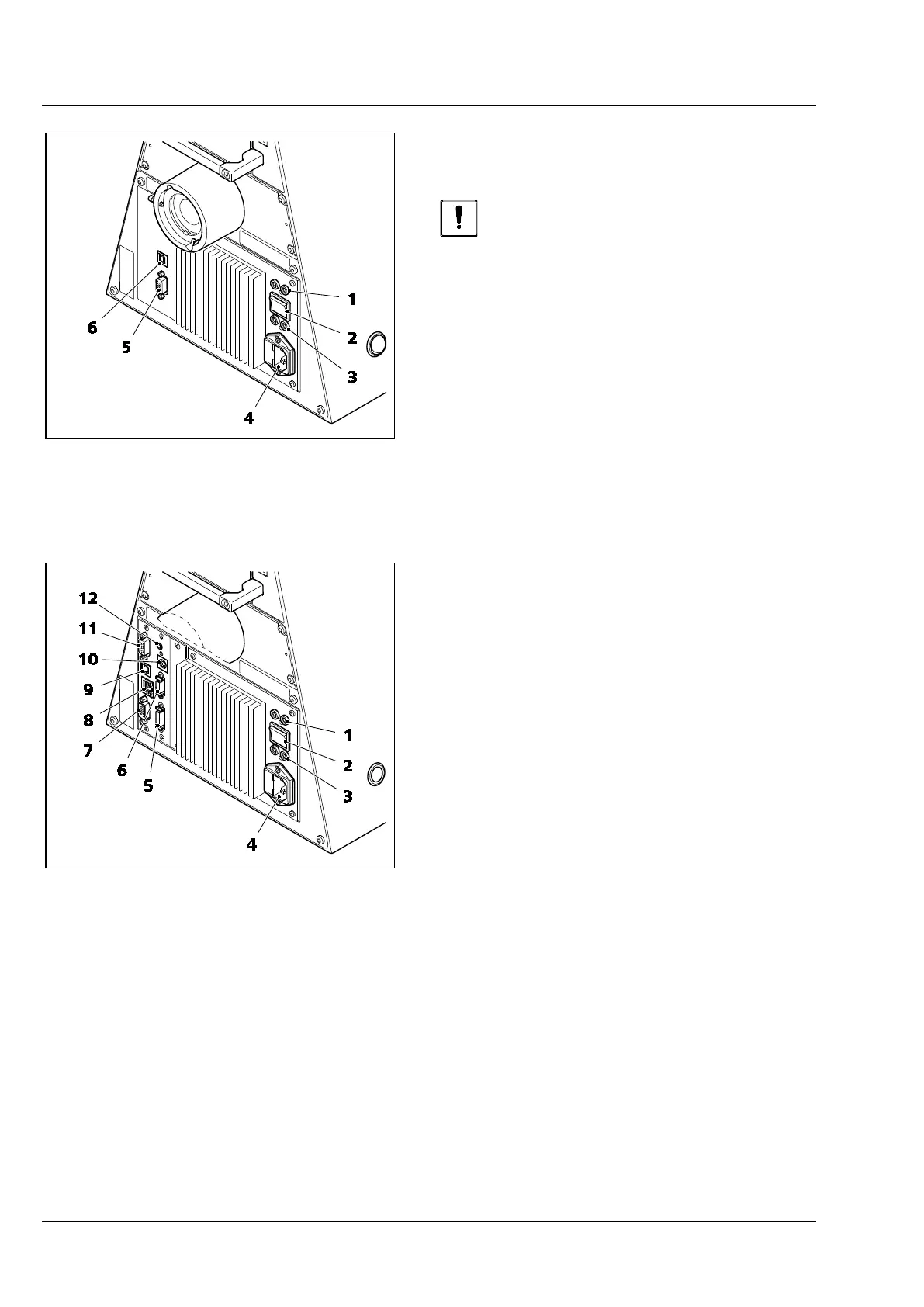
ZEISS Connectors on the rear of the Axio Observer 3, 3 materials Axio Observer
60 431004-7244-001 12/2016
4.14 Connectors on the rear of the
Axio Observer 3, 3 materials
Switch the microscope off before
connecting any components.
Key to Fig. 43:
1 Connector for transmitted light LED / halogen
illuminator (output 1)
2 Transmitted light/reflected light toggle switch
(LED / halogen illuminator)
3 Connector for reflected light LED / halogen illuminator
(output 2)
4 Power socket
5 CAN connecting socket
6 USB port
4.15 Connectors on the rear of the
Axio Observer 5, 5 materials
Key to Fig. 44:
1 Connector for transmitted light LED / halogen
illuminator (output 1)
2 Transmitted light/reflected light toggle switch
(LED / halogen illuminator)
3 Connector for reflected light LED / halogen illuminator
(output 2)
4 Power socket
5 Socket for LCD display
Transmitted light illumination carrier
6 Connector for transmitted light shutter
7 RS-232 port
8 TCP/IP port
9 USB port
10 External high speed shutter connector
11 CAN connecting socket
12 Trigger socket (IN/OUT) for shutter
Fig. 43 Axio Observer 3, 3 materials (rear)
Fig. 44 Axio Observer 5, 5 materials (rear)








 To Next Page