INSTALLATION INSTRUCTIONS AND FIRST-TIME SET-UP
Axio Observer Condensers ZEISS
12/2016 431004-7244-001 53
4.10.3 Changing the DIC prism in the condenser turret
If a motorized condenser is being used, first
switch the instrument off and disconnect the
connection plug. You may only move the condenser turret manually after this has been done,
otherwise the condenser will be damaged.
Remove the DIC prism as follows:
• To replace a DIC prism, remove the condenser
and place it on a stable surface.
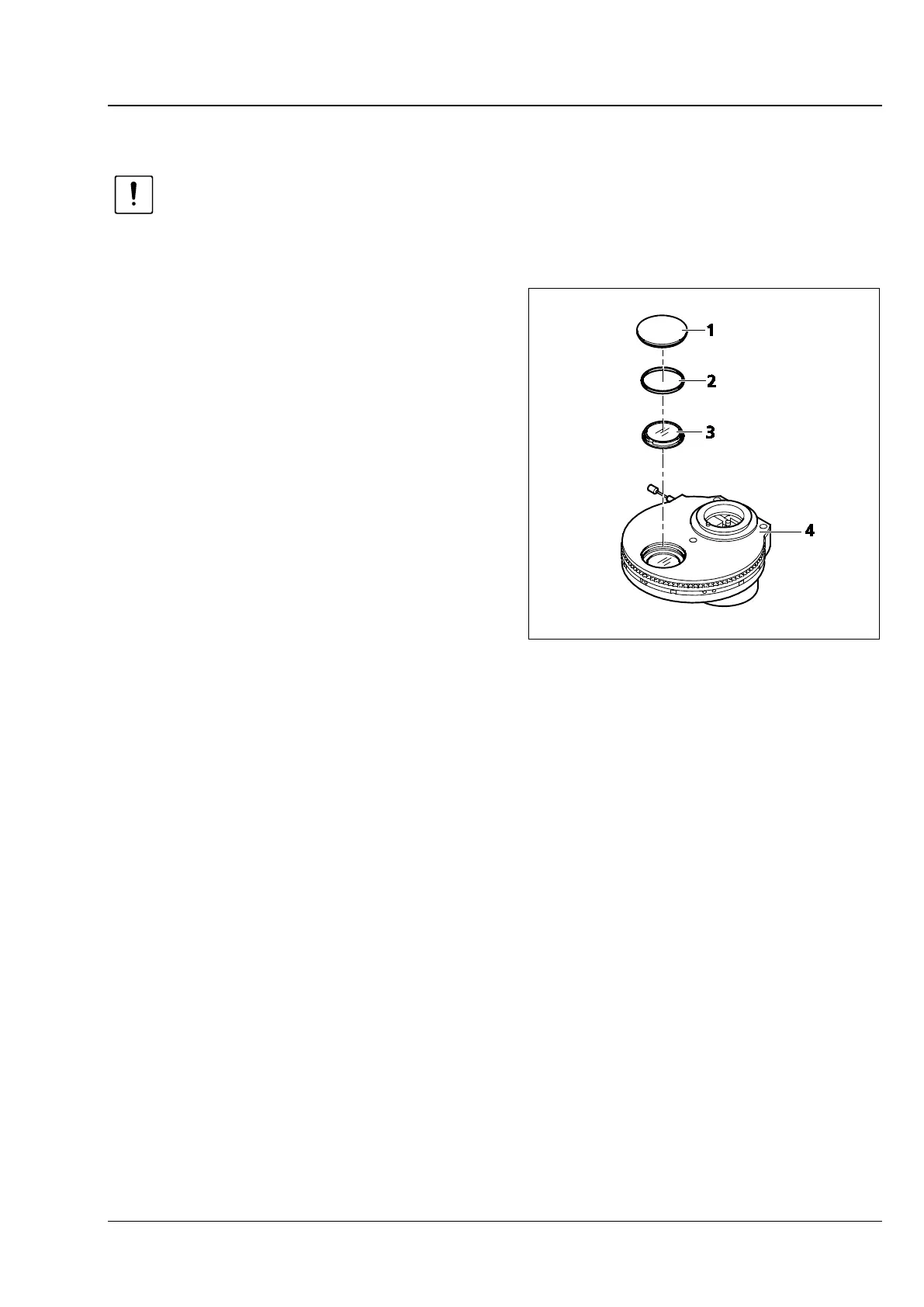
• Remove the plastic cover (Fig. 33/1) from the
mounting hole on the condenser (Fig. 33/4).
• Position the turret disk containing the DIC prism
which is to be replaced in the mounting hole
and hold it in position using the knurled ring.
• Unscrew the retaining ring (Fig. 33/2) using the
mounting plate from the tool set.
• Turn the condenser upside down and allow the
DIC prism (Fig. 33/3) to slide out onto a soft
surface.
The new DIC prism is fitted in the reverse order:
• Carefully insert the new DIC Prism with the label facing up into the mount. If required, use a pair of
tweezers and grip the DIC prism carefully by its outer ring. Ensure that the DIC prism is correctly
oriented relative to the mount (the notch of the DIC prism must engage with the mount lug).
• Carefully reinsert the retaining ring and screw in place using the mounting plate.
• Replace the plastic cover of the blank aperture.
• Ensure that the correct labeling is displayed on the knurled ring of the turret.
• Turn the condenser over and reinsert it into the carrier for transmitted-light illumination.
Fig. 33 Changing the DIC prism








 To Next Page