INSTALLATION INSTRUCTIONS AND FIRST-TIME SET-UP
Axio Observer HAL 100 illuminator ZEISS
12/2016 431004-7244-001 65
4.22 HAL 100 illuminator
The HAL 100 illuminator is used as a light source
for transmitted light and reflected light techniques
(excluding fluorescence) on the Axio Observer. The
procedure is essentially the same for fitting the
halogen illuminator to the reflected light and
transmitted light sockets.
4.22.1 Fitting the HAL 100 illuminator
Before using the HAL
100 illuminator,
the bulb replacement tool must be
removed from the housing. Otherwise,
it might be damaged by heat (see
section 4.22.3).
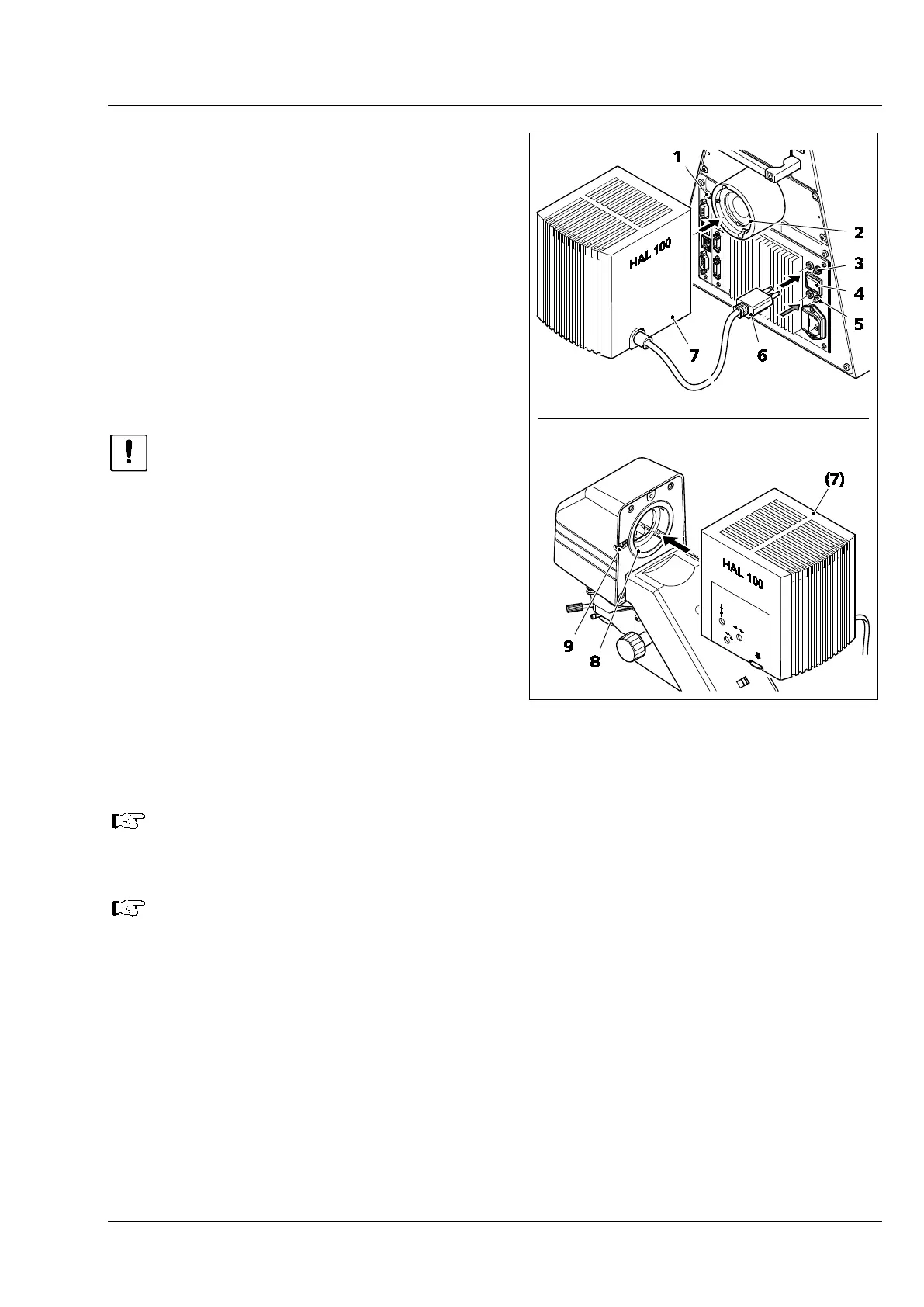
• Remove the protective cap from the reflected
light or transmitted light socket.
• Insert the dovetail ring of the lamp housing
(Fig. 50/7) into the corresponding socket
(Fig. 50/8 or Fig. 50/2) and, using the 3 mm
ball-headed screwdriver, tighten it with
clamping screw (Fig. 50/1 or Fig. 50/9).
• Insert the 3-pin lamp plug (Fig. 50/6) into the
corresponding 3-pin socket (Fig. 50/3 for
transmitted light or Fig. 50/5 for reflected light)
on the rear of the instrument.
Only one halogen or LED illuminator can be connected directly to the 7, 7 materials stand.
• Switch the transmitted light / reflected light toggle switch (Fig. 50/4) to the required position.
The Light Manager function depends on the position of the reflected light / transmitted light
toggle switch.
Fig. 50 Fitting the HAL 100 illuminator








 To Next Page