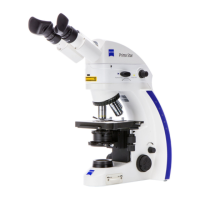
Primo Star / Primo Star iLED Care and Troubleshooting Carl Zeiss
M60-2-0011 v 08/2008 35
En
lish
• Carry out this test until the image is format filling without masking or vignetting.
• Retighten the set screw (
Fig. 32/5).
With camera/adapter combinations that have not been recommended expressly by Zeiss, it
may be quite impossible to obtain an unvignetted image.
Installing a digital camera or video camera with C-mount thread
Cameras with C-mount thread are to be connected to the phototube of the microscope by means of the
camera adapter P95-C 2/3" 0.65x or P95-C 1/2" 0.5x (
Fig. 32/9).
• Put the camera
(Fig. 32/10) together with the corresponding camera adapter (Fig. 32/9) into the
phototube as far as it will go, align it and fasten it by means of the clamping screw
(Fig. 32/8).
4 CARE AND TROUBLESHOOTING
4.1 Instrument care
Care of the microscope is restricted to the following operations:
• Cover the instrument with the dust cover after every use.
• Do not install the microscope in a humid room; maximum humidity < 75%.
• Cover open tubes with the dust caps.
• Remove dust and loose dirt from visible optical surfaces with a brush, blower brush, cotton bud, optics
cleaning tissue, or a cotton cloth.
• Remove water-soluble dirt (coffee, cola, etc.) by blowing on it and subsequent wiping it off with a
dust-free cotton cloth or a cloth moistened with water to which you may also add a mild detergent.
• Wipe off stubborn oily or fatty dirt (immersion oil, fingerprints) with a cotton bud or a dust-free cotton
cloth and the optics cleaning solution L.
The cleaning solution consists of 90 vol% gasoline and 10 vol% isopropanol (IPA). Its individual
constituents are also known as:
Gasoline: Surgical spirit, petroleum ether
Isopropanol: 2-propanol,
dimethyl carbinol,
2-hydroxypropane
Clean optical surfaces by polishing in circles starting in the middle and moving to the edges using slight
pressure only.
Disconnect the plug-in power unit from the supply line before cleaning it. Make sure that no moisture
gets into the plug-in power unit.
For the use in warm and humid climatic zones, all optical components of the microscope are provided
with protection against fungus attack.


 To Next Page
 Loading...