ENGLISH
63
RADIO MODE
NOTE:
■ To stop automatic presetting, press any other key having radio
functions.
■ After automatic presetting, the previous stations frequency will
be overwritten.
■ The unit has 5 bands, such as FM1, FM2, FM3, AM1, AM2, and
each band can store 6 stations; the unit can store 30 stations in
total.
PRESETTING STATIONS MANUALLY
When one expected radio station has been detected...
Method 1: Using the remote control
Press and hold one numeric key on the remote control among
1 to 6 until current frequency has been memorized.
Method 2: Using the touch screen
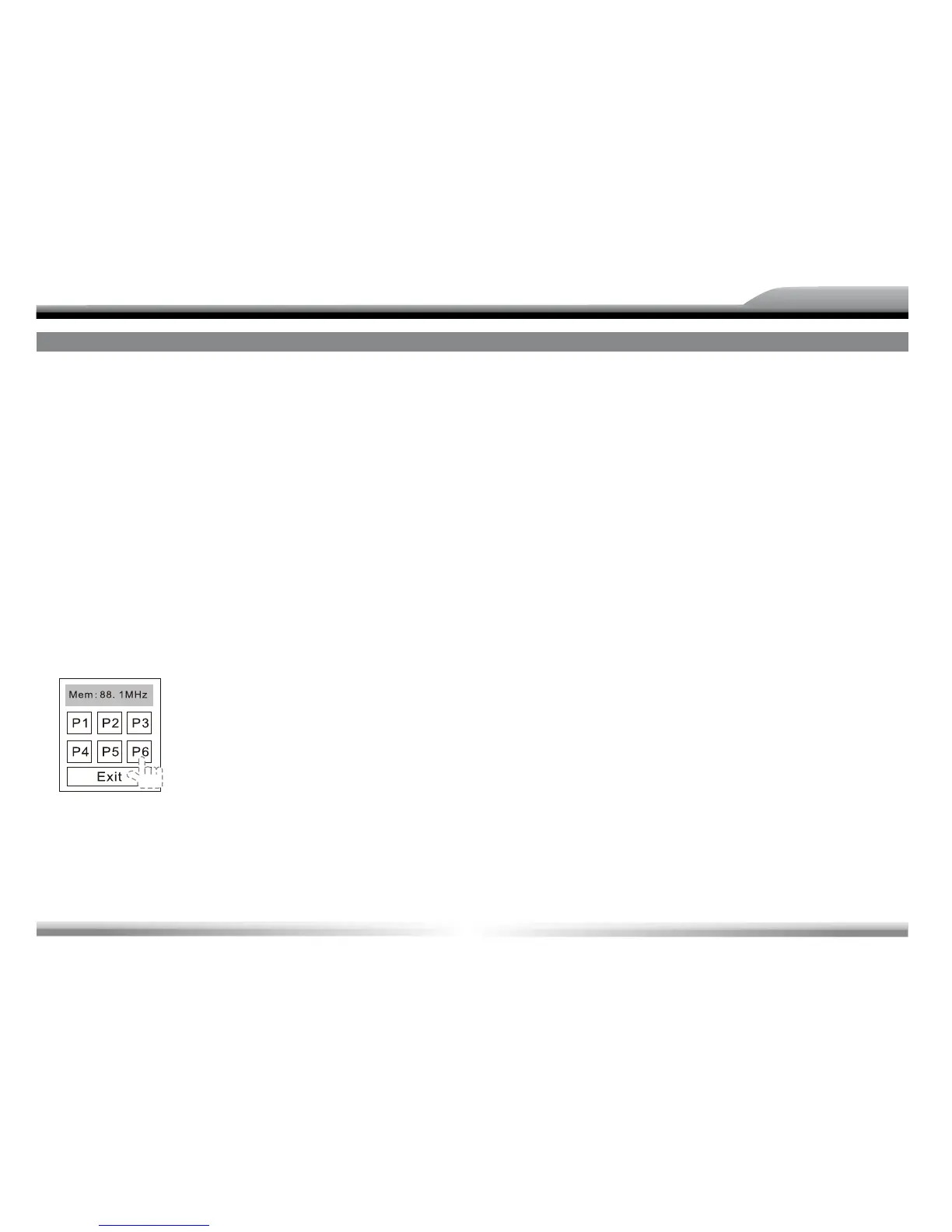
1. Press the [MEM] icon on the user interface and the following
menu will open:
2. Press one of the buttons among P1 – P6
When you have pressed one of the buttons, the menu will close
automatically.
3. If you want to abort, press the [EXIT] button.
NOTE:
■ After manual presetting, the previous stations frequency will be
overwritten.
■ Numeric key 1 to 6 corresponds to station P1 to P6. For each
band, P1 to P6 can store 1 station.
RECALL THE PRESET STATIONS
Method 1 : Using remote control
Press one numeric key on the remote control among 1 to 6.
For example, if you want to recall the radio station stored in
channel P1, you should press the numeric key [1] on the remote
control.
Method 2: Touch an onscreen preset button to select the corres-
ponding stored radio station.
PREVIEW SCAN
Preview scan searching is such a process that the search pauses
when a station is received and then plays for 10 seconds. After
being played, the unit continues the process until the whole
band is detected.
To start preview scan, touch the [PS] icon on the user inter-
face.
NOTE:
■ To stop preview scan, do the operation above again.



 To Next Page