66
DVD MODE
INSERT A DISC
Upon inserting a disc, the unit will change to disc mode auto-
matically.
NOTES:
■ Please confirm whether there is a disc in the unit before you
insert another one.
■ The unit will exit current playing source and enter DVD mode
when a disc is inserted.
■ Some recorded discs, such as CD-R, CD-RW, DVD-R, DVD+R,
DVD-RW, DVD+RW cannot be played back because of different
recording status. Otherwise, the discs without being „closed“
by the burning software can not be played back.
EJECT THE DISC
To eject the disc inside, press the [
] key on the front panel or on
the remote control.
NOTES:
■ After ejecting the disc, the unit reverts to SD card mode
automatically if you have inserted an SD card, or the unit reverts
to radio mode.
■ You can eject a disc with the unit powered off. The unit remains
off after the disc is ejected.
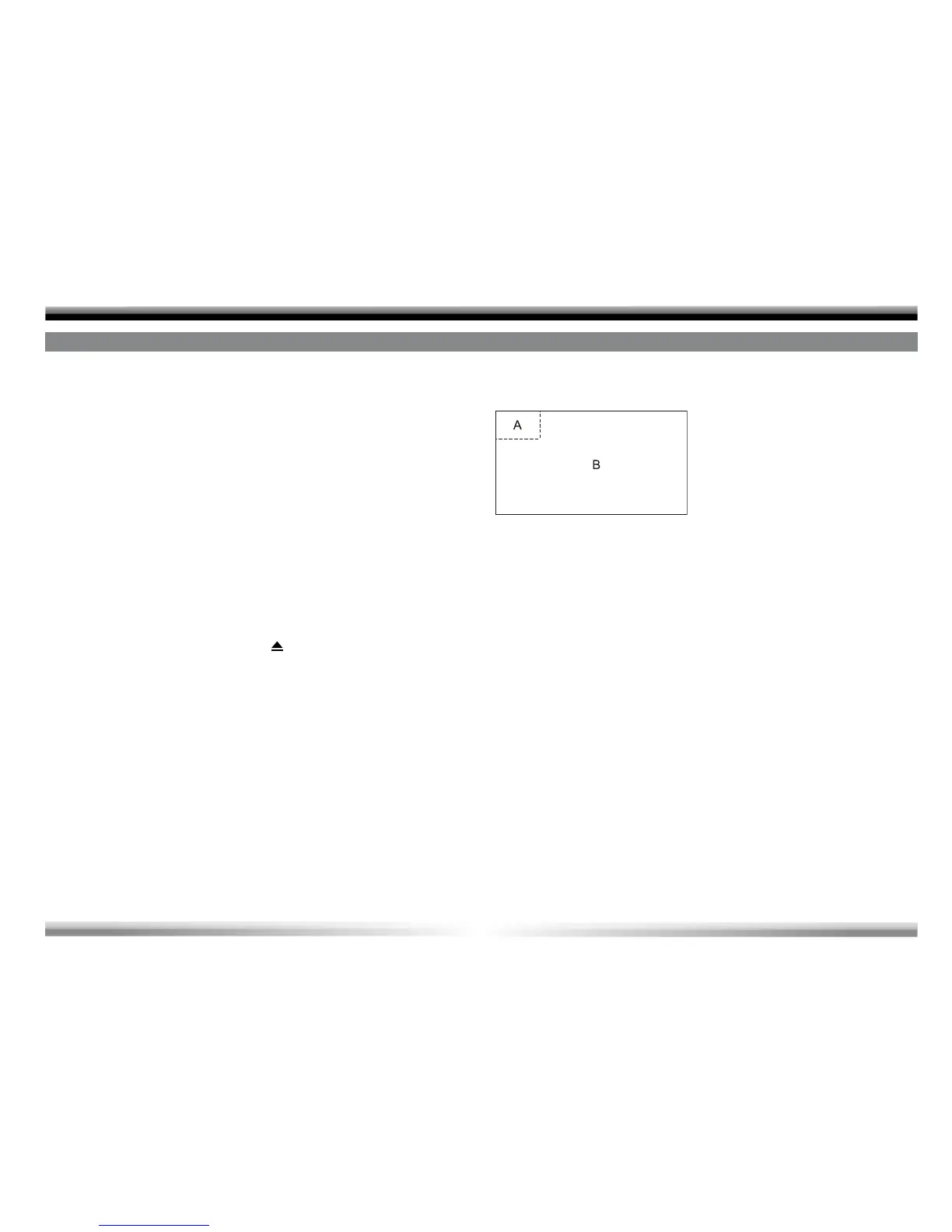
USING THE TOUCH SCREEN CONTROLS
The touch key areas for DVD playback are outlined below:
A-Open SOURCE MENU
B-Display onscreen control menu



 To Next Page