REMOTE CONTROL MODEL MBR3420
CABLE-TV OPERATIONS
The following functions and operations apply to a Zenith
cable-TV decoder. The remote control must be in the
CABLE mode to operate your cable-TV decoder.
The remote control supplied with your cable-TV decoder
may have keys not duplicated on the new remote. If these
functions are desired, the original remote control will have
to be used.
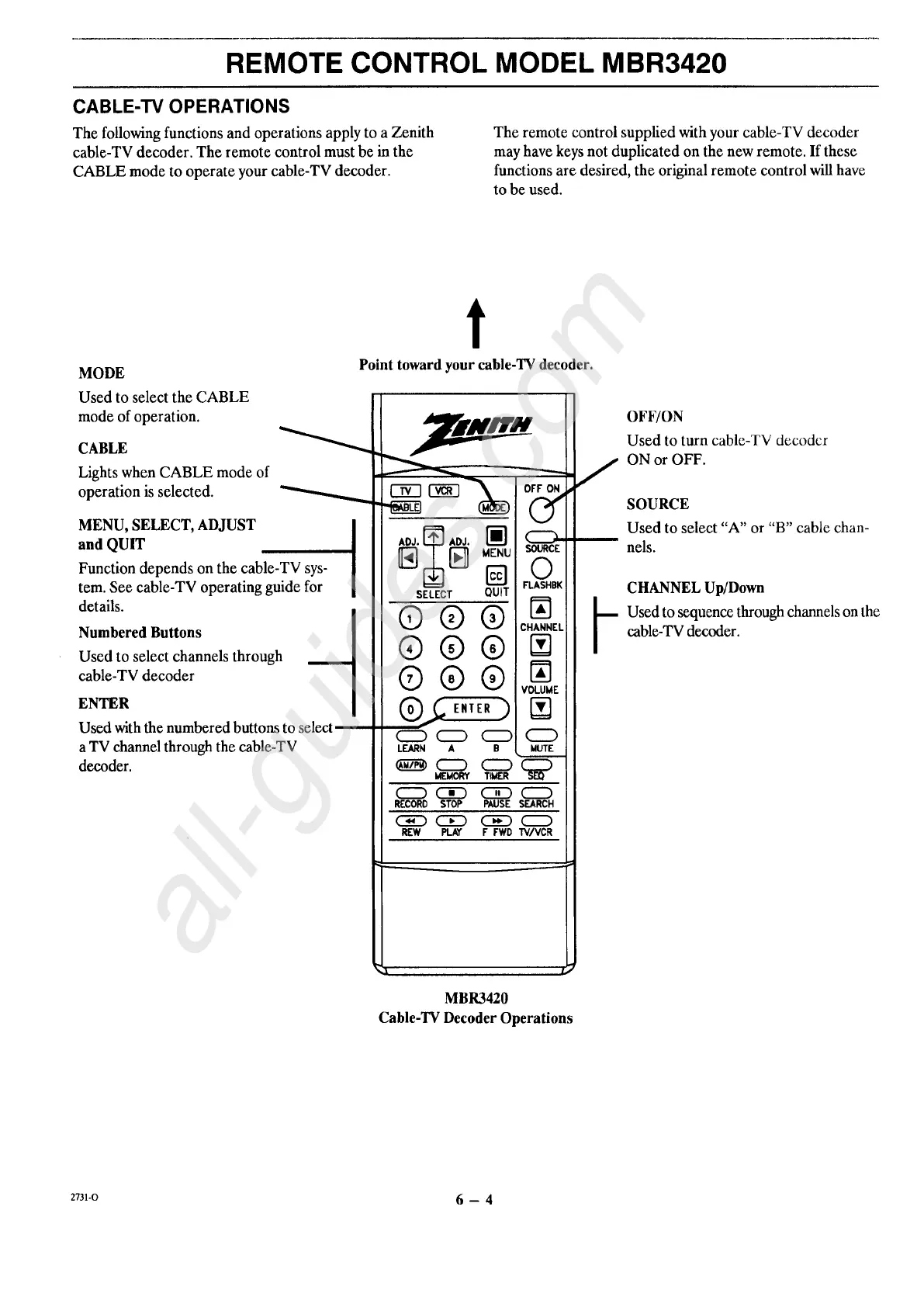
MODE
Used to select the CABLE
mode of operation.
CABLE
Lights when CABLE mode of
operation is selected.
MENU, SELECT, ADJUST
and QUIT
Function depends on the cable-TV sys-
tem. See cable-TV operating guide for
details.
Numbered Buttons
Used to select channels through
cable-TV decoder
ENTER
Used with the numbered buttons to select
a TV channel through the cable-TV
decoder.
t
Point toward your cable-TV decoder.
1"'_7_'_ OFF ON
v
SOURCE
O
FLASHBK
SELECT QUiT
®®®
CHANNEL
®®®
® ®
C::::D CZ:) (_:_ C_
LEARN A B MUTE
MEMORY TIMER
RECORD STOP PAUSE SEARCH
REW PLAY F FWD TV/VCR
OFF/ON
Used to turn cable-TV decoder
ON or OFF.
SOURCE
Used to select "A" or "B" cable chan-
nels.
CHANNEL Up/Down
Used to sequence through channels on the
cable-TV decoder.
MBR3420
Cable-TV Decoder Operations
2731-O 6 -- 4




 To Next Page