SETUP MENU
CH. (Channel) ADD/DEL
Purpose
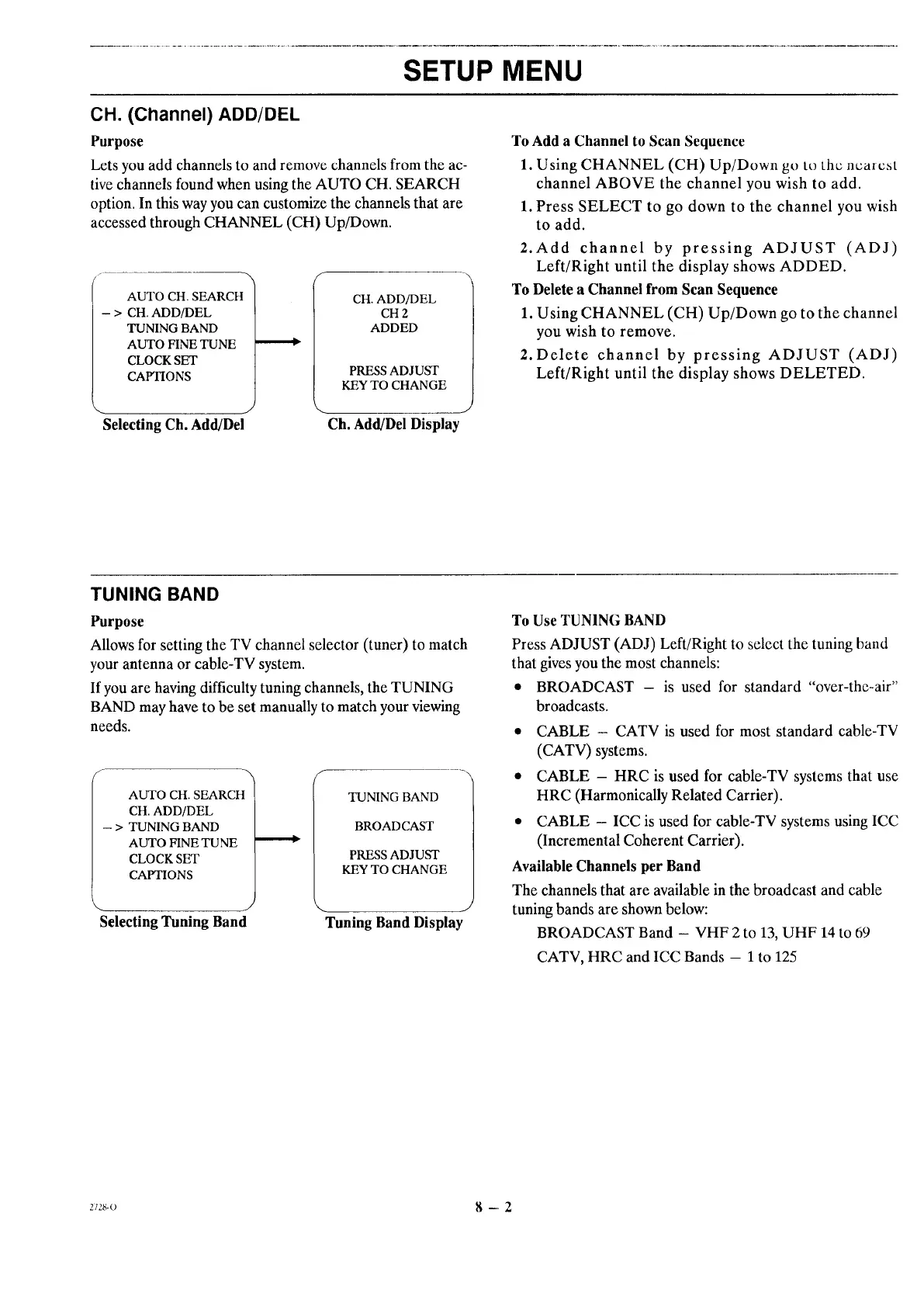
Lets you add channels to and remove channels from the ac-
tive channels found when using the AUTO CH. SEARCH
option. In this way you can customize the channels that are
accessed through CHANNEL (CH) Up/Down.
AUTO CH. SEARCH
- > CH. ADD/DEL
TUNING BAND
AUTO FINE TUNE
CLOCK SET
CAPTIONS
CH. ADD/DEL
CH 2
ADDED
PRESS ADJUST
KEY TO CHANGE
Selecting Ch. Add/Del Ch. Add/Del Display
To Add a Channel to Scan Sequence
1. Using CHANNEL (CH) Up/Down go to the nearest
channel ABOVE the channel you wish to add.
1. Press SELECT to go down to the channel you wish
to add.
2. Add channel by pressing ADJUST (ADJ)
Left/Right until the display shows ADDED.
To Delete a Channel from Scan Sequence
1. Using CHANNEL (CH) Up/Down go to the channel
you wish to remove.
2. Delete channel by pressing ADJUST (ADJ)
Left/Right until the display shows DELETED.
TUNING BAND
Purpose
Allows for setting the TV channel selector (tuner) to match
your antenna or cable-TV system.
If you are having difficulty tuning channels, the TUNING
BAND may have to be set manually to match your viewing
needs.
AUTO CH. SEARCH
CH. ADD/DEL
- > TUNING BAND
AUTO FINE TUNE
CLOCK SET
CAPTIONS
Selecting Tuning Band
======.=,_
TUNING BAND
BROADCAST
PRESS ADJUST
KEY TO CHANGE
Tuning Band Display
To Use TUNING BAND
Press ADJUST (ADJ) Left/Right to select the tuning band
that gives you the most channels:
• BROADCAST - is used for standard "over-the-air"
broadcasts.
• CABLE - CATV is used for most standard cable-TV
(CATV) systems.
• CABLE - HRC is used for cable-TV systems that use
HRC (Harmonically Related Carrier).
• CABLE - ICC is used for cable-TV systems using ICC
(Incremental Coherent Carrier).
Available Channels per Band
The channels that are available in the broadcast and cable
tuning bands are shown below:
BROADCAST Band - VHF 2 to 13, UHF 14 to 69
CATV, HRC and ICC Bands - 1 to 125
:1_,_-o 8 -- 2




 To Next Page