REMOTE CONTROL MODEL MBR3420
PROGRAMMING BRAND CODES
Before using your new remote control, it must be programmed
to recognize the brands of equipment it will be used to
operate. If you are using a Zenith TV, Zenith VHS VCR or a
Zenith cable-TV decoder, it has already been programmed for
yOU.
Find the code that corresponds to each brand and type of
equipment you are going to operate. Refer to Tables 1, 2
and 3.
For example, if you were programming the remote for use
with a Zenith TV, you would look up "Zenith" in "Table
1.", and find code "101."
Write the brand codes for your equipment on the following
lines.
TV CODE:
CABLE CODE:
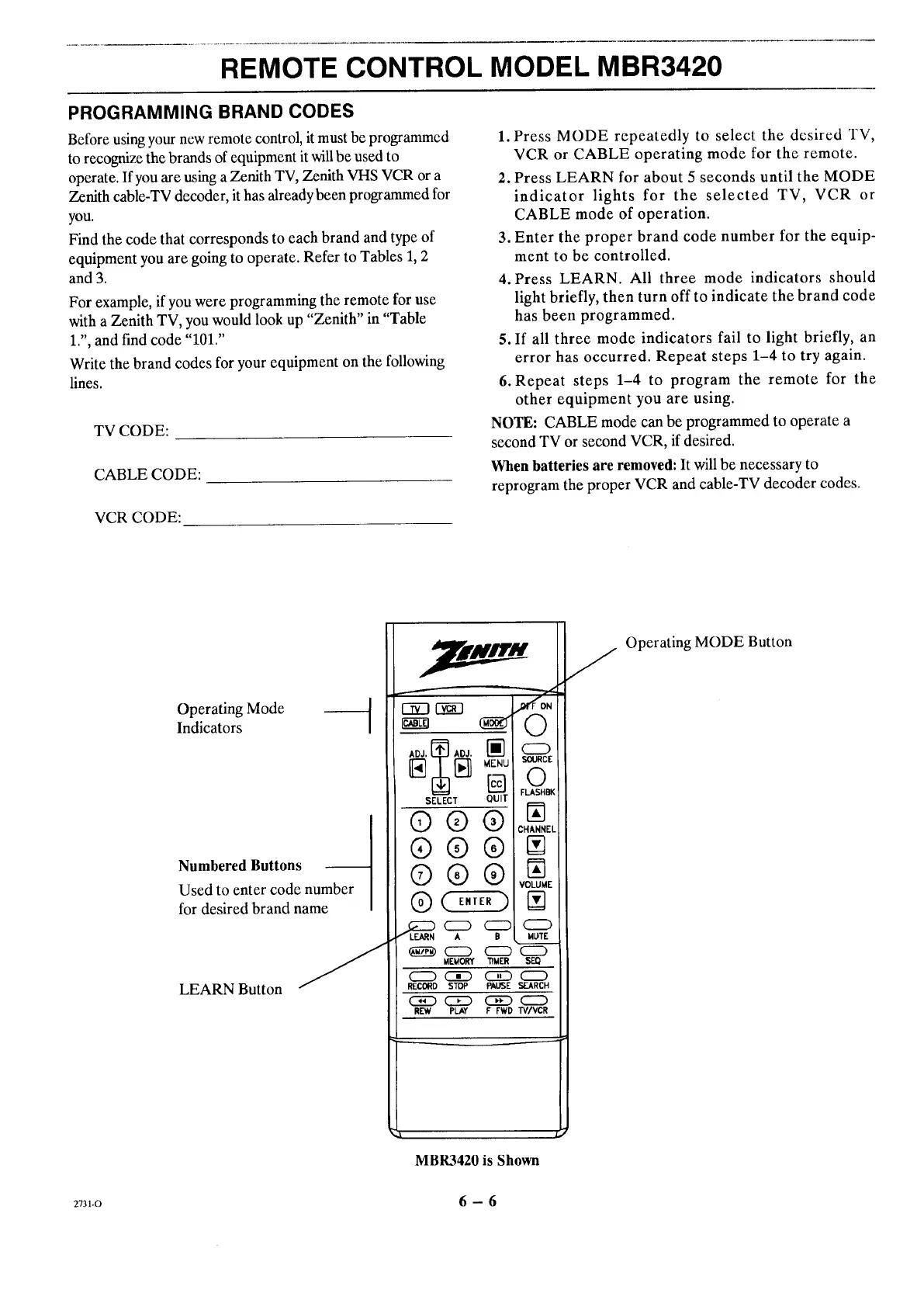
1. Press MODE repeatedly to select the desired TV,
VCR or CABLE operating mode for the remote.
2. Press LEARN for about 5 seconds until the MODE
indicator lights for the selected TV, VCR or
CABLE mode of operation.
3. Enter the proper brand code number for the equip-
ment to be controlled.
4. Press LEARN. All three mode indicators should
light briefly, then turn off to indicate the brand code
has been programmed.
5. If all three mode indicators fail to light briefly, an
error has occurred. Repeat steps 1-4 to try again.
6. Repeat steps 1-4 to program the remote for the
other equipment you are using.
NOTE: CABLE mode can be programmed to operate a
second TV or second VCR, if desired.
When batteries are removed: It will be necessary to
reprogram the proper VCR and cable-TV decoder codes.
VCRCODE:
Operating Mode
Indicators
Numbered Buttons
Used to enter code number
for desired brand name
LEARN Button
E]2:I r_q
'_ MENU
[]
SELECT QUIT
®®®
®®®
®®®
MEMORY "tiMER
cz_ c3_ c_
RECORD STOP PAUSE
REW PLAY F FWD
,COttON
O
SOURCE
©
FLA_HBK
N
CHANNEL
VOLUME
N
C_
MOTE
s_
CZD
SEARCH
CZD
TV/VCR
f
a
MBR3420 is Shown
Operating MODE Button
2731-O 6 - 6




 To Next Page