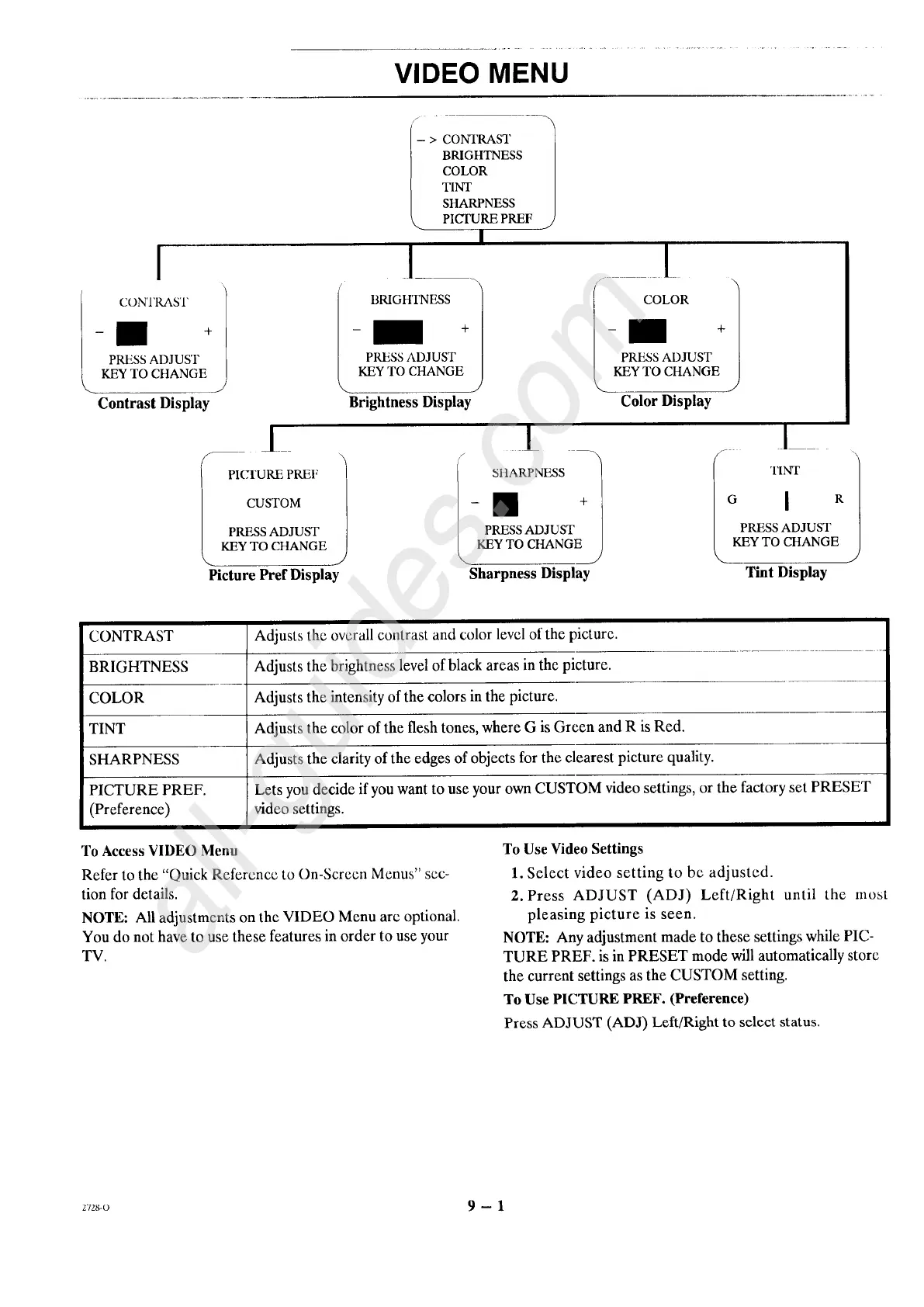
VIDEO MENU
[
-- ICONTRAST +l
PRESS ADJUST
KEY TO CHANGE
Contrast Display
L ]-> ONTRAST
BRIGHTNESS
COLOR
TINT
SHARPNESS
PICTURE PREF
I
BRIGHTNESS
PRESS ADJUST /
KEY TO CHANGE J
Brightness Display
_ l
l COLOR
-- +
PRF_S ADJUST
KEY TO CHANGE
J
Color Display
_1
I PICTURE PREF
CUSTOM
PRESS ADJUST
KEY TO CHANGE
J
Picture Pref Display
I i
SI tARPNESS T INvF
/-m ÷t ° '
PRESS ADJUST PRESS ADJUST
[, KEY TO CHANGE J KEY TO CHANGE
Sharpness Display Tint Display
CONTRAST
BRIGHTNESS
COLOR
TINT
SHARPNESS
PICTURE PREF.
(Preference)
Adjusts the overall contrast and color level of the picture.
Adjusts the brightness level of black areas in the picture.
Adjusts the intensity of the colors in the picture.
Adjusts the color of the flesh tones, where G is Green and R is Red.
Adjusts the clarity of the edges of objects for the clearest picture quality.
Lets you decide if you want to use your own CUSTOM video settings, or the factory set PRESET
video settings.
To Access VIDEO Menu
Refer to the "Quick Reference to On-Screcn Menus" sec-
tion for details.
NOTE: All adjustments on the VIDEO Menu arc optional.
You do not have to use these features in order to use your
TV.
To Use Video Settings
1. Select video setting to be adjusted.
2. Press ADJUST (ADJ) Left/Right until the most
pleasing picture is seen.
NOTE: Any adjustment made to these settings while PIC-
TURE PREF. is in PRESET mode will automatically store
the current settings as the CUSTOM setting.
To Use PICTURE PREF. (Preference)
Press ADJUST (ADJ) Left/Right to select status.
2728-O 9 - 1




 To Next Page