QUICK REFERENCE TO ON-SCREEN MENUS
AVAILABLE MENUS
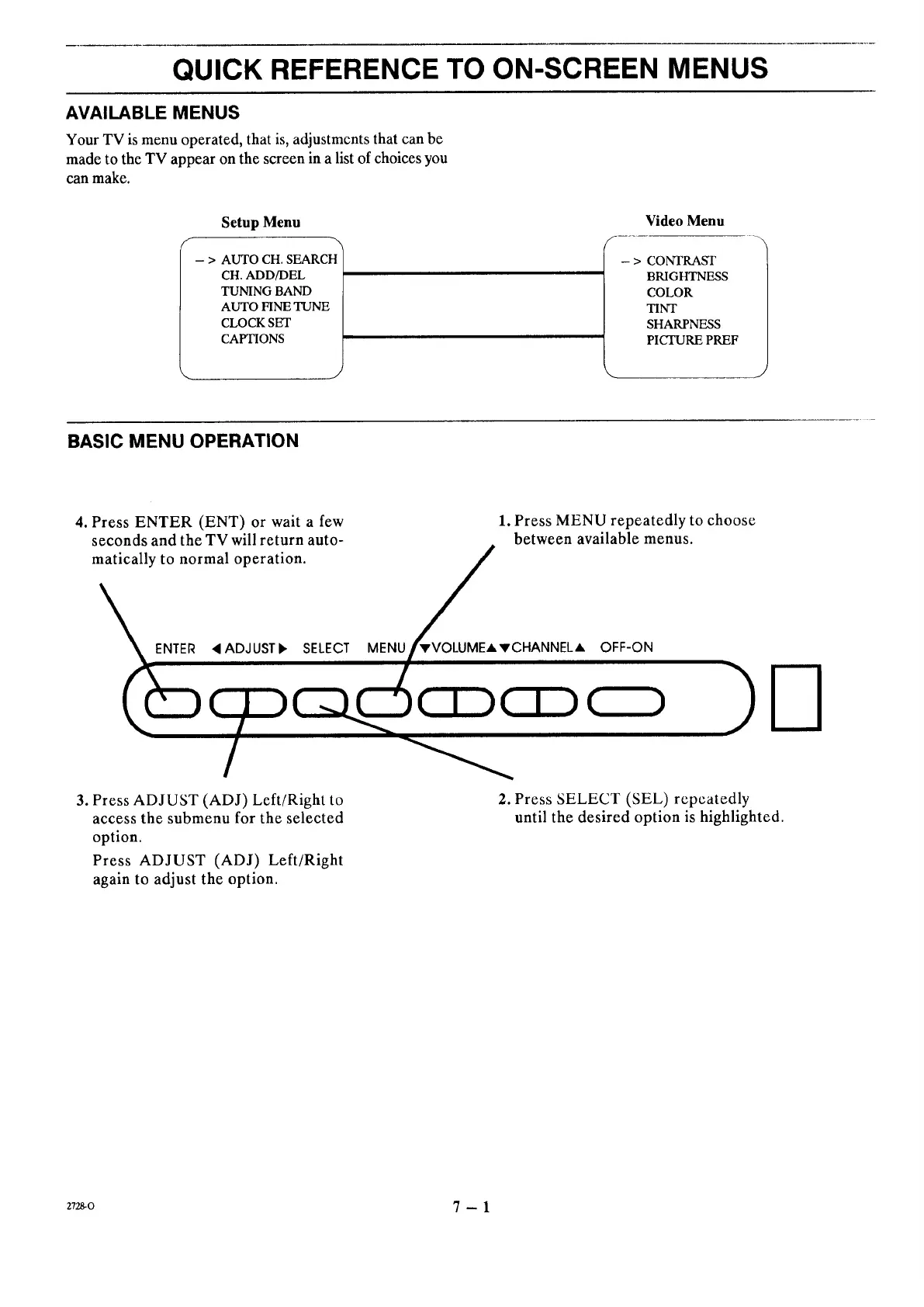
Your TV is menu operated, that is, adjustments that can be
made to the TV appear on the screen in a list of choices you
can make.
Setup Menu
-- > AUTO CH. SEARCH
CH. ADD/DEL
TUNING BAND
AUTO FINE TUNE
CLOCK SET
CAPTIONS
Video Menu
- > CONTRAST
BRIGHTNESS
COLOR
TINT
SHARPNESS
PICTURE PREF
BASIC MENU OPERATION
4. Press ENTER (ENT) or wait a few
seconds and the TV will return auto-
matically to normal operation.
/
NTER _IADJUSTb, SELECT MENTVVOLUME A 'v CHANNEL A
/
1. Press MENU repeatedly to choose
between available menus.
OFF-ON
3. Press ADJUST (ADJ) Left/Right to
access the submenu for the selected
option.
Press ADJUST (ADJ) Left/Right
again to adjust the option.
2. Press SELECT (SEL) repeatedly
until the desired option is highlighted.
z72_o 7 - 1




 To Next Page