CONNECTIONS FOR YOUR TV
STEP 2. MAKE VCR CONNECTIONS TO TV
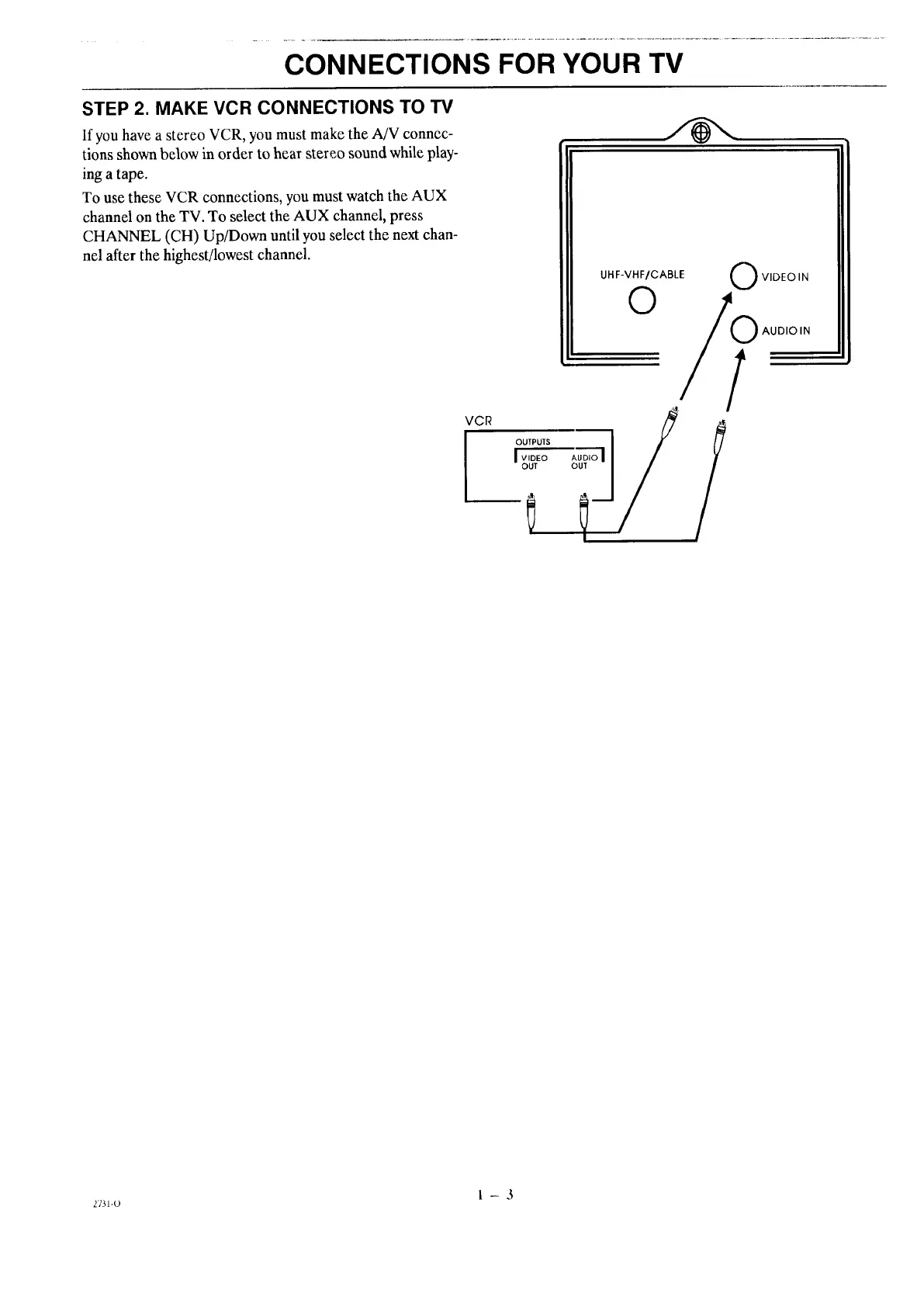
If you have a stereo VCR, you must make the A/V connec-
tions shown below in order to hear stereo sound while play-
ing a tape.
To use these VCR connections, you must watch the AUX
channel on the TV. To select the AUX channel, press
CHANNEL (CH) Up/Down until you select the next chan-
nel after the highest/lowest channel.
UHF-VHF/CABLE
0
VCR
OUTPUTS I
I _,_,_o _,_,oI
O VIDEO IN
O AUDIO IN
1
1-3
2731-O




 To Next Page