WATCH SYSTEM UPDATE
Keep the watch connected to the phone, open the Zepp app, and choose Profile > My Device >
Zepp E > Check for updates to check or update the watch system.
We recommend that you tap Update Now once your watch receives the system update push.
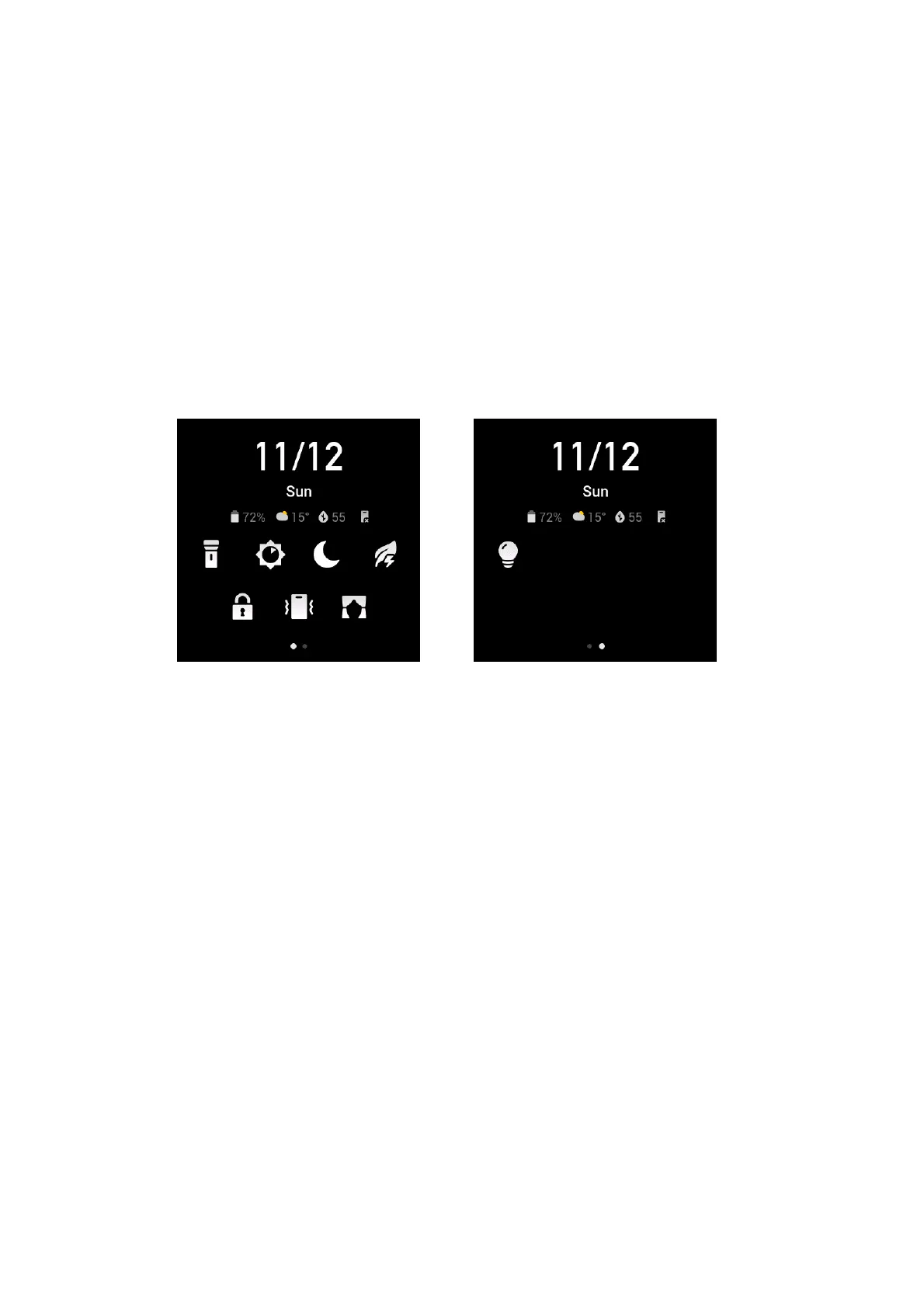
CONTROL CENTER
Swipe down on the watch face to go to the control center to use the system features, such as the
flashlight, screen brightness adjustment, do-not-disturb mode, power saving mode, screen lock,
find my phone, theater mode, and screen always on.
TIME FORMAT
Keep the watch connected to the phone. During the data synchronization process, the watch
automatically uses the phone's system time and time format, which may be the 12- or 24-hour
format.
UNIT CONVERSION
Keep the watch connected to the phone. Open the Zepp app and choose Profile > More > Settings
to set the units for distance and weight. The watch automatically uses the phone's unit during the
data synchronization process.


 To Next Page