24 Installation and Operating Instructions V03
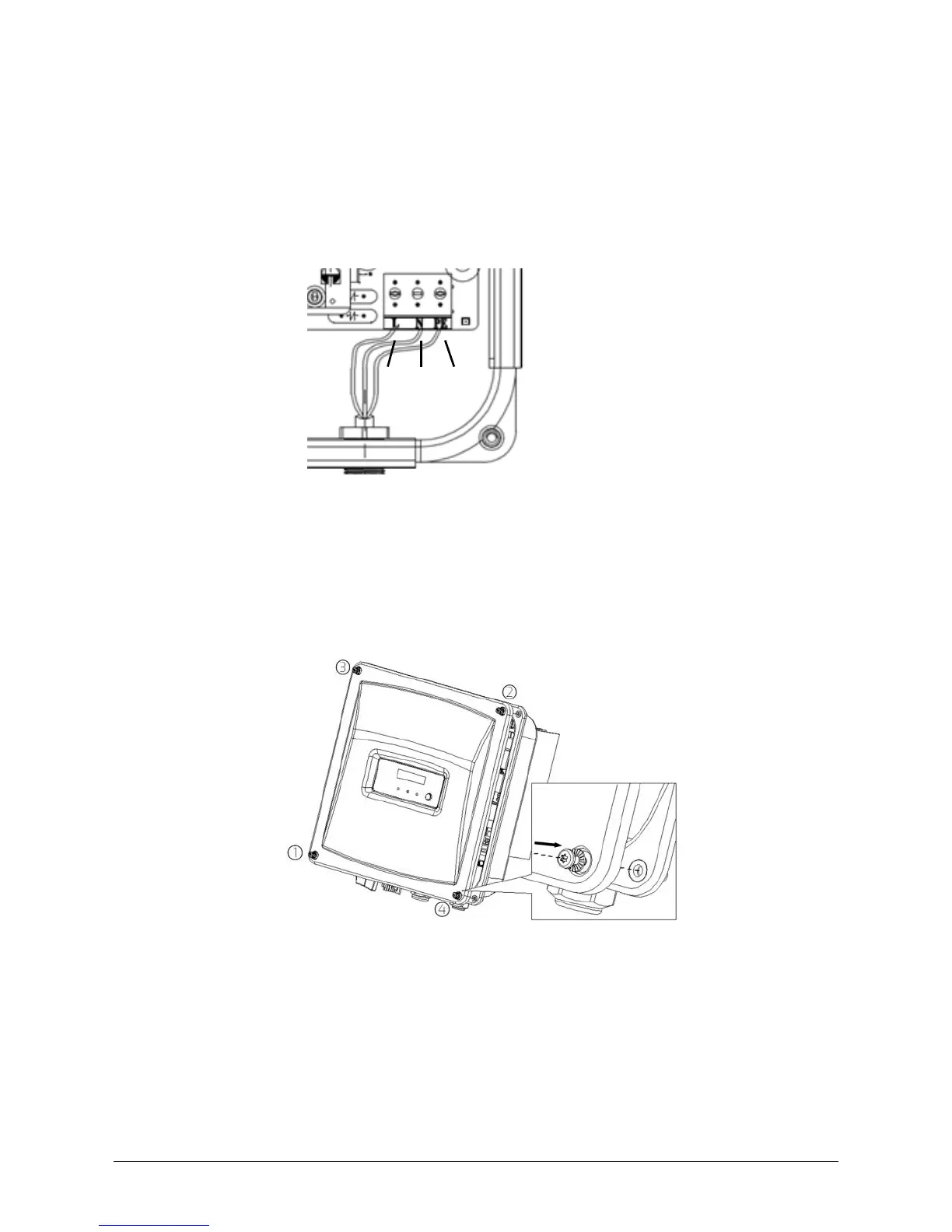
•Insert the protective conductor (green-yellow) into the screw terminal with the
grounding sign and tighten the screw.
•Insert the neutral conductor (blue) into the screw terminal with N sign and
tighten the screw.
•Insert the L conductor (brown or black) into the screw terminal with L sign and
tighten the screw.
8. Make sure the insulated conductors are securely connected.
9. Tighten the swivel nut of the cable gland by using a torque of 2 to 2.5Nm and
check the tightness.
10. Secure the cover in the sequence 1 to 4 (torque: 2.2 - 2.5 Nm) using a
screwdriver (T25).






 To Next Page