30 Installation and Operating Instructions V03
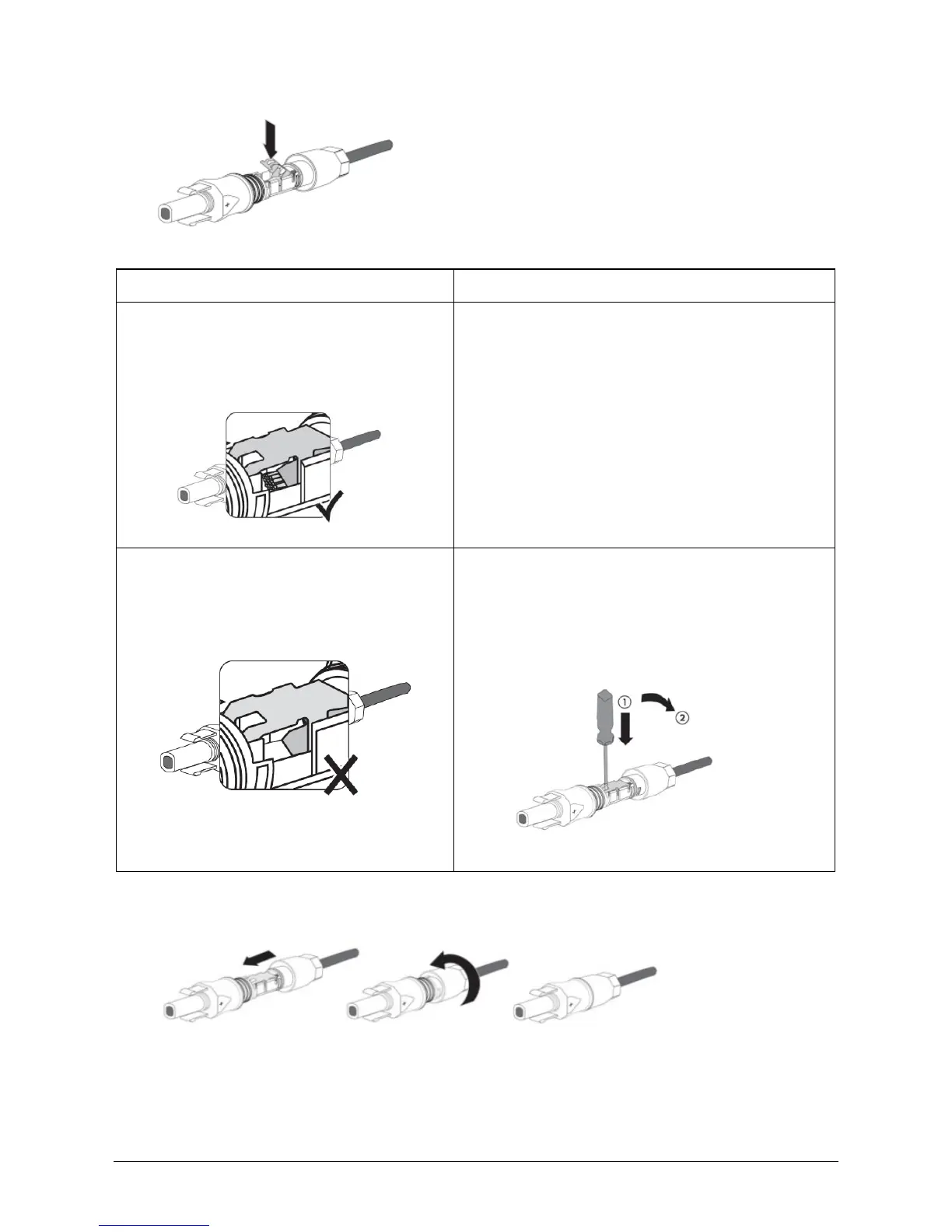
3. Press the clamping bracket down until it audibly snaps into place.
4. Ensure that the cable is correctly positioned:
If the stranded wires are visible in the
chamber of the clamping bracket, the
cable is correctly positioned.
If the stranded wires are not visible in
the chamber, the cable is not
correctly positioned.
• Release the clamping bracket. To do so,
insert a flat-blade screwdriver (blade
width: 3.5 mm) into the clamping bracket
and lever it open.
• Remove the cable and go back to step 2.
5. Push the swivel nut up to the thread and tighten (torque: 2 Nm).






 To Next Page