26 MicroPro
© gbo Medizintechnik AG Version 1.4
7 Operating
The MicroPro is equipped with a touch screen display, an on/off switch and a connection
plugs for the radiator cable.
The MicroPro is operated via the control panel of the touch screen. The user will obtain
explanations regarding the device’s operation und functionality of individual elements via a
help system during operation.
7.1 Display and control elements
Every button is clearly labeled. Visually, the user can differentiate operating from non-oper-
ating, grayed-out buttons. In case of doubt, the user can obtain further information via the
direct help system.
The sliders or control wheels are operated as on a PC: touch the slider and drag it to the
desired position. Control wheels have to be touched and turned in the desired direction. If a
control wheel is released while turning it will stop after short time.
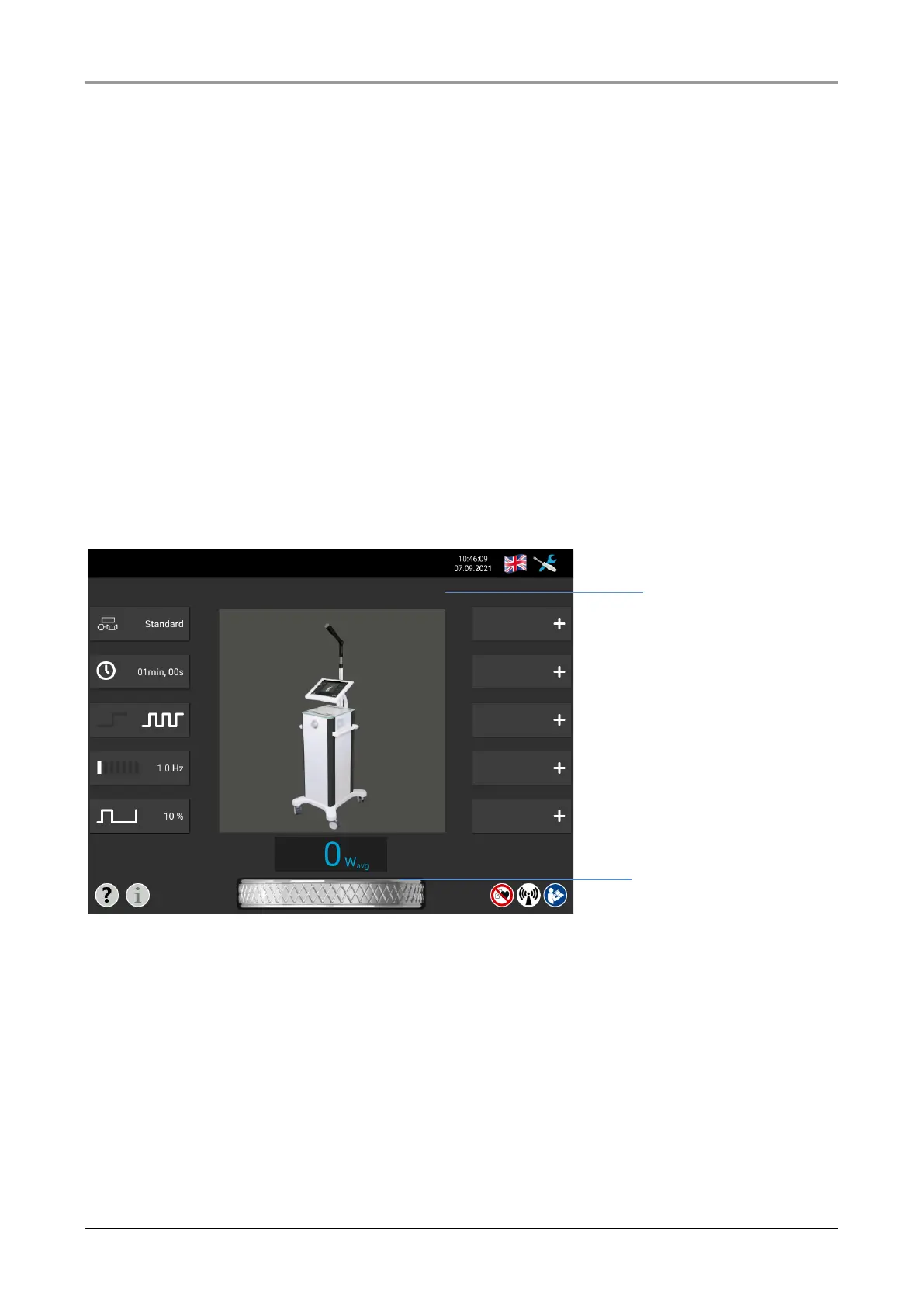
Fig. 7-1 Display and control elements
The intensity regulator is used to adjust the output power during therapy. The power is in-
creased by turning to the right and decreased by turning to the left. The intensity is shown
in Watt on the display. To set the desired intensity, it may be necessary to turn the regulator
several times.














 To Next Page