30 MicroPro
© gbo Medizintechnik AG Version 1.4
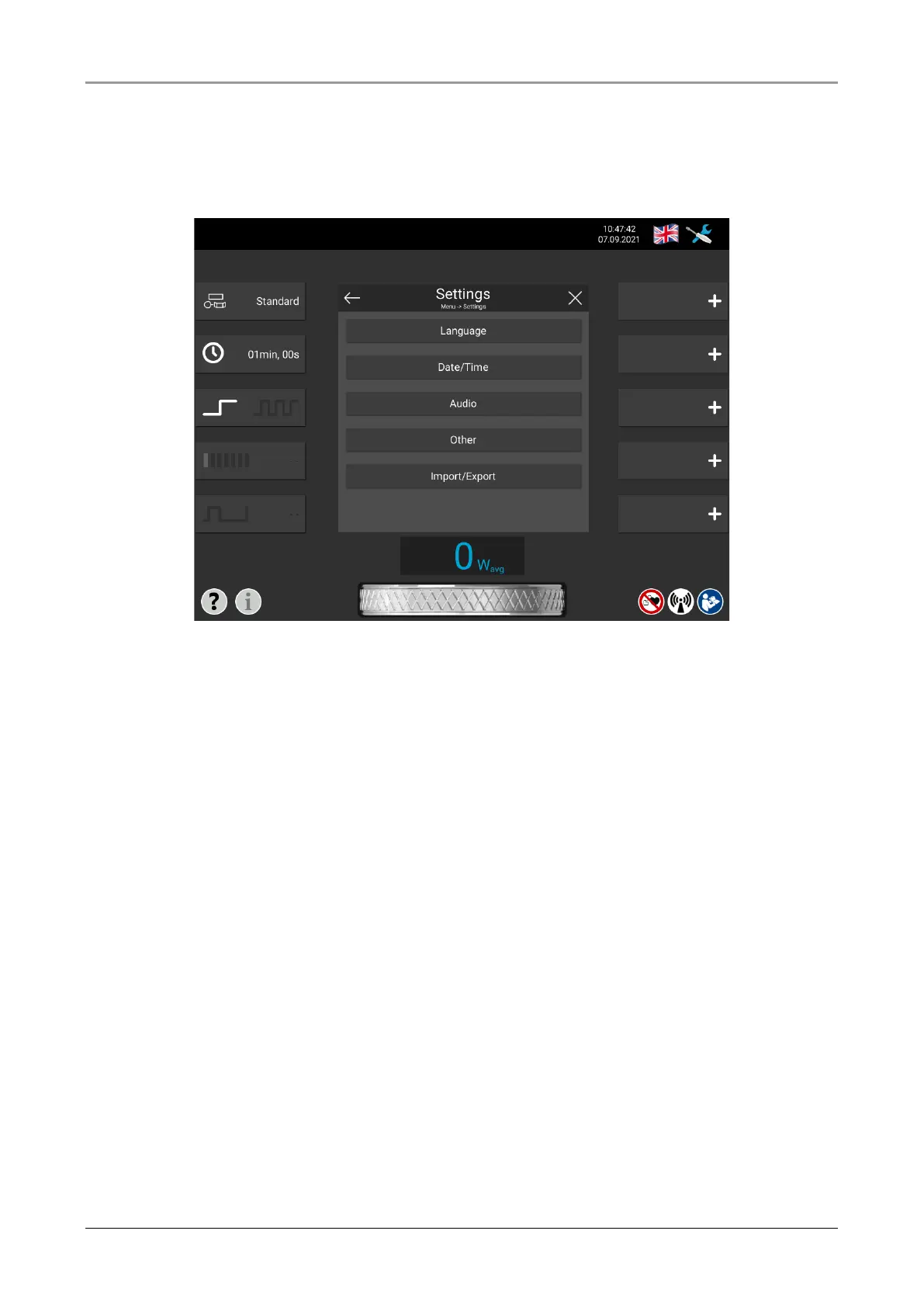
7.4 Settings
The settings menu can be accessed by pressing the menu symbol in the upper right corner
of the screen and then pressing the “Settings” button.
Fig. 7-5 Settings menu
You find the following items in the settings menu:
Language By pressing a country flag, the language corresponding to the country can
be selected as the system language.
Date/Time Both the date and time as well as the date format and time format can be
changed here. Also it is possible to change the time zone.
Audio System tones, such as the end of therapy tone, can be changed here. The
tones can be listened to and assigned to the corresponding functions. The
volume of the tones can be adjusted. There is an option for repeating
tones.
Other Under this point the name of the practice and the brightness of the display
can be changed.
Import/Export Under this point the own therapy settings can be exported to USB stick or
SD card.














 To Next Page