MicroPro 29
© gbo Medizintechnik AG Version 1.4
7.3 Direct help
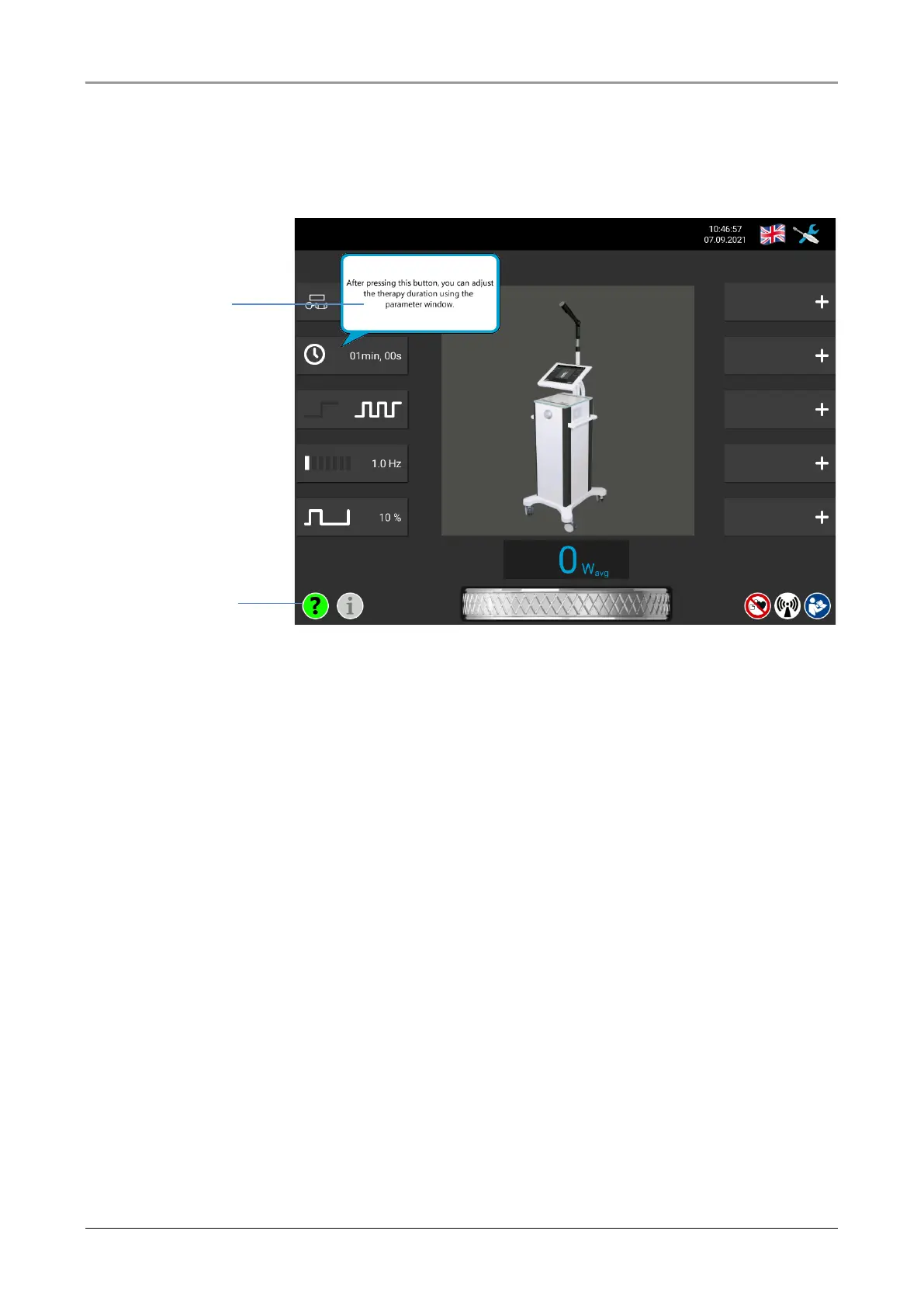
The user of the MicroPro is guided by the operating software. The direct help explains the
selected buttons directly on the screen.
Fig. 7-4 Direct help
To call up the direct help press the “?” button. The button lights up green after selection.
Then press the button for which you desire information. An information window opens, which
gives information about the selected button. Pressing another button opens a new infor-
mation window. The direct help can be closed again by pressing an open information window
or by pressing the “?” button.














 To Next Page