34 MicroPro
© gbo Medizintechnik AG Version 1.4
9 Maintenance
Performance, reliability and safety characteristics of the device are guaranteed only if the
device is handled in accordance with the instructions for use. Safety checks, maintenance,
repair and modifications must only be carried out by the manufacturer or by service agents
authorized by the manufacturer. In the event of failure, parts which affect the safety of the
device must only be replaced by original spare parts from the manufacturer. The electrical
room installation must comply with the requirements of VDE/IEC.
The device does not contain any parts that have to be maintained by the user.
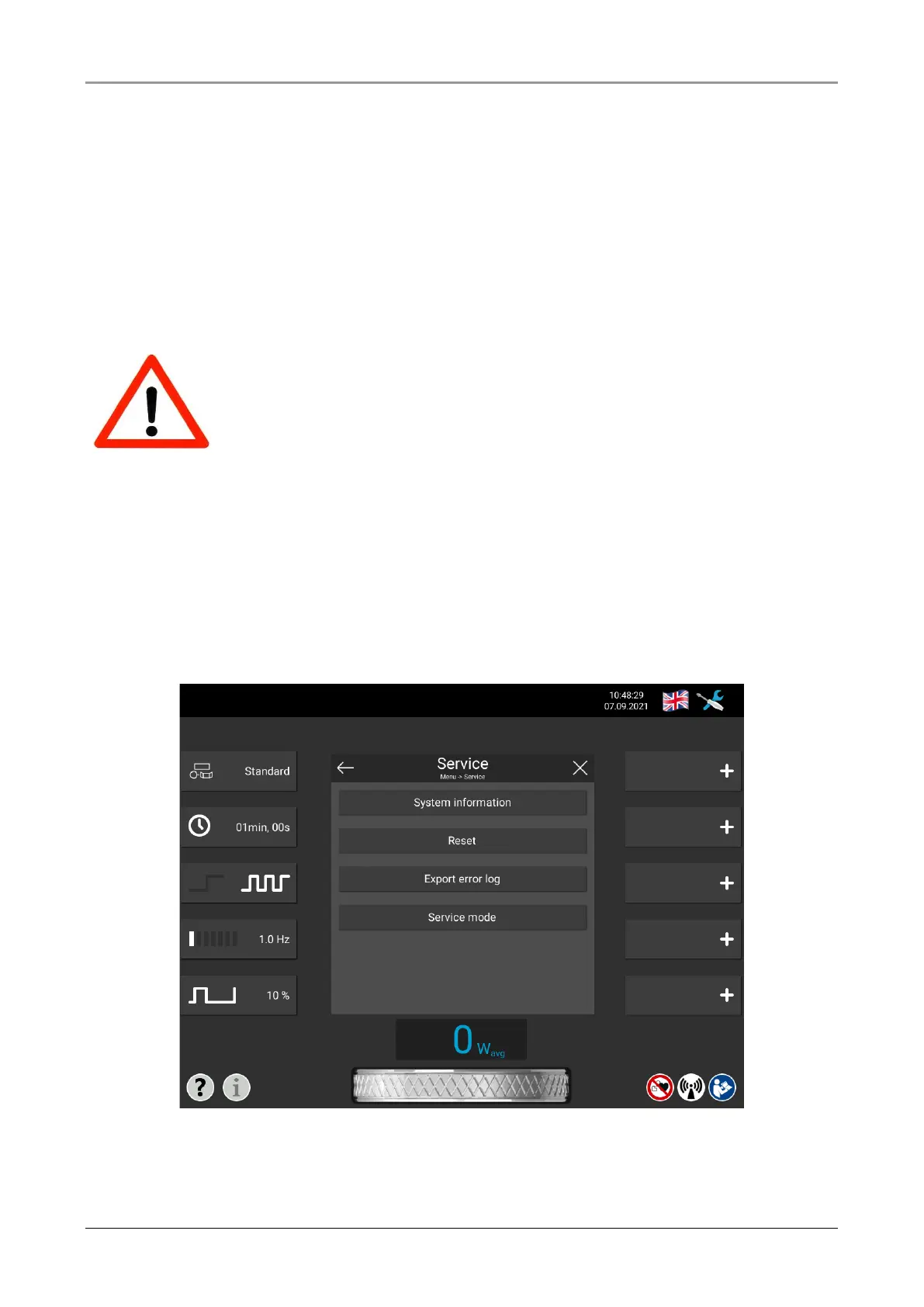
However, the operator has the option of selecting the Submenu “System information” under
the point “Service” in the menu bar. This includes information about the “Software version”,
“operating hours” and “serial number” of the device.
With the point “Reset” the therapy settings already made can be reset to default values. A
further point is the export of an error log file. In order to export the error log, a USB stick
must be connected to the USB socket behind the display. The button “Service menu” re-
spectively the menu behind is reserved for service partners and helps to search for errors in
the hardware.
Fig. 9-1 Service options














 To Next Page