28 MicroPro
© gbo Medizintechnik AG Version 1.4
7.2 Main menu
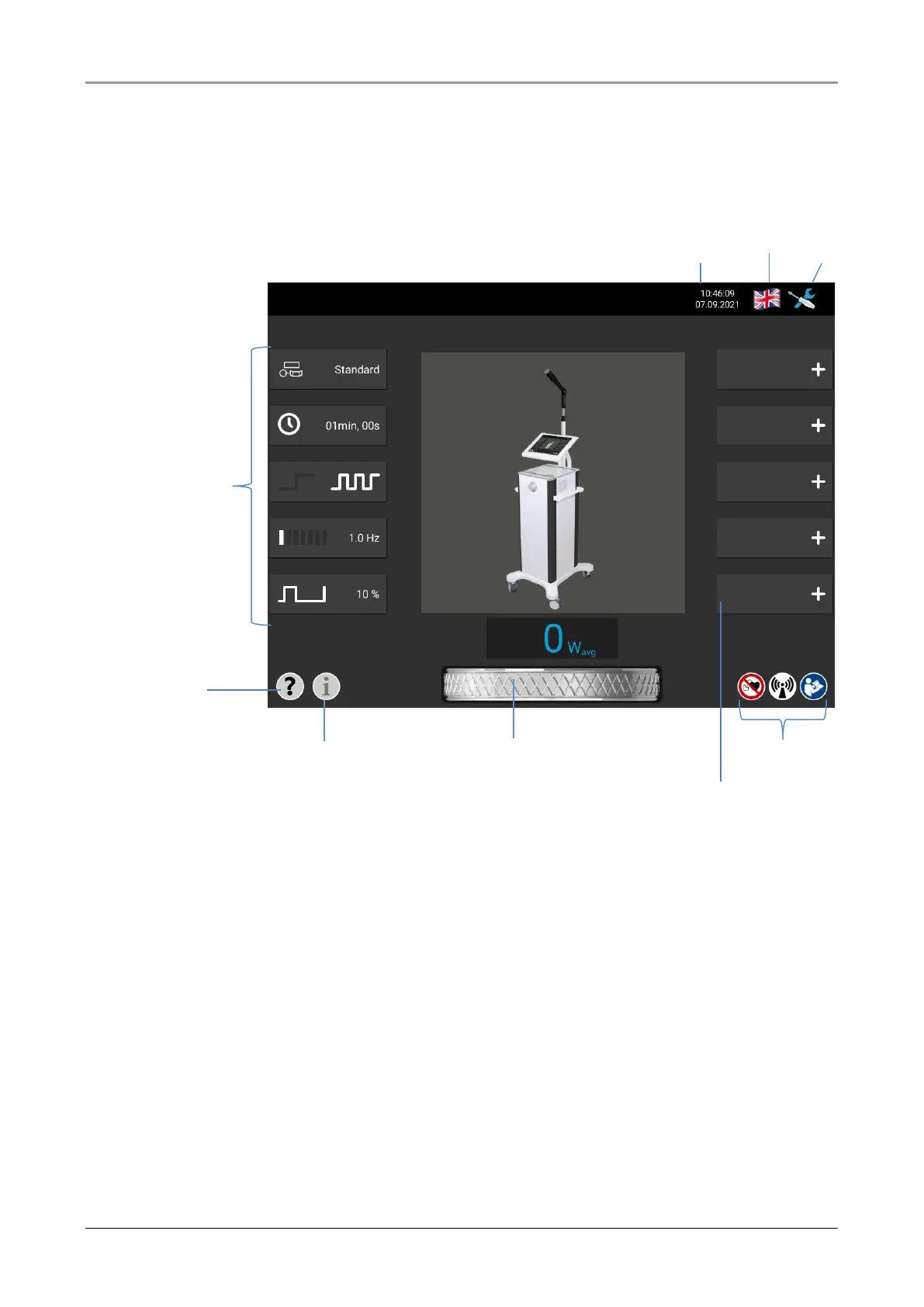
The main menu is displayed when the device is switched on. The therapy parameters are
displayed on the left side of the screen. Below these are the buttons for direct help and for
service information.
Fig. 7-3 Main menu
On the right-hand side, the current time and date can be seen at the top of the screen. To
the right is a flag indicating the currently set system language, which can be changed by
pressing it. Next to it is the menu symbol. Pressing the menu symbol opens a menu with
options for saving therapies, settings, applications or service. Below the menu symbol is the
Favorites list and at the bottom of the screen there are warning labels to be observed.














 To Next Page