MicroPro 31
© gbo Medizintechnik AG Version 1.4
8 Therapy
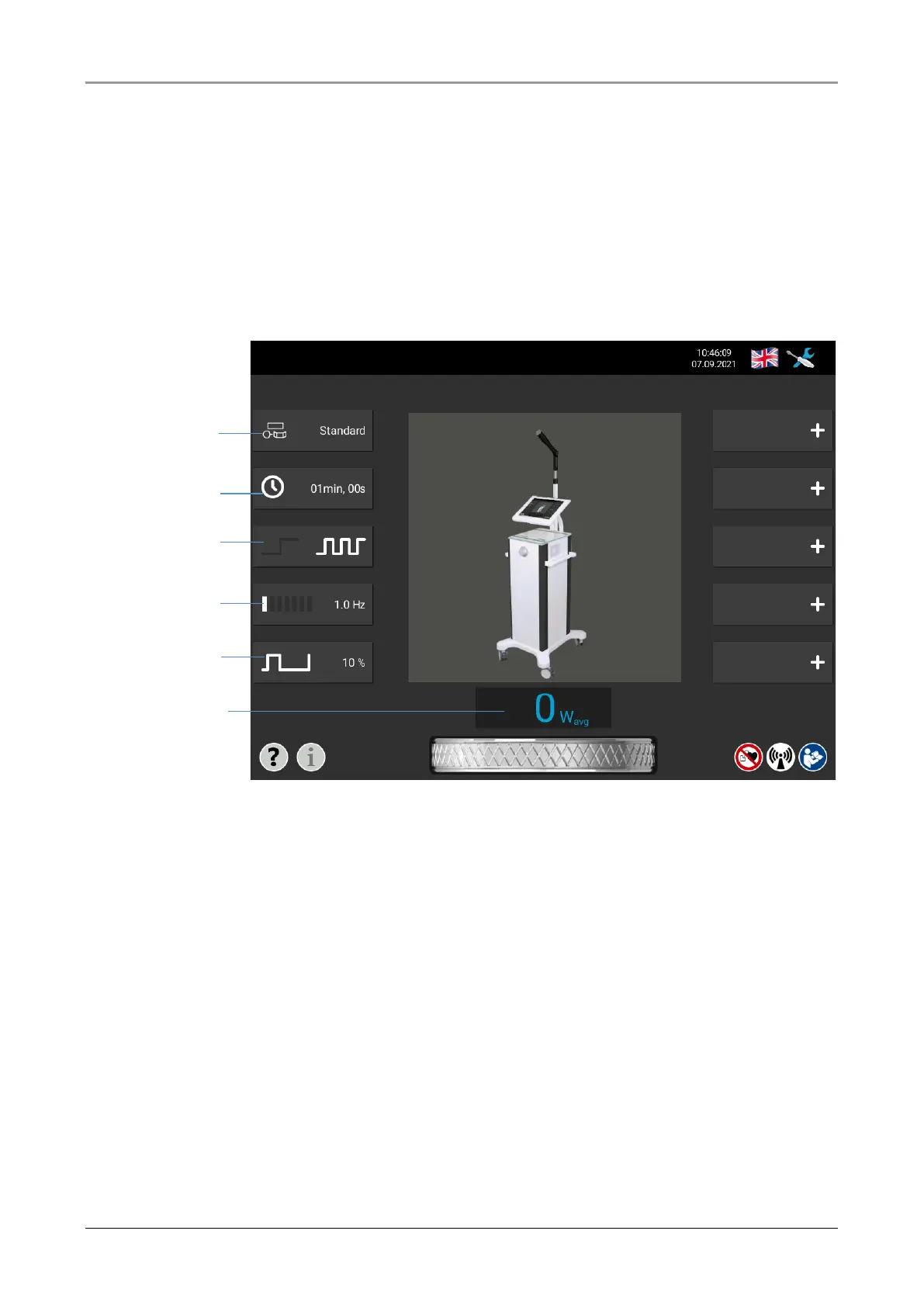
The parameters for the therapy are selected via the selection keys on the left side of the
screen. The connected radiator is shown.
Directly underneath there is a selection button for the treatment duration. The third selection
key can be used to set the impulse or continuous operation mode. In pulse mode, two further
selection keys can be used to set the pulse frequency and pulse width. In continuous oper-
ation, the selection keys for pulse frequency and pulse width are inactive and grayed out.
The lower part of the screen displays the effective output power (patient effective power).
Fig. 8-1 Main menu














 To Next Page