32 MicroPro
© gbo Medizintechnik AG Version 1.4
The therapy is started by adjusting the output power with the intensity regulator. The setting
must always be set according to the subjective sense of the patient! The treatment duration
starts to count down. Once the time is elapsed, the therapy is terminated, the output power
is reset to 0 W.
The therapy can be terminated at any time by turning the output power back to 0 W.
8.1 Saving a therapy
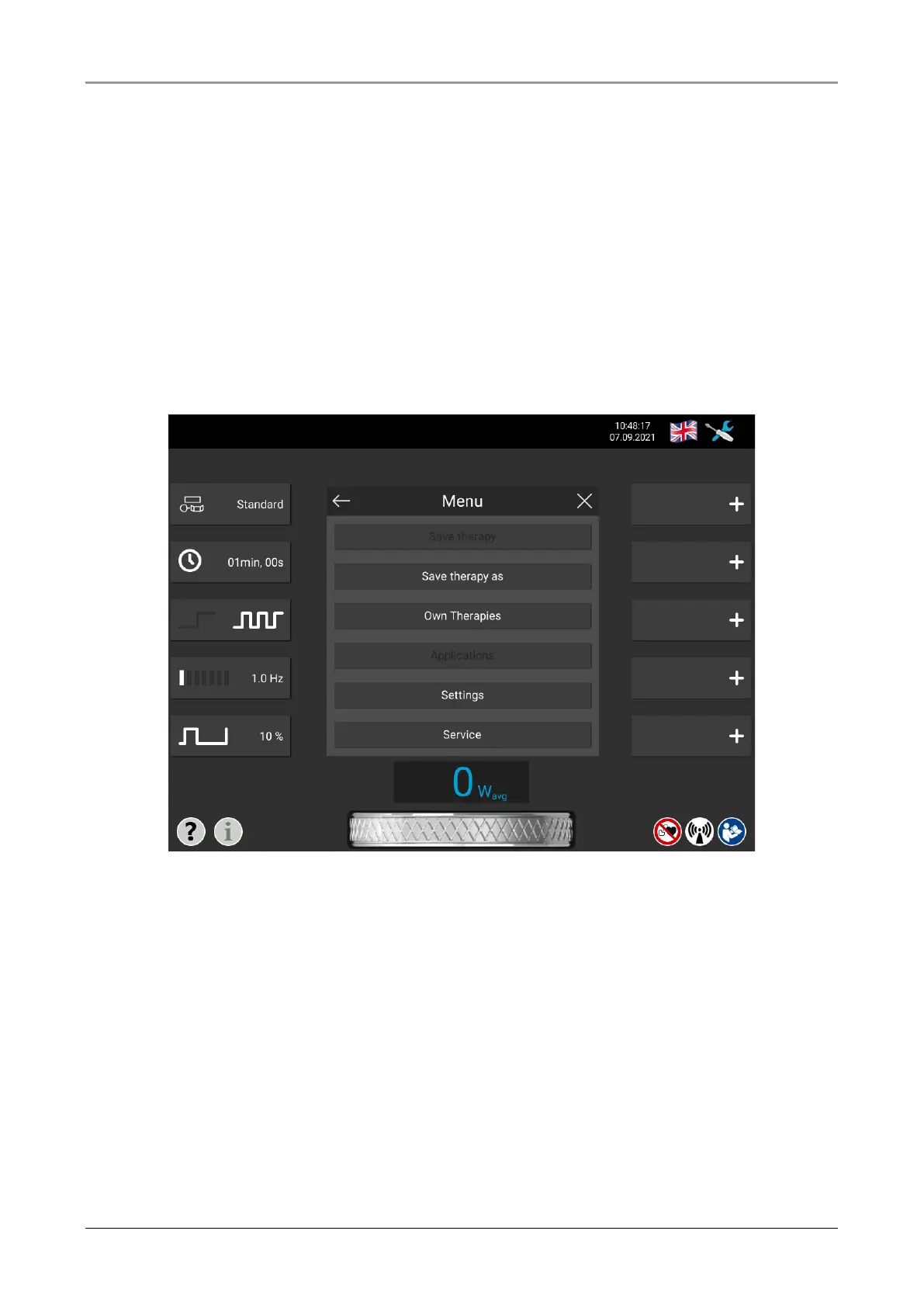
A therapy can be given a name and saved. By opening the menu and then pressing the
"Save therapy as" button, a keyboard opens. Enter the desired name for the therapy and
save the therapy by pressing the Return key “↵”.
Fig. 8-2 Menu bar
All saved therapies can be found under "Own therapies" in the menu. Individual therapies
can be accepted, changed and deleted here.
The parameters of an already saved therapy can be changed. To save this change, open
the menu and press the "Save therapy" button. Changes to a therapy that have not been
saved are indicated in the main menu by square brackets around the therapy name.














 To Next Page