30
C3 Pro Series Access Control Panels and ZKBioSecurity 3.0 Quick Start Guide
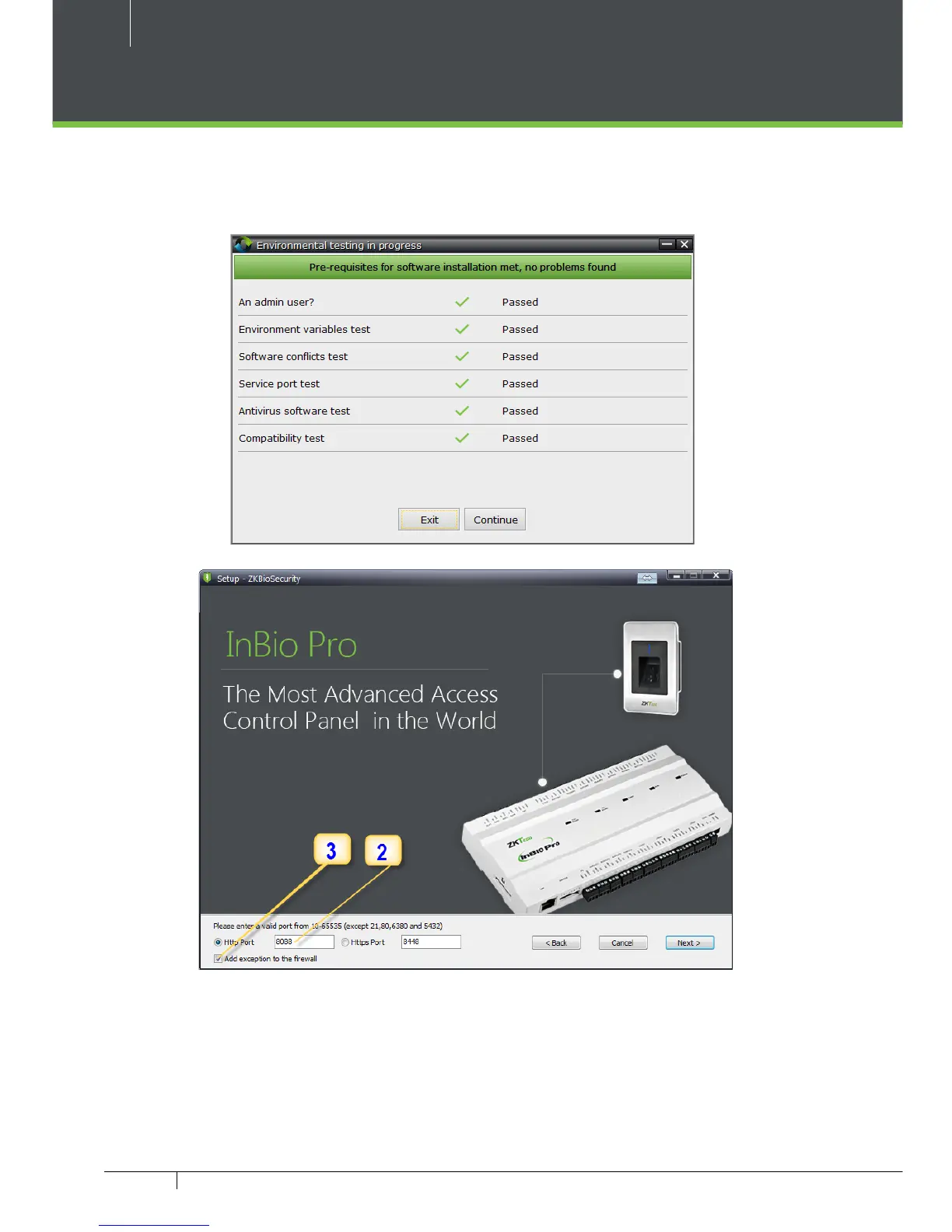
1. System will check the requirements to install the software. Click Continue if all
tests are passed, else check the issues and re-test.
2. Add an open port (Default 8088) or ask a network administrator for an open port.
3. Click the check box to add rewall exception for this port.
Installation



 To Next Page