39
C3 Pro Series Access Control Panels and ZKBioSecurity 3.0 Quick Start Guide
Add & Delete Personnel to Access Level
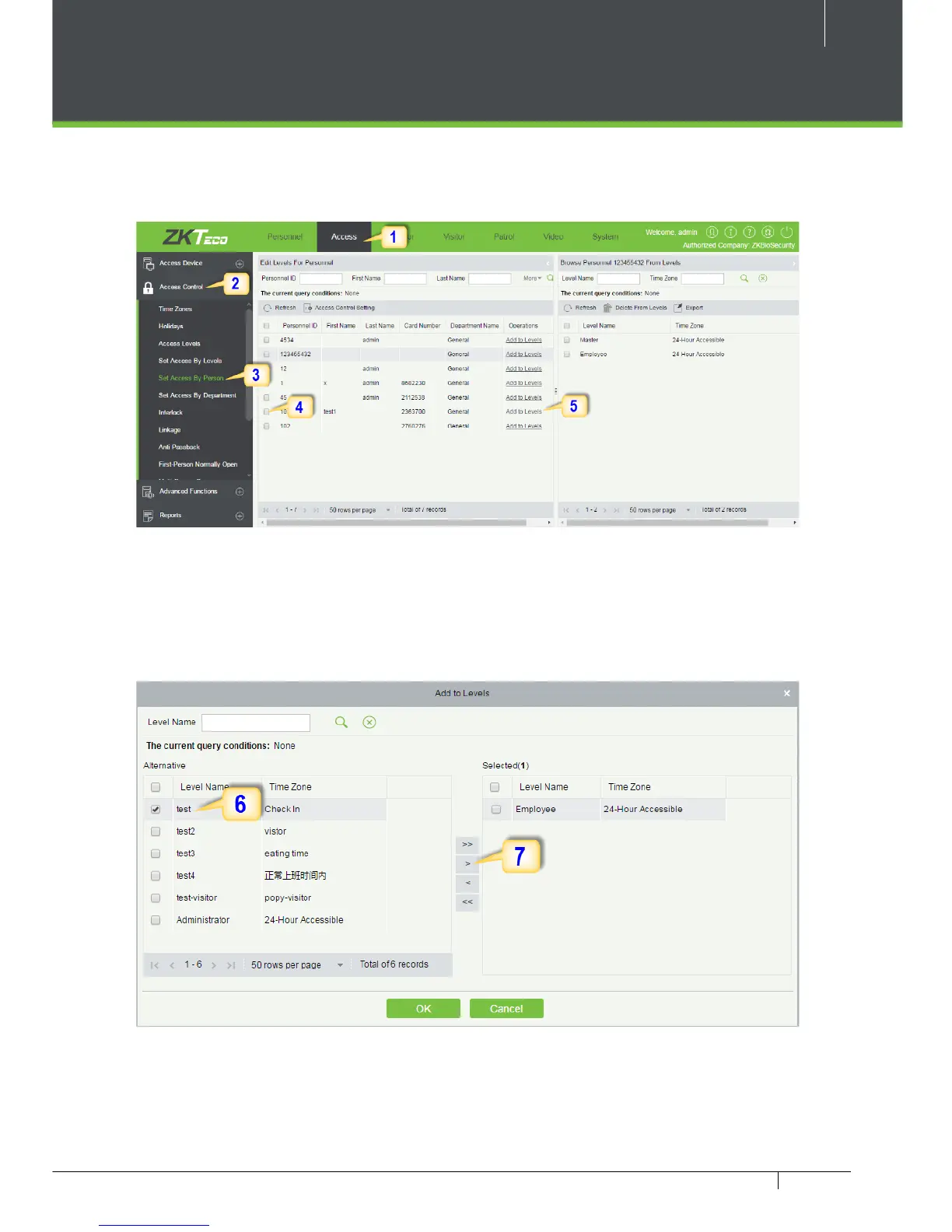
1. Click Access 2. Access Control 3. Set Access by Person 4. Click on the required
employee 5. Click Add to Levels.
6. Select Level(s).
7. Click to move the selected level(s) to the right, and then click OK to complete
adding. The added level(s) will appear in the list on to the right side.



 To Next Page