35
C3 Pro Series Access Control Panels and ZKBioSecurity 3.0 Quick Start Guide
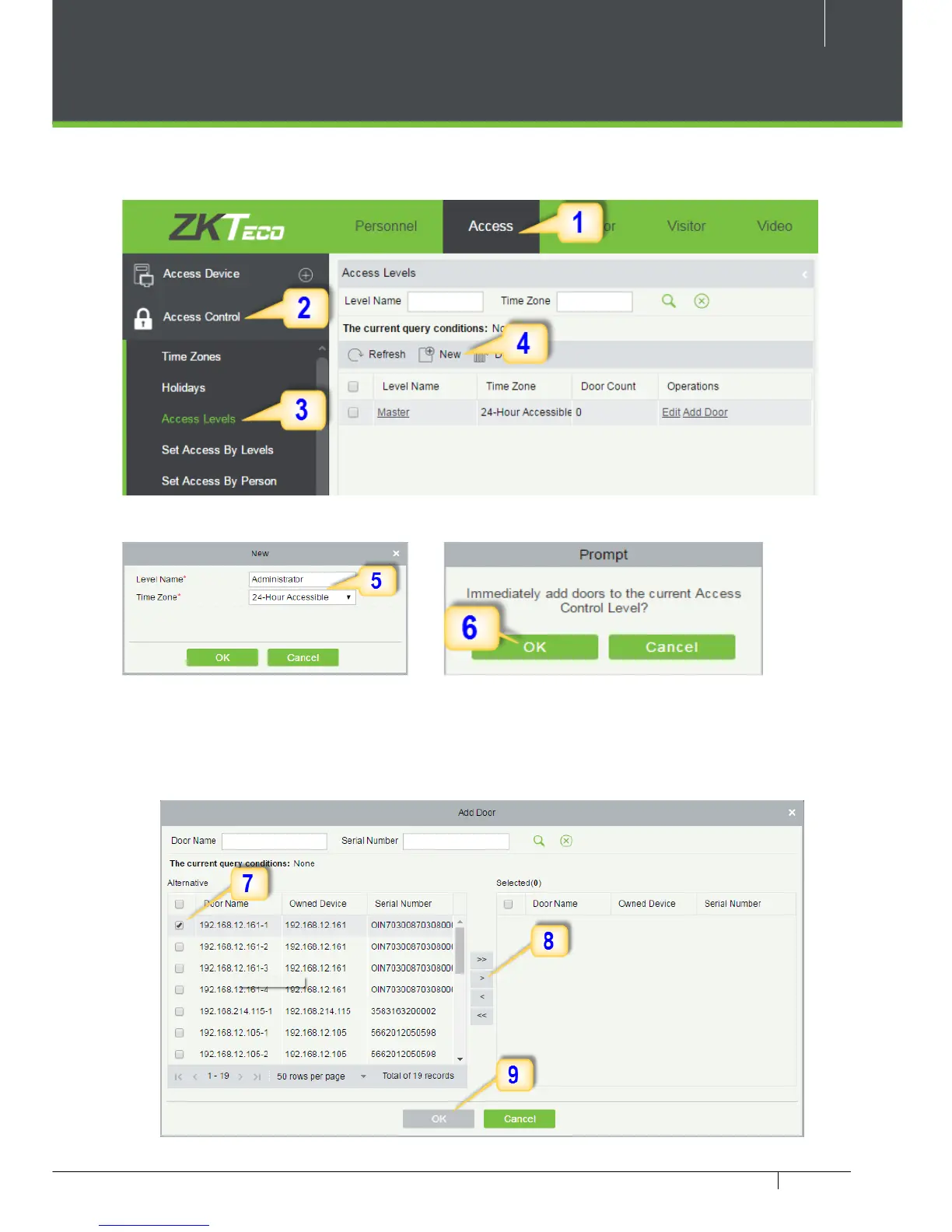
Creating an Access Level
1. Click Access 2. Click Access Control 3. Click Access Levels 4. Click New.
5. Enter the details and click OK
.
6. You need to add doors to the access levels.
7. Select the required door(s).
8. Move the selected door(s).
9. Click OK to nish adding doors.



 To Next Page