40
C3 Pro Series Access Control Panels and ZKBioSecurity 3.0 Quick Start Guide
Real -Time Monitoring
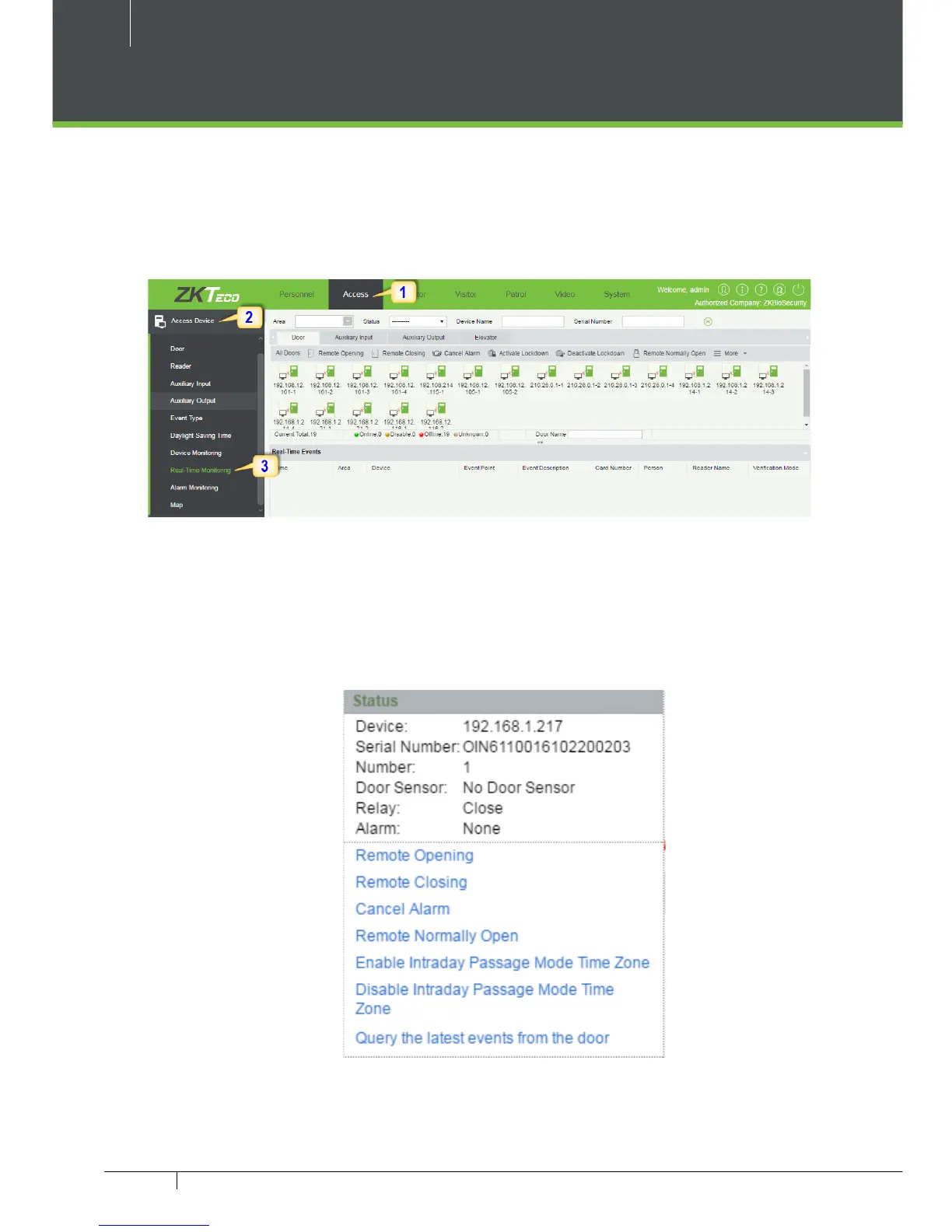
1. Click Access 2. Click Access Device 3. Click Real-Time Monitoring
Real-time monitor the status and real-time events of controllers in the system,
including normal events and abnormal events (including alarm events) device
transactions.
You can also lter by Area, device name, Serial number to check a specic de-
vice transactions or all at once.
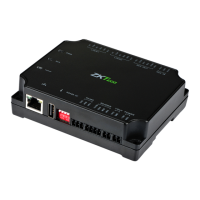
Hover over a door icon to open pop up menu as shown below and click Re-
mote Closing, Remote Opening, or Cancel Alarm and more.



 To Next Page