42
C3 Pro Series Access Control Panels and ZKBioSecurity 3.0 Quick Start Guide
First-Person Normally Open
This feature will keep a door unlocked during a specied time zone. It will auto-
matically unlock at the beginning of the time zone and will lock automatically at
the end of the specied time zone.
The First Person Normally Open feature will keep a door unlocked during a
specied time zone when triggered by specied personnel. After the specied
personnel unlocks, this feature keeps the door unlocked till the end of the time
zone and it will lock automatically at the end of the specied time zone.
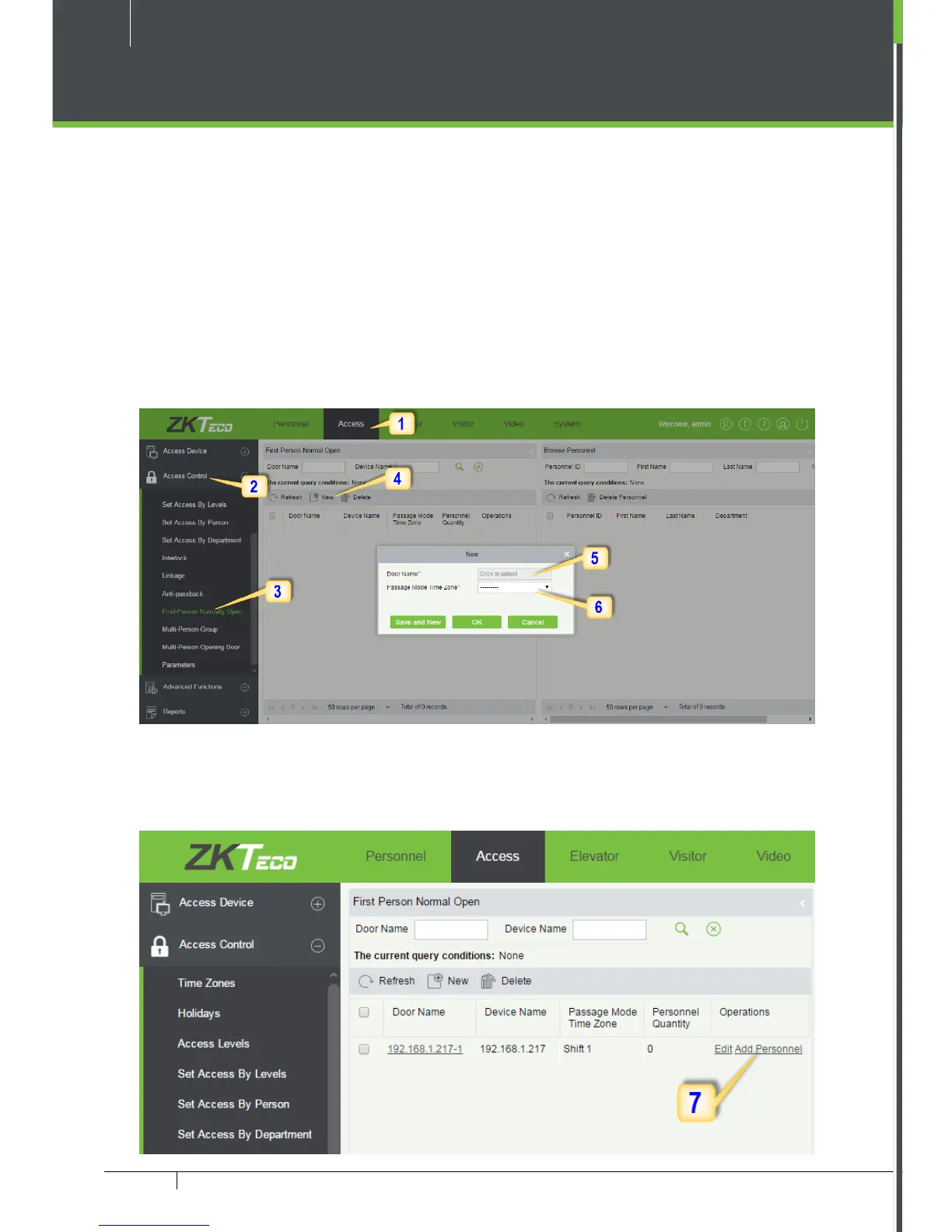
1. Click Access 2. Click Access Control 3. Click First-Person Normally Open
4. Click New 5. Select the door 6. Select the Time Zone.
Before using this function, create a new time zone with the hours you want the
door to be unlocked.
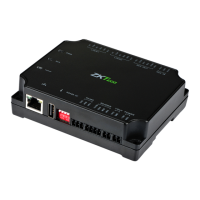
7. Add the specic person. Once this person checks in, this feature is activated.



 To Next Page