EFace10 User Manual
Page | 12 Copyright©2021 ZKTECO CO., LTD. All rights reserved.
1:1 Facial Verification
In this verification mode, the device compares the face captured by the camera with the facial template
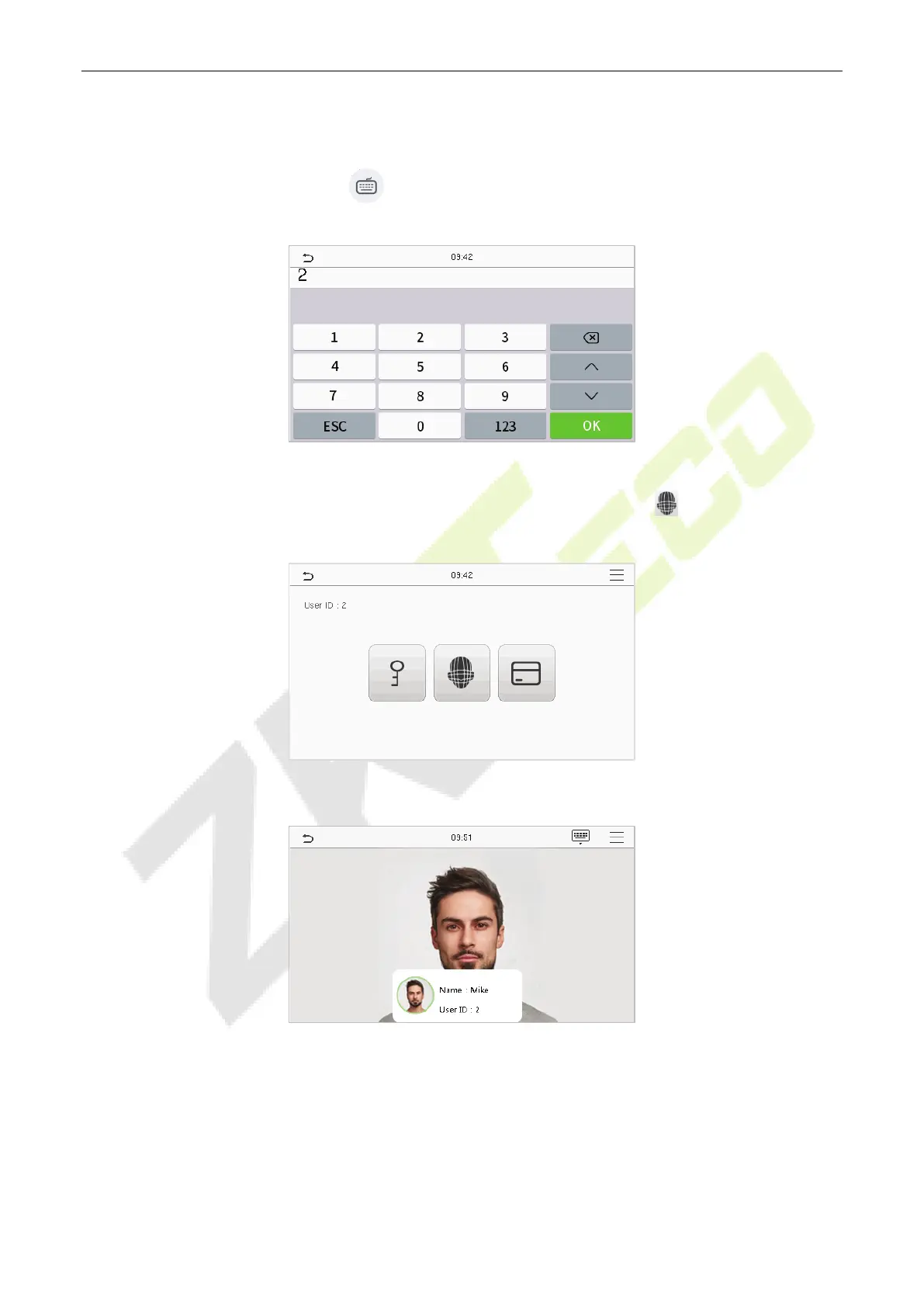
related to the entered user ID. Press on the main interface and enter the 1:1 facial verification mode
and enter the user ID and tap [OK].
If the user has registered password and card in addition to his/her face, and the verification method is set
to password/face/card verification, the following screen will appear. Select the icon to enter the face
verification mode.
After successful verification, the prompt box displays "Successfully verified", as shown below:
If the verification is failed, it prompts “Please adjust your position!”.



 To Next Page