USER MANAGEMENT
1
8
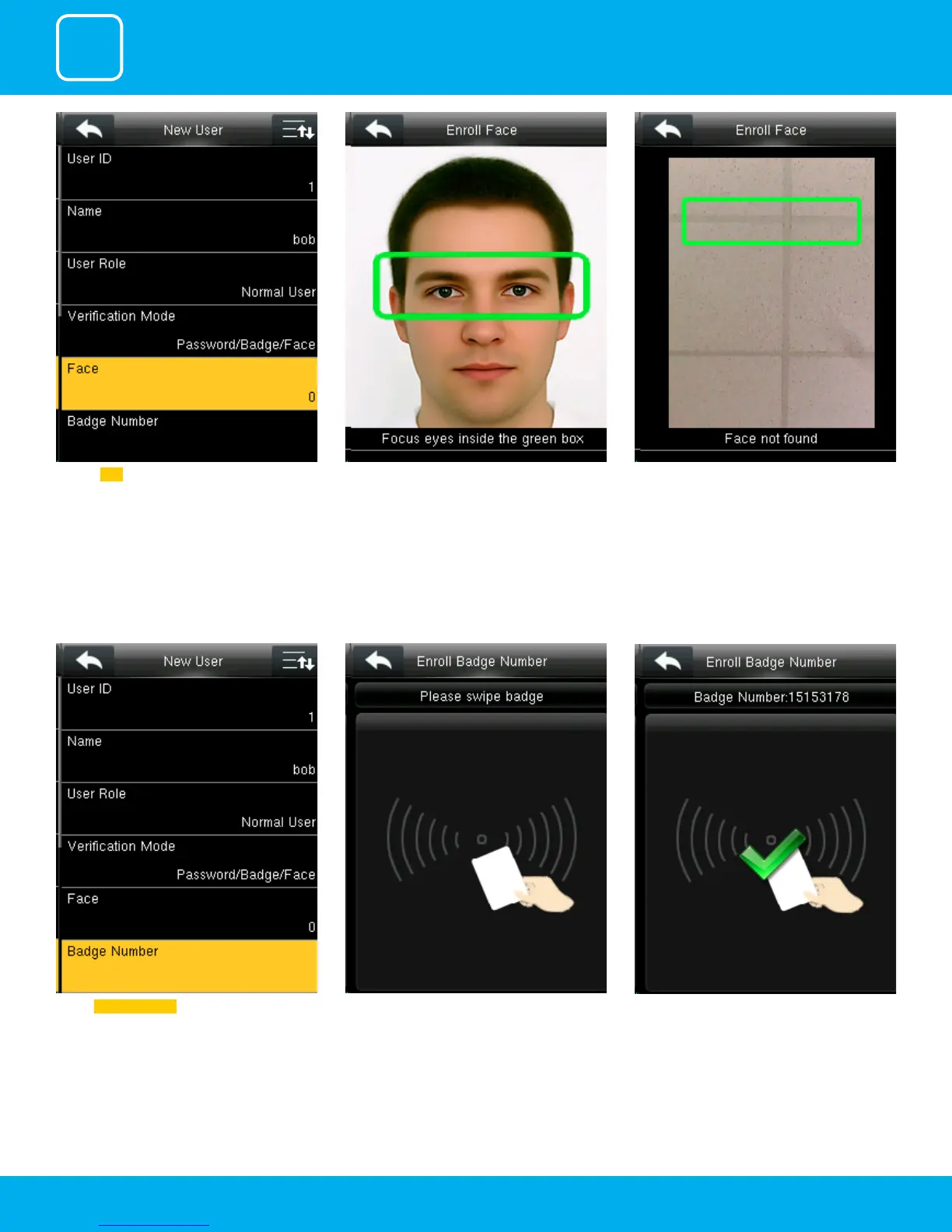
When you swipe the badge number the badge
number will be displayed as above.
When you select the badge number it will tell
you to swipe the badge/rd card to enroll.
Select Badge Number ..
Click on Face . Place your eyes inside the green box Adjust your face according to instruction.
The user face will be enrolled successfully



 To Next Page