USER MANAGEMENT
1
9
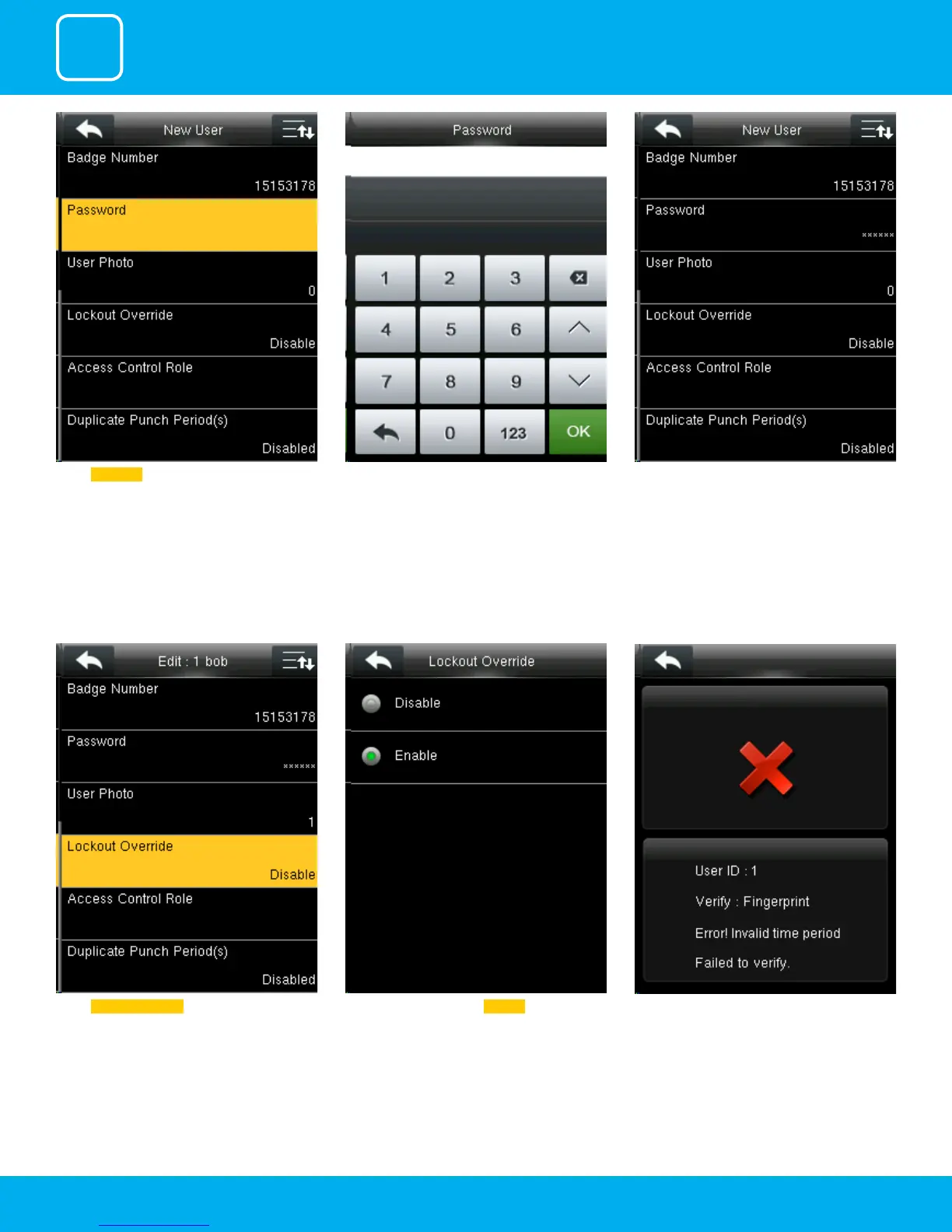
A user punches in o the activate schedules, the
device will notify the user by “Error! Invalid time
period Failed to verify.”
Select lockout override as Disable .Select Lockout Override .
Select Password .. Here you can input the password by using the
keypad to enroll.
Once you entered the password, the above
image will be displayed for that user with his/her
ngerprint, the badge number and password
that is needed for him/her to enter.



 To Next Page