ZMC420SCAN Motion Controller Hardware Manual V1.5
be selected to expand two pulse axes. These two pulse axes need to be mapped and
bound with the axis No., then access.
Extended axes need to perform axis mapping operations, using the
AXIS_ADDRESS command to map, and the mapping rules are as follows:
AXIS_ADDRESS(axis No.)=(32*0)+ID
'the local axis interface of the expansion module AXIS 0
AXIS_ADDRESS(axis No.)=(32*1)+ID
'the local axis interface of the expansion module AXIS 1
The ID is the combined value of the DIP bit1-4 of the expansion module. After
the mapping is completed and the axis parameters such as ATYPE are set, the
expansion axis can be used.
Example:
ATYPE(6)=0 'set as virtual axis
AXIS_ADDRESS(6)=1+(32*0)
'ZCAN expansion module ID 1 axis 0 is mapped to axis 6
ATYPE(6)=8 'ZCAN extended axis type, pulse direction stepping or servo
UNITS(6)=100 0 'pulse equivalent 1000
SPEED(6)=100 'speed 100uits/s
ACCEL(6)=1000 'acceleration 1000units/s^2
MOVE(100) AXIS(6) 'extended axis movement 100units
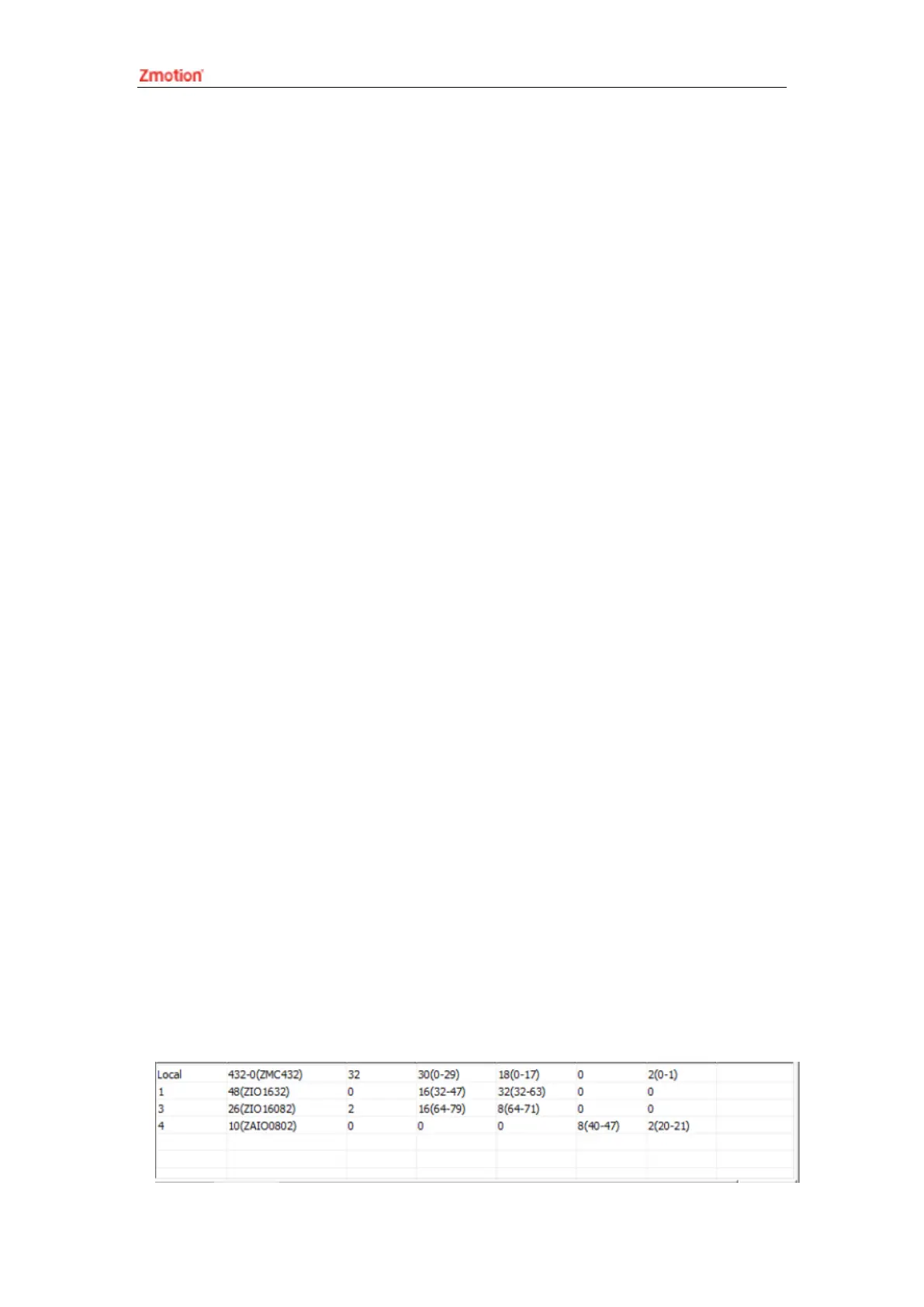
Extended resource viewing:
According to the CAN connection, after the power is turned on, and the wiring
resistance dial code is set correctly, the power indication led (POWER) and the
running indication led (RUN), the IO power indication led (IO POWER) are on, and the
alarm indication led (ALM) is off. At the same time, the "Controller" - "State the
controller" - "ZCanNodes" in the ZDevelop software displays the expansion module
information and the extended IO number range.
The dial ID and the corresponding resource number when connecting multiple
expansion modules are as follows:



 To Next Page