EasyManua.ls Logo

Zmotion ZMC420SCAN - Page 61

Default Icon
68 pages
Print Icon
To Next Page IconTo Next Page
To Previous Page IconTo Previous Page
Loading...
ZMC420SCAN Motion Controller Hardware Manual V1.5
7
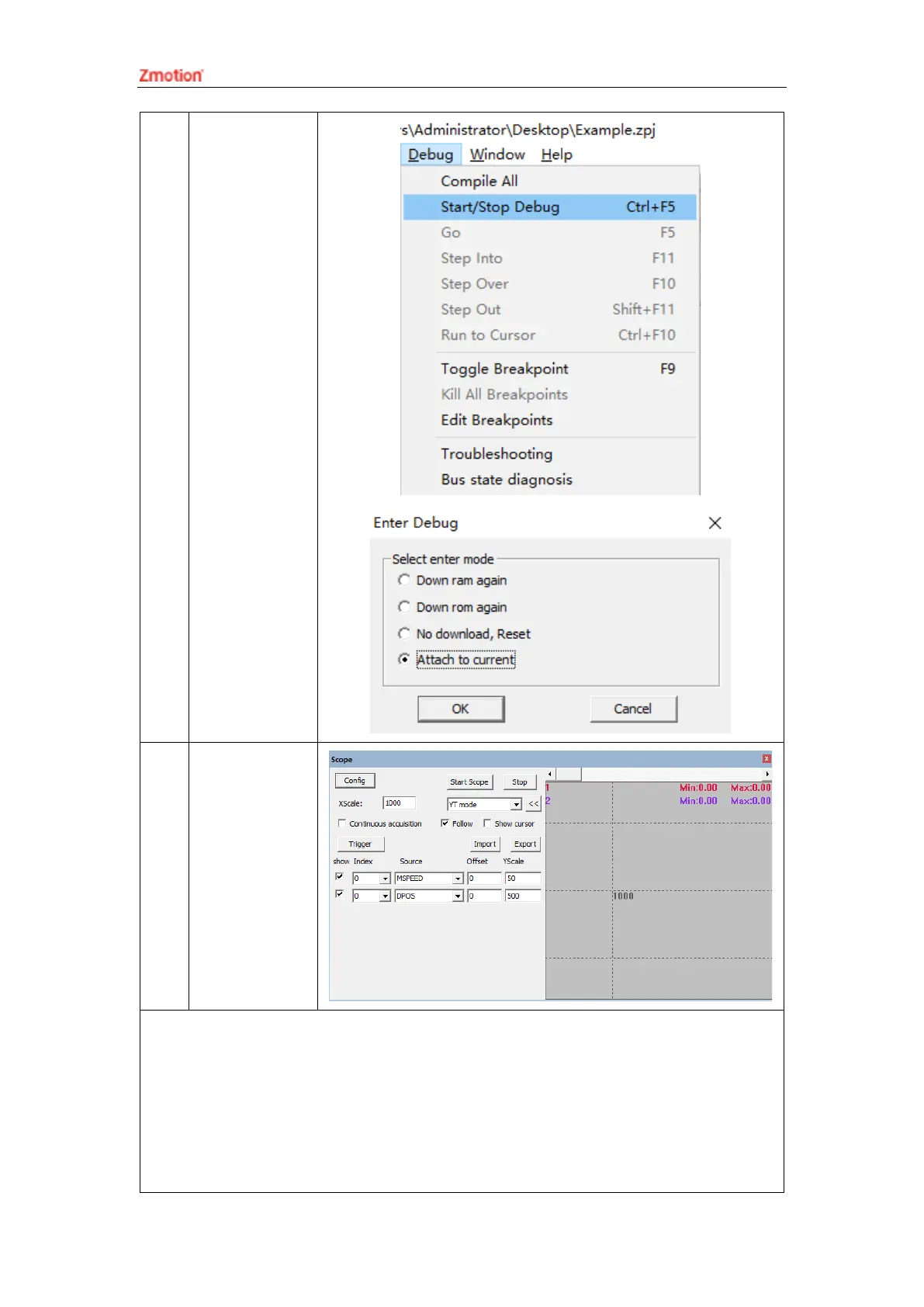
Click “Debug” –
“Start/Stop
Debug” to call
“Task” and
“Watch”
window,
because it was
downloaded
before, here
select “Attach
the current”.
8
Click “View” –
“Scope” to open
oscilloscope.
Note:
⚫ When opening an project, choose to open the zpj file of the project. If only the Bas file
is opened, the program cannot be downloaded to the controller.
⚫ When the project is not created, only the Bas file cannot be downloaded to the
controller.
⚫ The number 0 in automatic operation represents the task number, and the program

Table of Contents

Other manuals for Zmotion ZMC420SCAN

Zmotion ZMC420SCAN - Page 61