Turning effects on/off
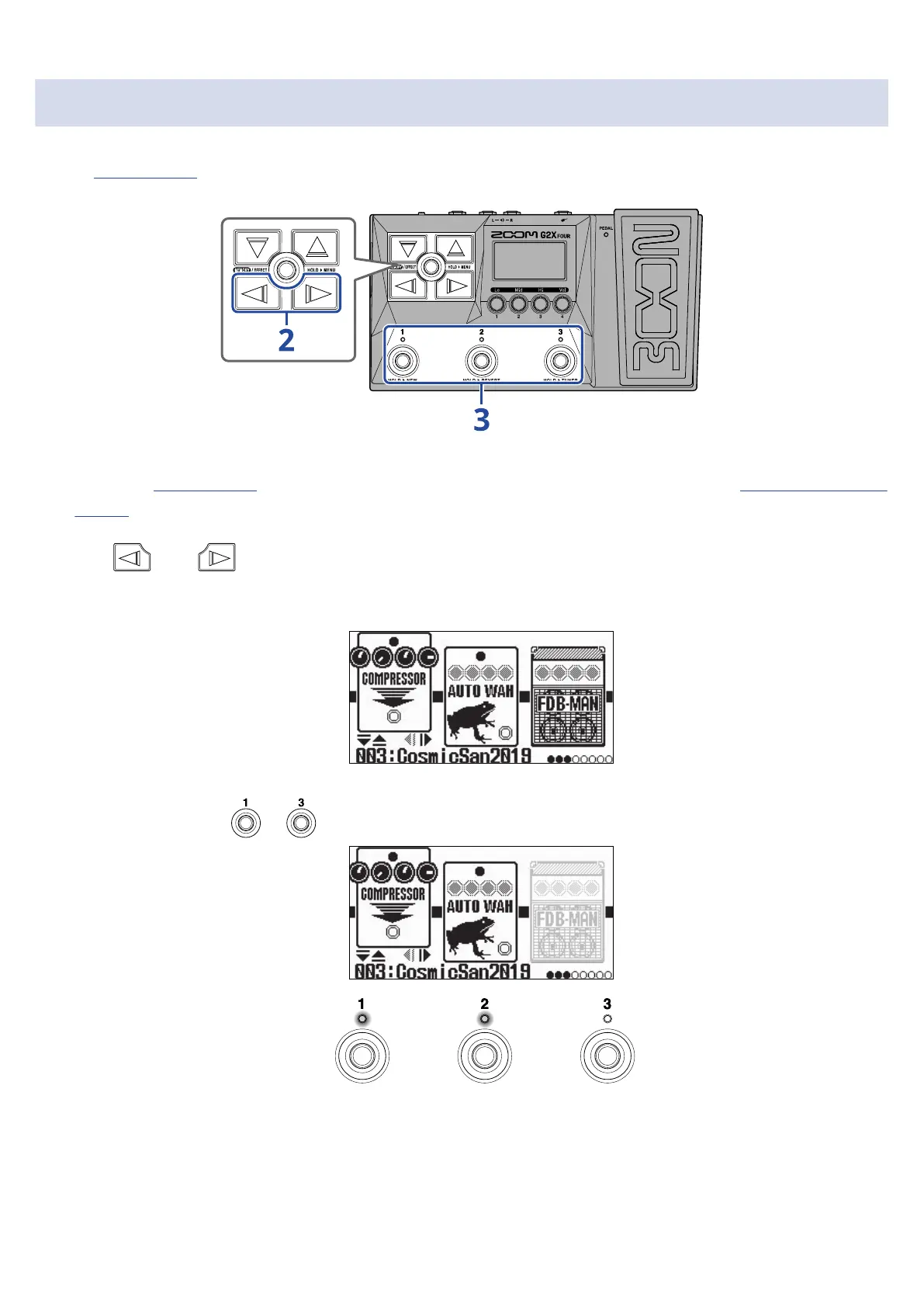
On the Effect Screen, the effects and amp used in the patch memory are shown on the display and can be
turned on and off using the footswitches.
1. Open the Effect Screen for the patch memory with the effect to be turned on/off (→Opening the Effect
Screen).
2. Use and to show the effect to be turned on/off on the display.
Three effects are shown on the display. The footswitches can be used to turn on/off the effects shown
on the display.
3. Press footswitches – to turn effects on/off.
The indicators light when effects are on.
When an effect is off, its indicator will be unlit and its icon will appear dimmed on the display.
31



 To Next Page