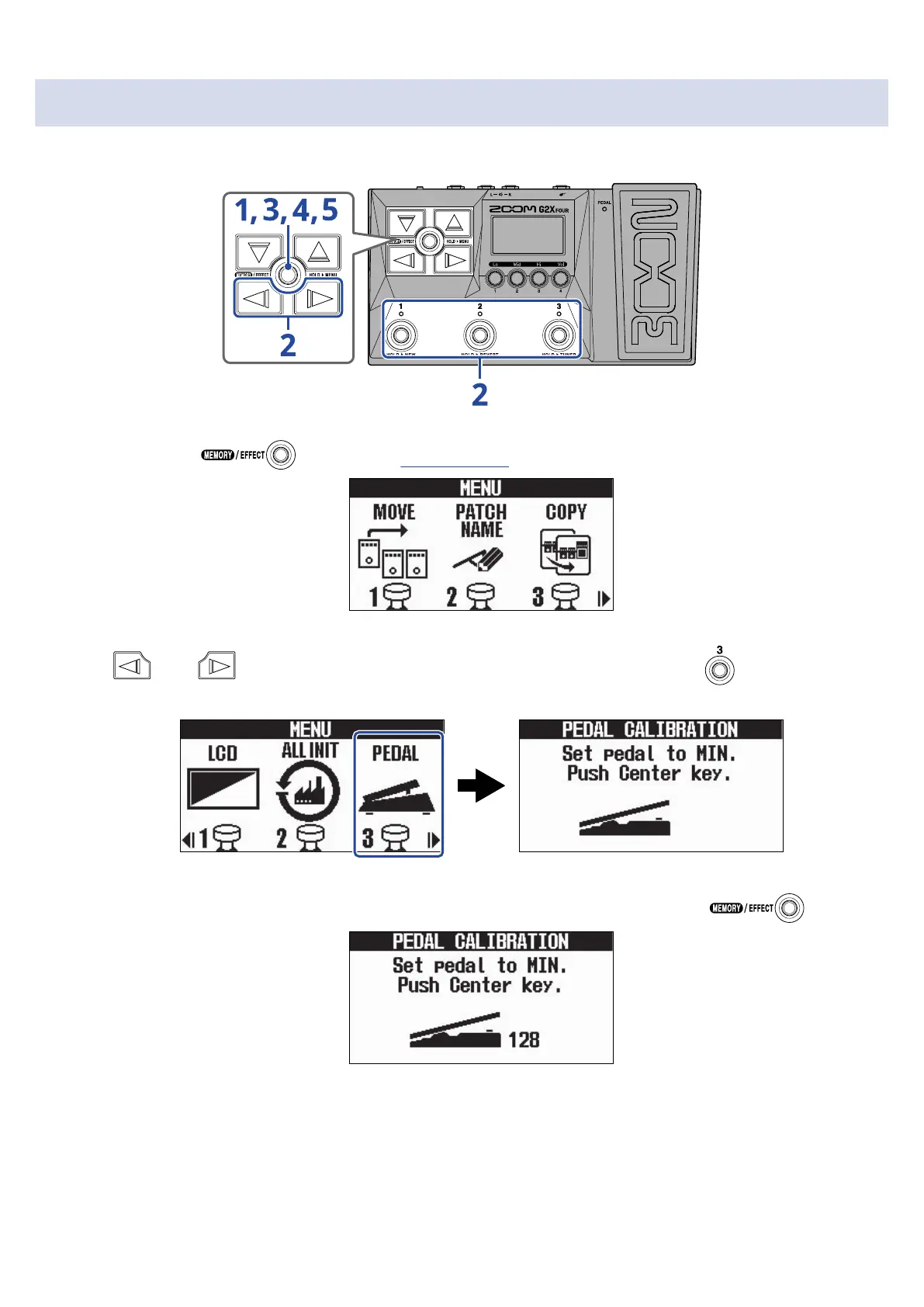
Calibrating the pedal (G2X FOUR only)
Calibrate the built-in expression pedal to adjust its sensitivity.
1. Press and hold to open the MENU Screen.
2. Use and to select PEDAL, and press the corresponding footswitch ( in this example).
This opens the Pedal Calibration Screen.
3. When the pedal is in its unpressed state (the pedal is at its highest point), press .
58



 To Next Page