Deleting markers
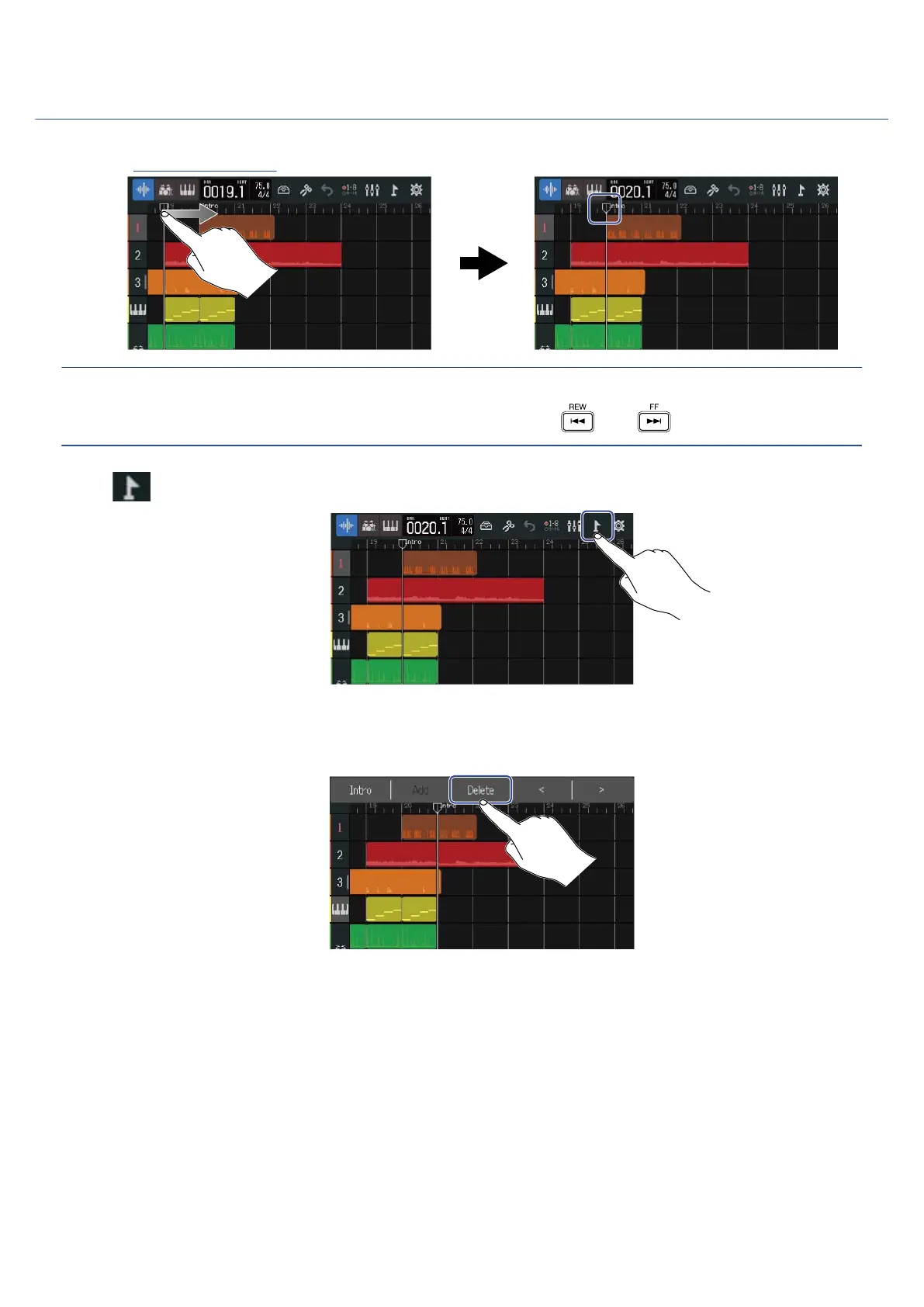
1. On the Track View Screen, move the playback header to the position of the marker you want to delete.
HINT:
The playback header can be moved in ruler increments by pressing and .
2. Tap .
This opens the Marker Menu at the top of the screen.
3. Tap “Delete”.
4. Tap “Execute”.
Tap “Cancel” to cancel deletion and return to the previous screen.
5. When “Done” appears, tap “Close”.
The marker will be deleted.
113



 To Next Page