Muting tracks
The signals of specific tracks can be muted.
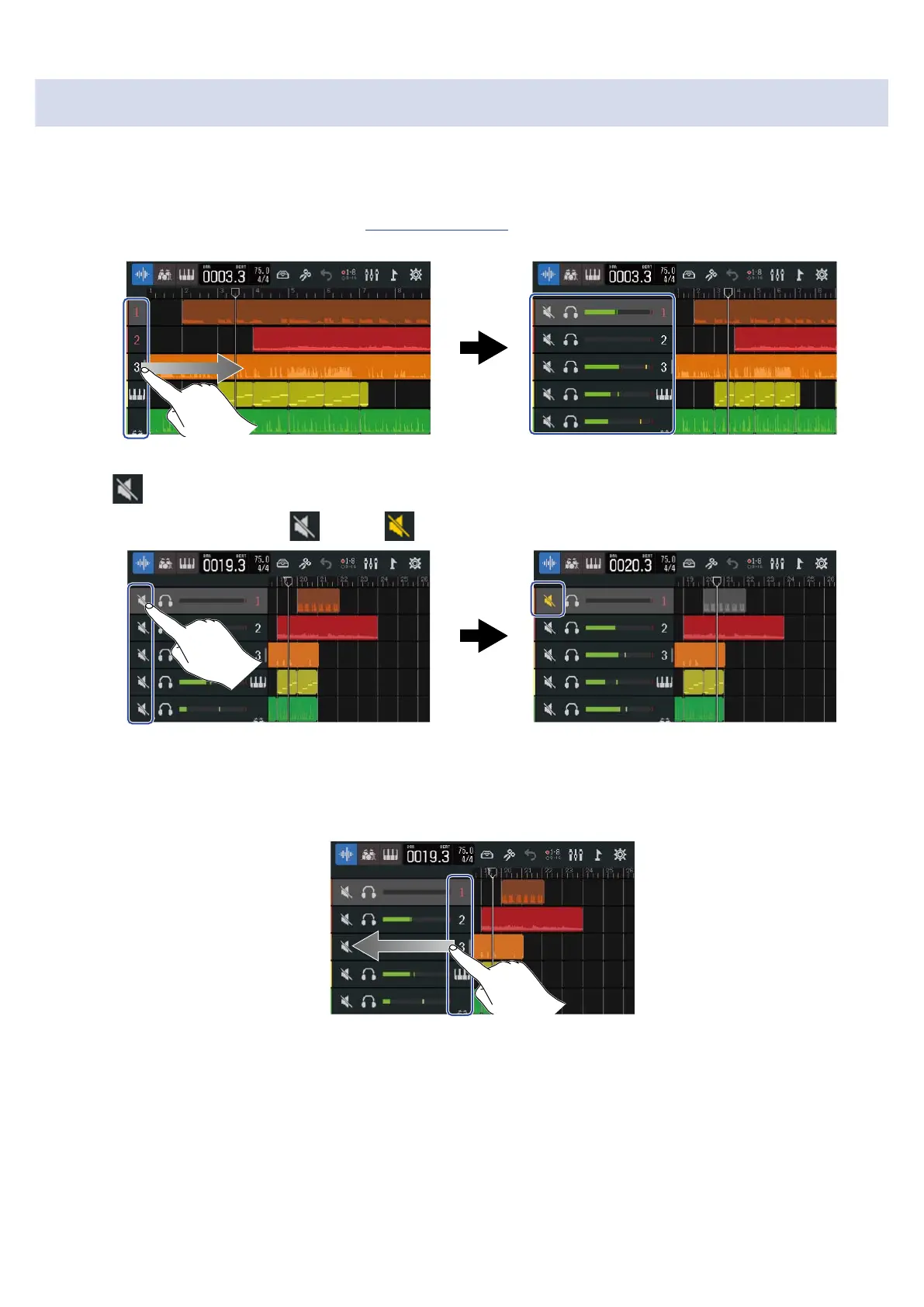
1. Drag the track numbers right on the Track View Screen.
This opens the mixer.
2. Tap .
This mutes that track, and lights ( ).
Multiple tracks can be muted simultaneously.
Slide the screen up and down to mute other tracks.
3. Drag the track numbers left to close the mixer.
116



 To Next Page