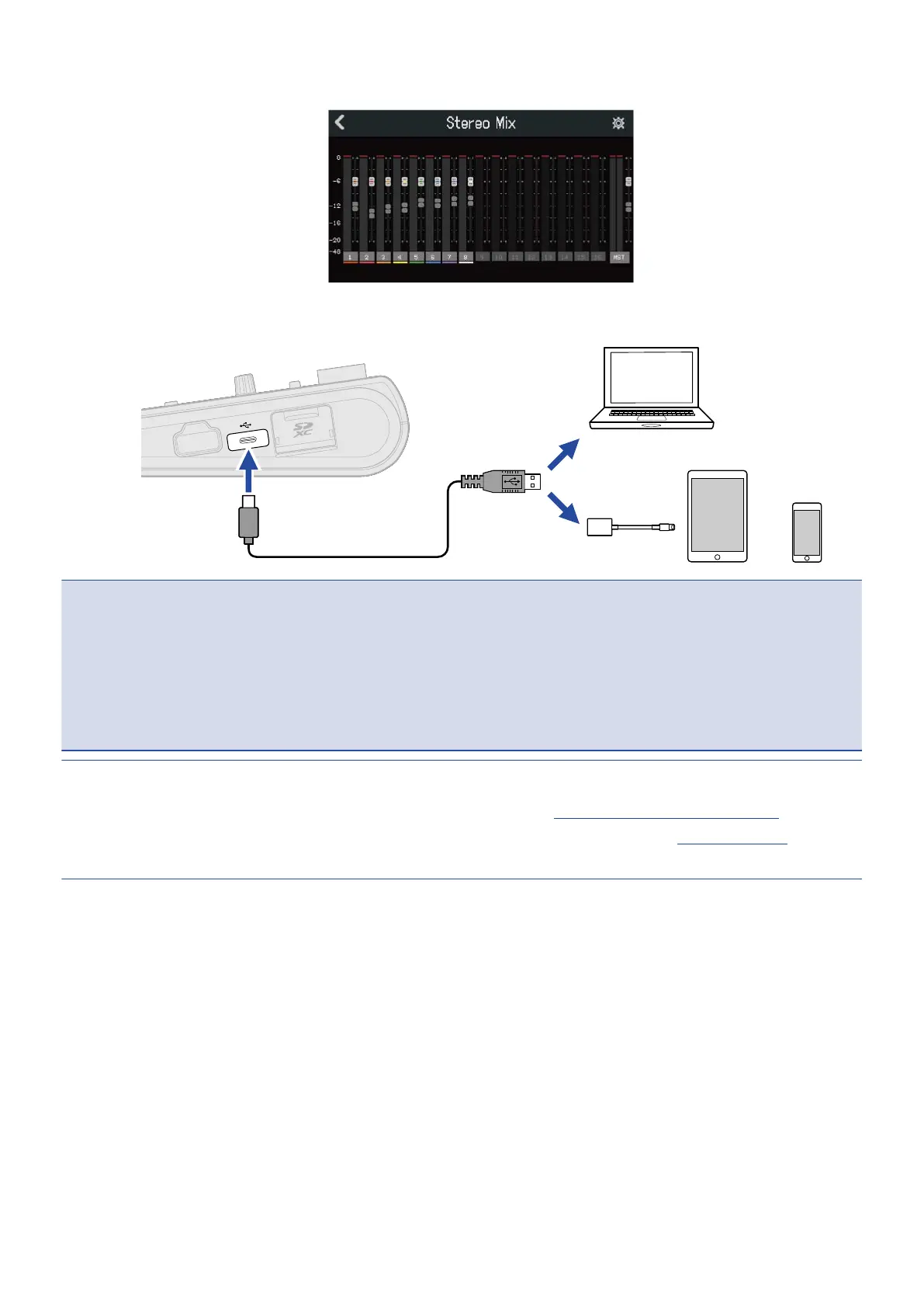
The Level Meter View Screen for the selected mode will open.
4. Use a USB cable to connect the R20 with a computer, smartphone or tablet.
NOTE:
• Use a USB (Type-C) cable that supports data transfer.
• When connecting to a computer, set the R20 as the sound device.
• The R20 cannot operate on USB bus power.
• Use a Lightning to USB Camera Adapter (or Lightning to USB 3 Camera Adapter) to connect to an iOS/
iPadOS device with a lighting connector.
HINT:
• To make sound monitoring, output level and other settings, see Making audio interface settings.
• When in Stereo Mix mode, the stereo signal mixed by the R20 is transmitted. See Mixing projects for
details about mixing.
140



 To Next Page