Preparing for use with a Mac computer
A driver is not necessary when using a Mac.
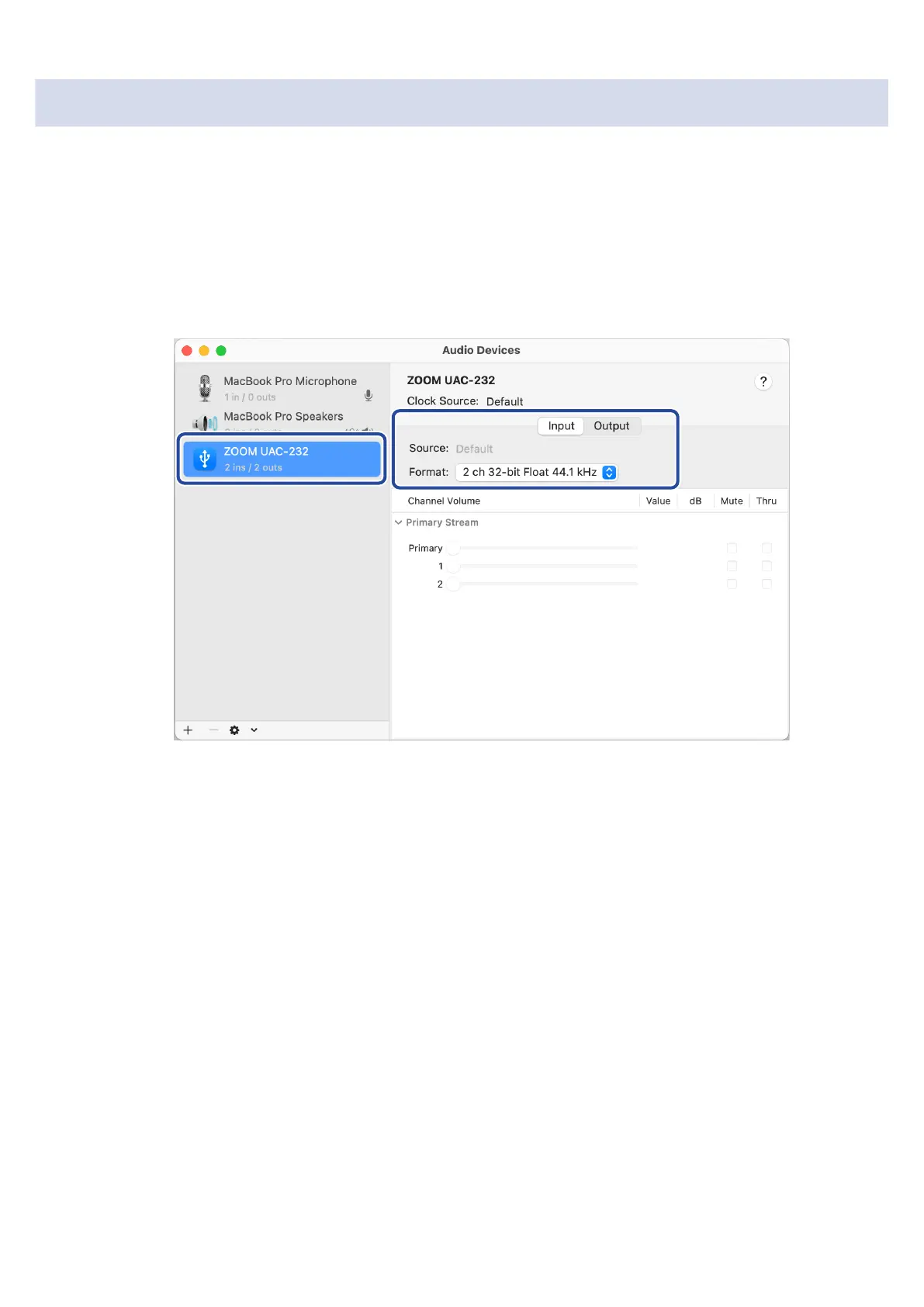
The following settings must be made to use the UAC-232 at 32-bit float with a Mac.
1. Open the Audio MIDI Setup app, which is in the Utilities subfolder of the Applications folder on the
Mac.
2. Select ZOOM UAC-232 in the Audio Devices, and set the input and output formats to 32-bit float.
14



 To Next Page