Connecting to iOS/iPadOS devices
An external power supply must be used during use with an iOS/iPadOS device.
1. If speakers, headphones or other output devices are connected to the UAC-232, minimize their
volumes. (→ Adjusting the volume)
2. Connect an external power supply. (→ Using an external power supply)
NOTE:
Power must be provided before connecting an iOS/iPadOS device to the UAC-232.
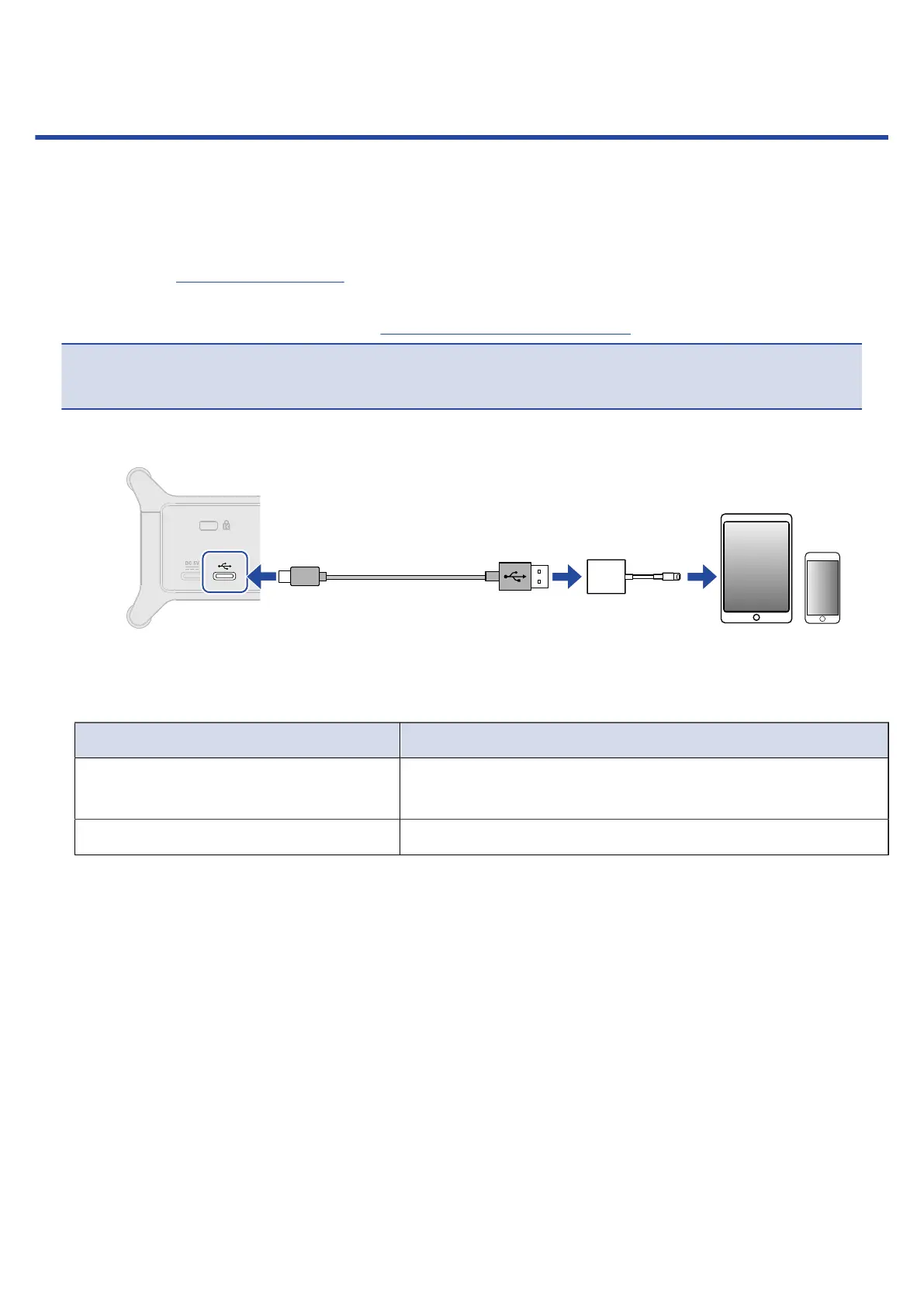
3. Use a USB cable to connect the UAC-232 USB port (Type-C) to the iOS/iPadOS device.
When connecting an iOS/iPadOS device, prepare USB cables and adapters that match its connectors
as necessary.
Use a USB cable that supports data transfer.
Connector type Necessary USB cable/adapter
Lightning connector
USB Type-A to Type-C cable, Lightning to USB 3 Camera
Adapter
Type-C connector USB Type-C to Type-C cable
18



 To Next Page