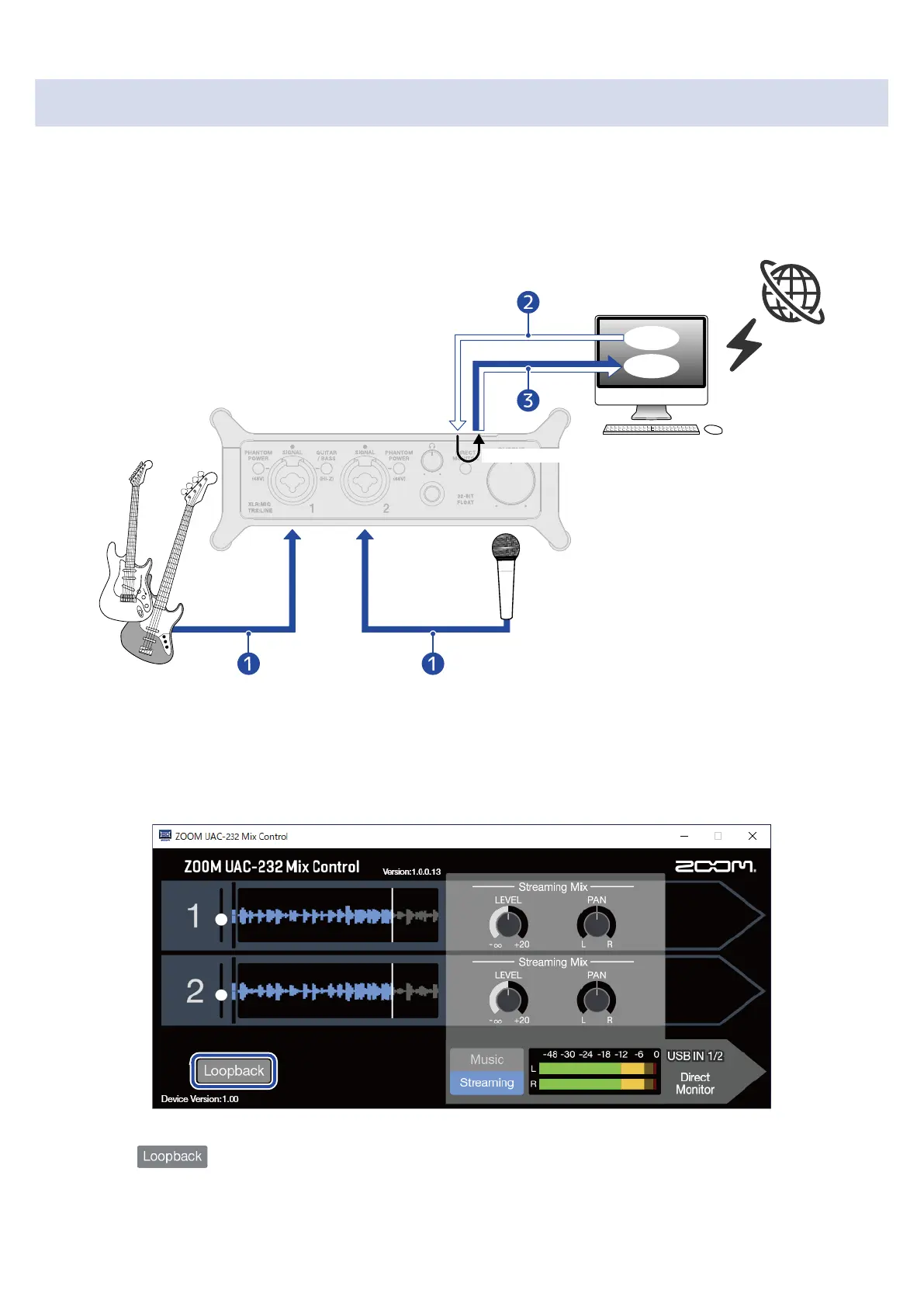
Enabling the loopback function
By turning on the Loopback function, sound input through the UAC-232 Input 1–2 jacks and sound output
from the computer can be mixed and then input to the computer again (looped back).
This is convenient for mixing background music played on the computer with sound input through the
UAC-232 and streaming it live, for example.
❶
Mic and instrument sounds are input to the UAC-232.
❷
BGM from the computer is input to the UAC-232.
❸
Mic and instrument sounds and the BGM from the computer are mixed and output to the computer.
1. Enable in ZOOM UAC-232 Mix Control.
35



 To Next Page