Connecting to computers
The UAC-232 is compatible with USB bus power, so power can be supplied to it from a computer through a
USB cable.
1. Install the dedicated driver before using a UAC-232 to record for the first time with a DAW application
on a Windows computer. (→ Installing the driver)
NOTE:
A driver is not necessary when using a Mac.
2. If speakers, headphones or other output devices are connected to the UAC-232, minimize their
volumes. (→ Adjusting the volume)
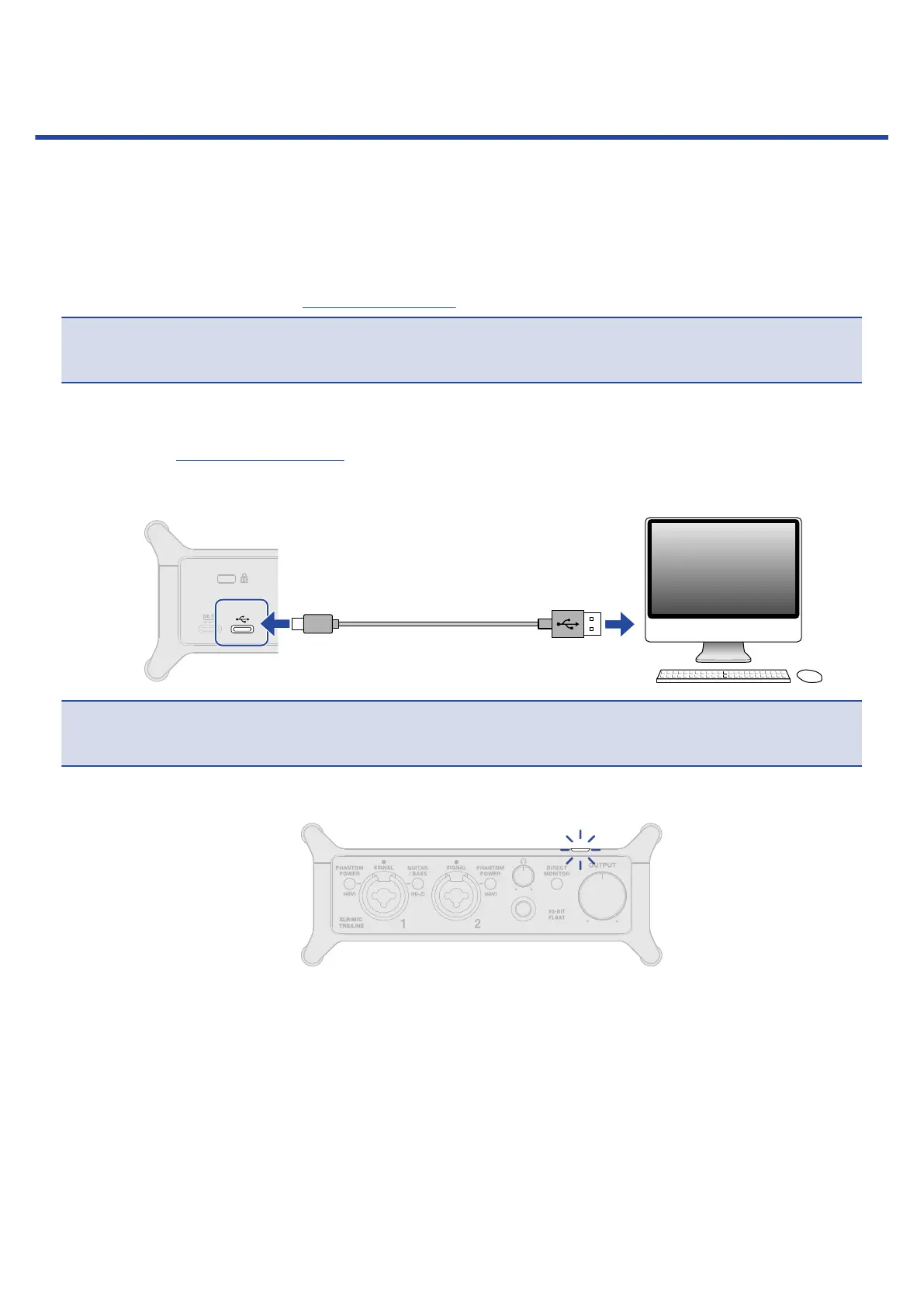
3. Use a USB cable to connect the UAC-232 USB port (Type-C) to a USB port on the computer.
NOTE:
Use a USB cable that supports data transfer.
4. Confirm that the power indicator is lit.
13



 To Next Page