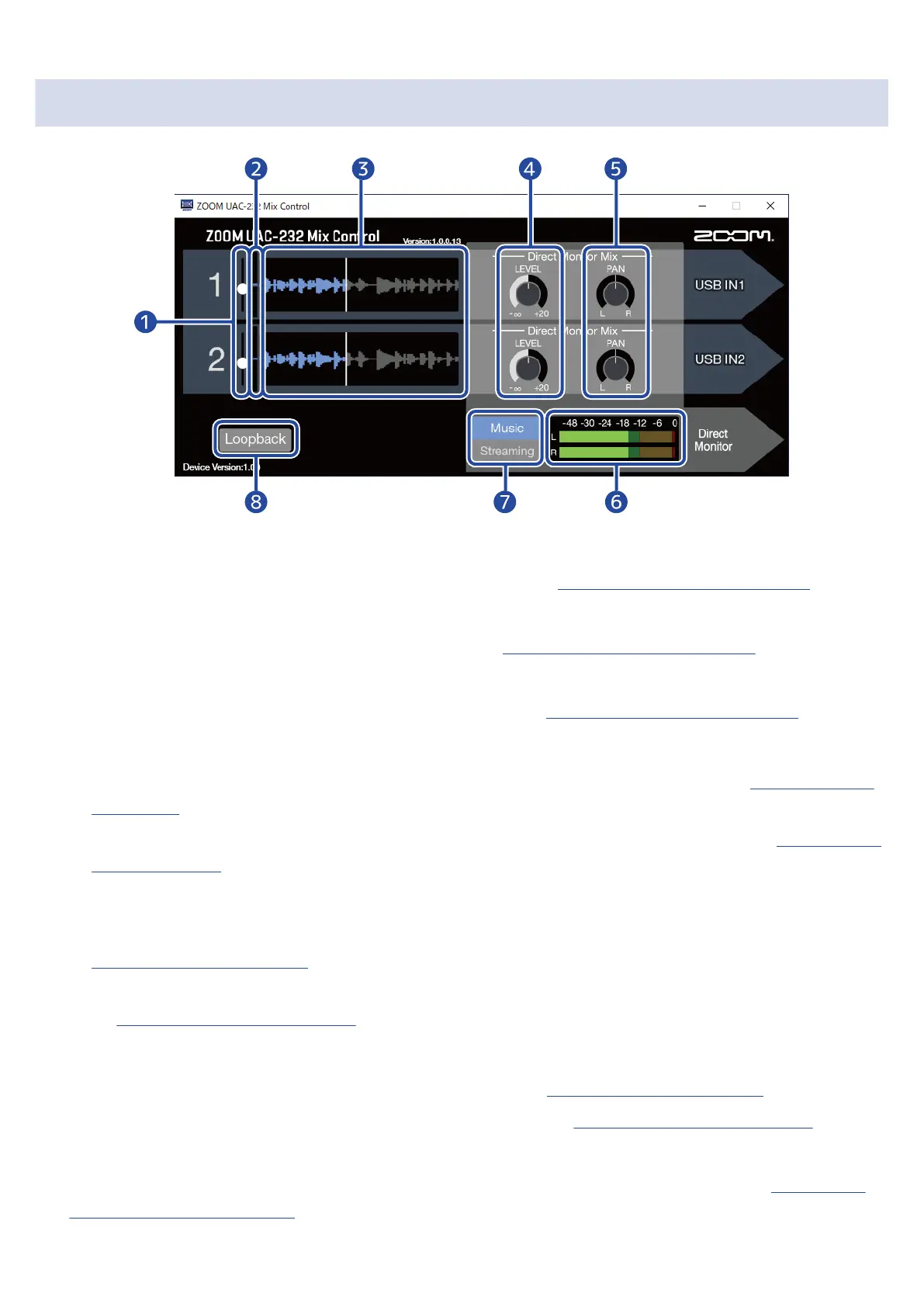
ZOOM UAC-232 Mix Control Screen
❶
Input level sliders
Use these to adjust the input signal gain for each channel. (→ Adjusting waveform display size)
❷
Input signal levels
These show the input signal levels of each channel. (→ Adjusting waveform display size)
❸
Input signal waveforms
These show the input signal waveforms of each channel. (→ Adjusting waveform display size)
❹
LEVEL knobs
• Music mode: Use these to adjust the direct monitoring volume of each channel. (→ Adjusting direct
monitoring)
• Streaming mode: Use these to adjust the streaming mixer volume of each channel. (→ Adjusting the
streaming mixer)
❺
PAN knobs
• Music mode: Use these to adjust the stereo positions of each channel for direct monitoring. (→
Adjusting direct monitoring)
• Streaming mode: Use these to adjust the stereo positions of each channel for the streaming mixer.
(→ Adjusting the streaming mixer)
❻
Level meters
• Music mode: These show the direct monitoring levels. (→ Adjusting direct monitoring)
• Streaming mode: These show the streaming mixer levels. (→ Adjusting the streaming mixer)
❼
Music/Streaming switch
Use this to switch between Music and Streaming modes according to the application. (→ Overview of
Music and Streaming modes)
28



 To Next Page