RT100 Rough Terrain Crane
07 - 30
When you turn the crane, your view to the rear and side can be blocked.
Be careful. Make sure that work-site personnel and equipment are clear
from the area of travel. Send out a short warning sound (horn) before
you move the crane. The aft end of the crane extends out 3780 mm from
the superstructure center point.
C. Operate - Swing During a Lift
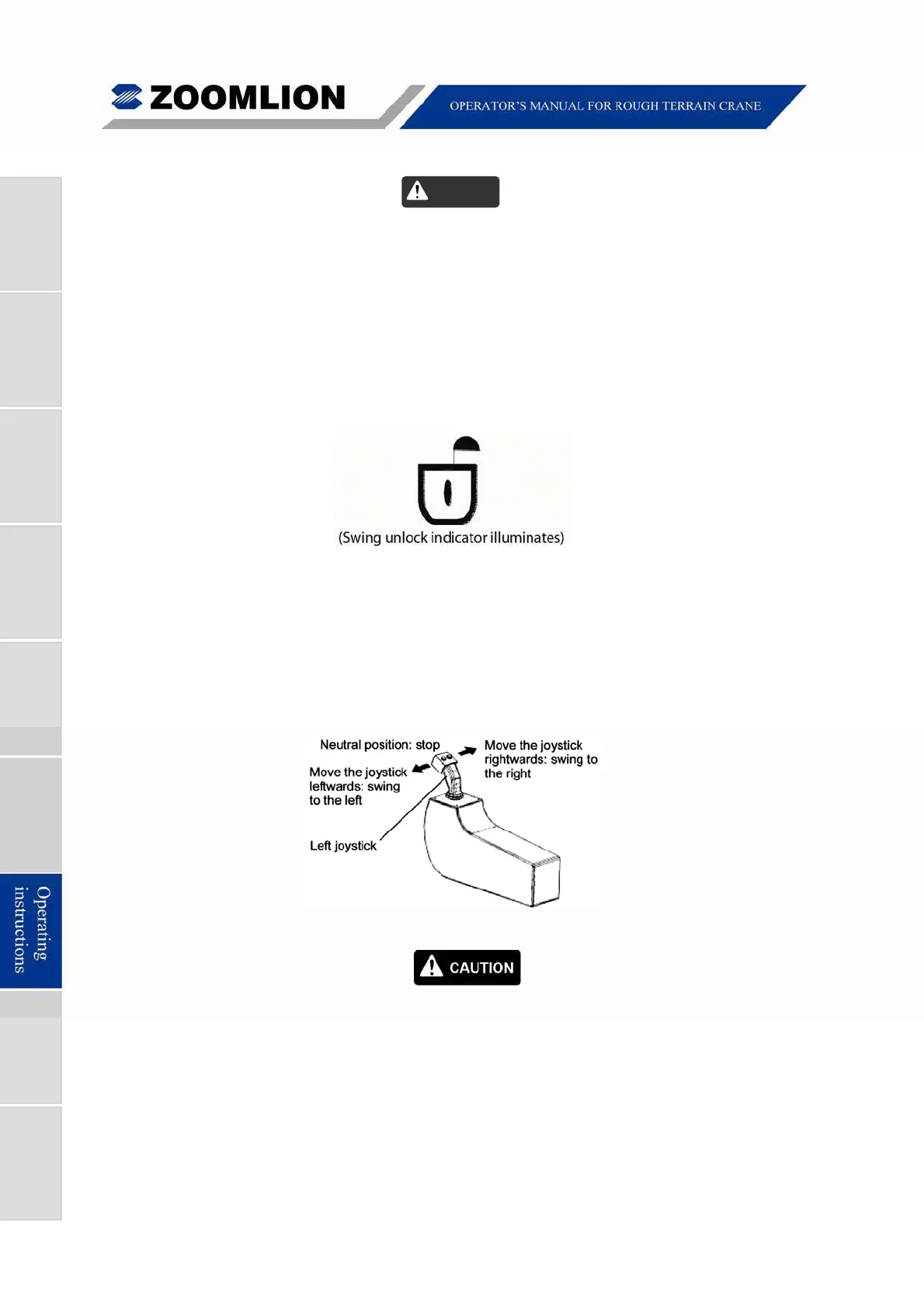
(1) Disengage the swing lockout device with the swing lock switch. The swing lock
indicator changes on the cab dash panel. Refer to Figure 07 – 27.
Figure 07 – 27 Unlock Indicator
(2) To swing the superstructure, push the left joystick to the left or right. The seat
must be occupied to use this function. The speed of the swing movement
changes by:
Joystick - how far you move the joystick left or right
Throttle pedal - increase or decrease the engine RPMs.
Figure 07 – 28 Left Joystick
Make sure that you do not make fast movements or suddenly stop
the turn.
When you operate a new crane, make sure that you do a check of
the Maintenance Log. The swing bearing bolts must be examined at
these intervals: 100, 500, 1000 hours of operation.
The torque on the bolts must be 700 ft·lbs (950 N·m).
The crane can turn with a load above the ground. Do not try to lift the
load diagonally. Do not pull a load across the ground.
Caution



 To Next Page