RT100 Rough Terrain Crane 07 -
33
D. Main Winch + Auxiliary Winch
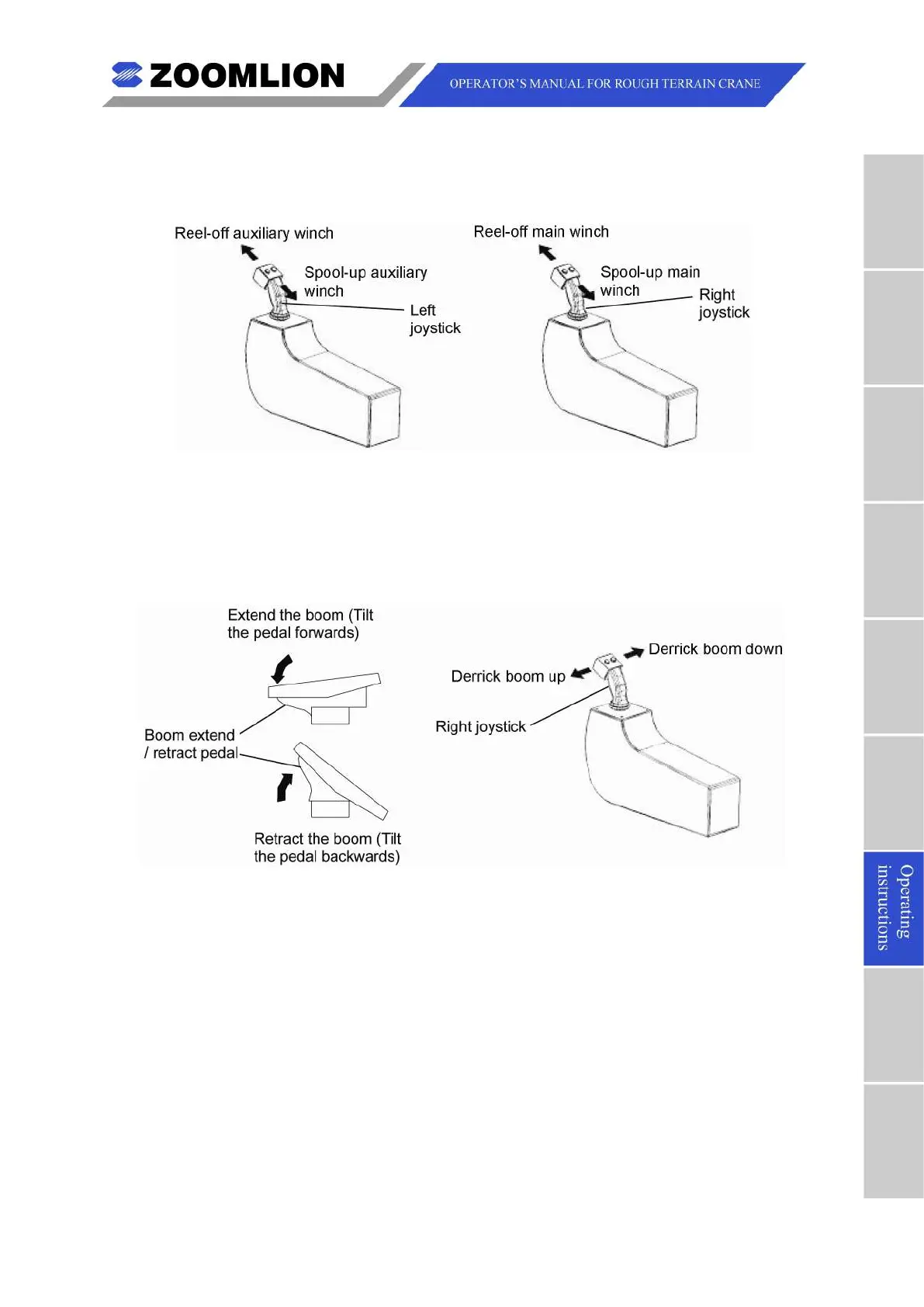
To move the main winch and the auxiliary winch at the same time, move (push and/or
pull) the left and right joysticks. The main hook and auxiliary hook move up and/or down.
Figure 07 – 30 Main Winch + Auxiliary Winch
E. Derrick + Extend or Retract the Boom
You can move the boom up or down and extend or retract the boom at the same time. To
do this, move the right joystick left or right and push the left pedal. The boom moves up
or down and the boom extends or retracts. Refer to Figure 07 – 31.
Figure 07 – 31 Derrick + Boom Extend or Retract



 To Next Page