06-4 RT100RoughTerrainCrane
Setthesteeringswitchtocrabor4-wheelsteeronlywhentheaxlesare
inthecenterposition.Ifyoudonotthis,therangeofsteeringdecreases
anditcanlock.
Ifthewheelslock,setthesteeringswitchto2-wheelsteerandturnfront
wheels.Movetheswitchtocrabor4-wheelsteerandthenputthe
wheelstothecenterposition.
Donotsteerinsitu(during4-wheelsteer).
Becarefulwhentheupperstructureisnotinthetravelposition.The
steeringisoppositewhentheboomisintherearposition.
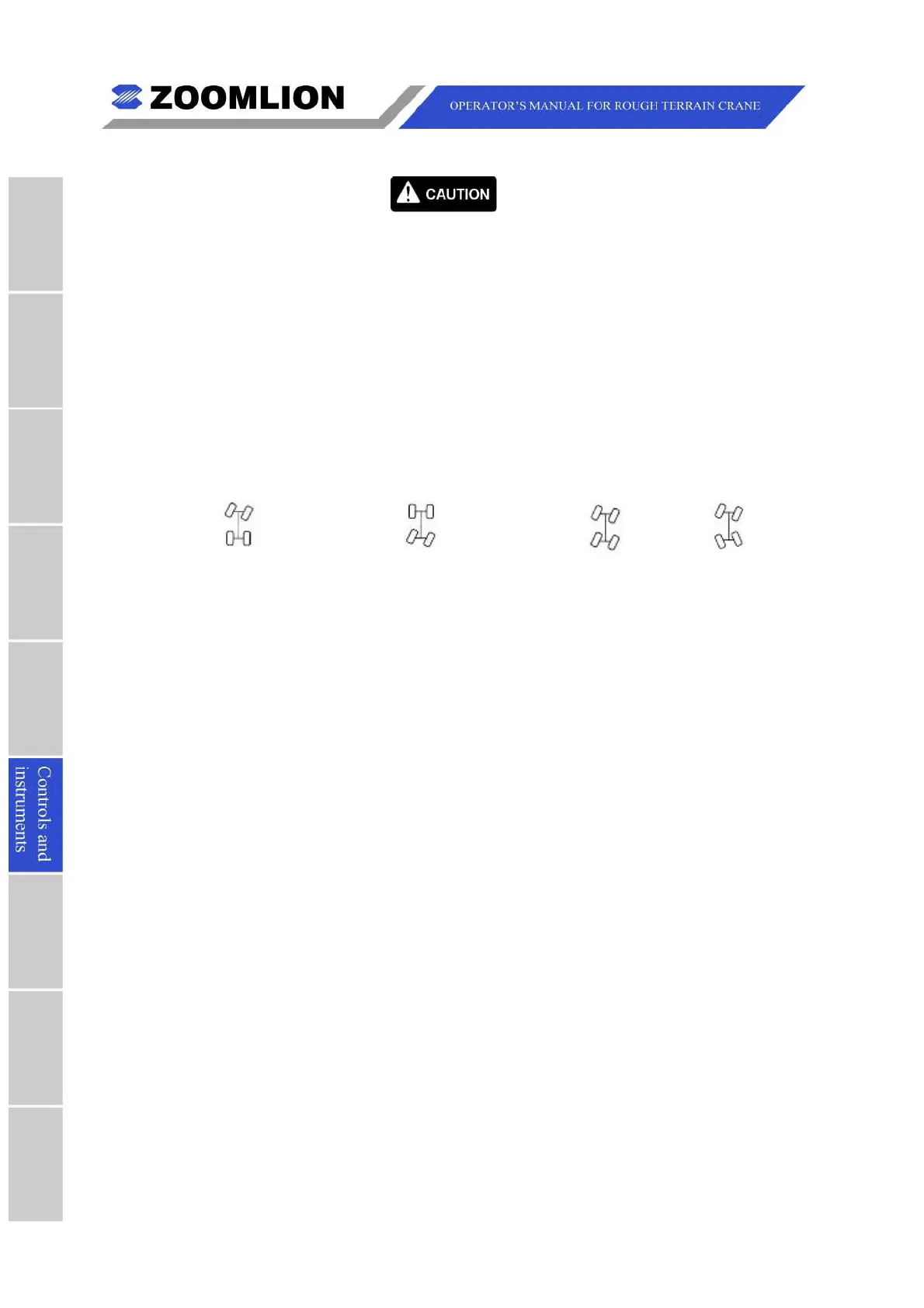
6. STEERINGSWITCH – The4modesareasfollows:
2-wheelsteer(frontwheel) 2-wheelsteer(rearwheel) Crabsteer 4-wheelsteer
7. HIGH/LOWSPEEDSELECTSWITCHFORAUX.WINCH – Setstheauxiliarywinch
speedtoOFF,LOWorHIGH.
8. EMERGENCYSTOPBUTTON – Inanemergency,pushthisbuttontoimmediately
STOPallcranefunctions.Turnthebuttonclockwisetoreleasethebutton.
9. BYPASSSWITCH – Pushdowntobypasstheswitch-offwhentheLMIsoundsthe
alarmandswitchesoffthemovements.(BYPASSSWITCHnotusedwithGreerLMI
system.)
10.WORKLIGHTSSWITCH – Pushdowntoturnontheheadlightsandboomworklights,
uptoturnoff.
11.ROTATINGBEACONSWITCH – Pushdowntoturnontherotatingbeacon,turn
signalsandboomheadlight.
12.CABHEATERPOWERSWITCH – Usedtoturnonthecabheater.Thecontrolsto
adjustheatareonthe AIRCONDITIONERCONTROLPANEL(5) (SeeFigure06 –
1).



 To Next Page